Windows, macOS, Tablets and phones with full-featured USB-C
Dimensions
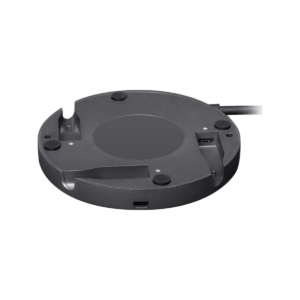
Hub 102 x 45 x 20 mm, pod 189 x 40 x 18 mm
Power
5V/2A USB-C
Part Number
CA200
The Fanvil CA200 in Kenya gives a meeting room a way to put a laptop screen on the wall display without hunting for cables or adapters. A receiver hub connects to the room screen over HDMI, and a small sharing pod plugs into the presenter’s laptop. Press the button on the pod and the content appears on the display.
It is built for rooms where people bring their own devices: boardrooms, training rooms, hotel conference suites and client meeting rooms. If your visitors usually ask for the right HDMI adapter, this is the tidier answer.
How the CA200 works
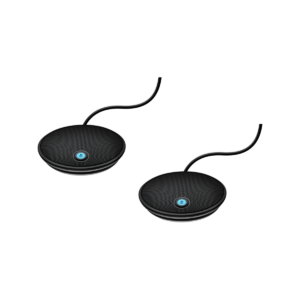
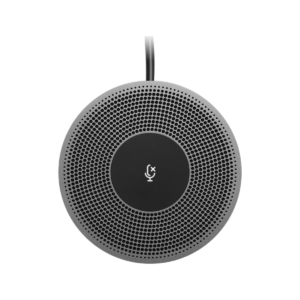
The kit uses two parts. The RC10 receiver hub stays with the screen. It takes power from a 5V/2A USB-C adapter and sends video out through its HDMI port. The CP20 pod is a slim USB-C stick that the presenter plugs into a laptop, tablet or phone. The pod carries the picture to the hub over Wi-Fi, so no one needs to be on your office network or install an app.
One hub can work with up to four pods, so several people can take turns sharing in the same meeting. The pod has a freeze mode too, which holds the current image on screen while you switch to something you do not want the room to see.
Where it fits
Boardrooms and meeting rooms with a TV or projector that has an HDMI input
Training rooms where different trainers bring different laptops
Hotels, lodges and conference venues that host outside presenters
Offices that want fewer cables on the table
Key specifications
Receiver hub: HDMI out, USB-C power delivery port, USB-A 3.0 port
Video: up to 4K at 30 fps, low latency
Wireless: Wi-Fi 5 or Wi-Fi 6, 2.4 GHz and 5 GHz, WPA3-PSK encryption
Sharing pod connection: USB-C with DisplayPort Alt Mode
Capacity: up to 4 sharing pods per hub
Hub: 102 x 45 x 20 mm, 85 g, 5V/2A input
Pod: 189 x 40 x 18 mm, 62 g, 2.5 W
Operating temperature: minus 10 to 40 degrees Celsius
What it works with
The CA200 works with the usual conferencing services, so you can share a Teams, Zoom or Google Meet window the same way you share a slide deck. It supports Windows and Mac computers, plus tablets and smartphones, as long as the device has a full-featured USB-C port. That last point matters: some budget laptops and phones have a USB-C port that only charges. If the port cannot output video, the pod will not work, so check your devices before you buy for a large team.
The kit does not include a camera or a speakerphone. For a full video meeting room, pair it with a conferencing speakerphone or a camera. Our Fanvil CA400 is the all-in-one option that bundles wireless sharing with a 4K camera and speakerphone, and the Jabra Speak2 75 is a good standalone speakerphone for smaller huddles. You will find more in our conferencing equipment range.
What is in the box
The box holds the CA200 kit, a 1.5 m HDMI cable, a 5V/2A USB-C power adapter and a quick installation guide. Plug the hub into your display, power it, and the room is ready for the first presenter.
Encom Digital delivers same day within Nairobi and ships countrywide. You can pay by M-Pesa, card or bank transfer, and every order comes with a KRA-compliant VAT invoice.
Fitting out several rooms, or buying for a company or school? Ask about bulk and corporate pricing. Call +254 714 962 072 or email sales@encom.africa and tell us what you need.
Frequently asked questions
Does the Fanvil CA200 need an app or driver?
No. It is plug and play. The presenter plugs the pod into the laptop and presses the button, and the hub shows the picture on the display.
How many people can share at once?
One receiver hub supports up to four sharing pods. Each person plugs in their own pod when it is their turn, and freeze mode lets you hold the screen between switches.
Will it work with my laptop?
It works with Windows and Mac laptops, tablets and phones that have a full-featured USB-C port with video output. A USB-C port that only charges will not work, so check the specification of your device.
Does it include a camera?
No. The CA200 is a screen sharing kit only. For a camera and speakerphone in one set, look at the Fanvil CA400.
What customers say about Encom Digital
Bought the Fanvil CA200 from us? Review it on Google.Please mention the Fanvil CA200 in your review so other shoppers can find it. We copy the name for you when you tap the button.