PoE in 802.3af/at on Ether1, passive PoE out on Ether8
Power
24 to 56 V DC, 47 W max
Management
RouterOS v7, WinBox, WebFig
Antennas
Built-in 4 dBi, RP-SMA for external
Part Number
L009UiGS-2HaxD-IN
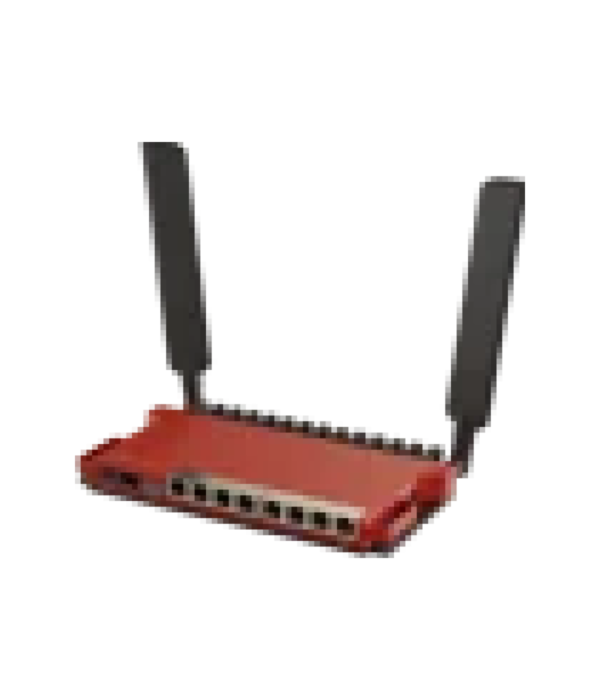
The MikroTik L009UiGS-2HaxD-IN in Kenya is a desktop RouterOS router with eight Gigabit Ethernet ports, a 2.5G-capable SFP port and built-in 2.4 GHz Wi-Fi 6. It is a good all-in-one for small offices, shops and homes that want MikroTik control with wireless included.
Who it suits
Choose it when you want one box to do routing, firewalling and Wi-Fi for a small site such as a clinic, a shop, a school office or a technical home user. It has eight Gigabit ports, so you can wire several desks, cameras and a printer straight into it without buying a separate switch. The wireless is 2.4 GHz only, so for a large site you would add dedicated access points.
Hardware
MikroTik lists an IPQ-5018 dual-core 800 MHz CPU, 512 MB of RAM and 128 MB of NAND. Wi-Fi is 2.4 GHz 802.11b/g/n/ax (Wi-Fi 6) with two chains and a maximum of 574 Mbps (AX600), with 4 dBi gain. External antennas can be fitted through RP-SMA connectors. Ether1 takes 802.3af/at PoE input, Ether8 can pass passive PoE out within MikroTik’s limits, and there is a USB 3.0 Type-A port, an RJ45 serial console and a mode button.
CPU: IPQ-5018, 2 cores, 800 MHz, 512 MB RAM
Wi-Fi: 2.4 GHz Wi-Fi 6 (AX600), up to 574 Mbps
Ports: 8 x Gigabit Ethernet, 1 x SFP (2.5G supported), 1 x USB 3.0
PoE: 802.3af/at in on Ether1, passive PoE out on Ether8
Power: 24 to 56 V DC, 24 V 1.5 A adapter included, 47 W max
OS: RouterOS v7, licence level 5
Power and management
Power comes from the DC jack at 24 to 56 V or from PoE-in. MikroTik lists a maximum of 47 W and 14 W without attachments. You manage it with RouterOS v7 through WinBox, WebFig or the command line, and MikroTik provides free updates for the life of the product or at least five years from purchase. Cooling is passive, and the tested ambient range is -40 to 70 degrees Celsius.
Setup tips
Start with the default configuration and use Quick Set in WebFig for a first working network. Because the Wi-Fi is only 2.4 GHz, keep it for phones, tablets and smart devices, and wire laptops and desktops to the Gigabit ports. Update RouterOS to the current stable release and make a configuration backup once everything works. If the Wi-Fi range is not enough, the RP-SMA connectors let you fit external antennas.
What it works with
Connect your ISP link to a Gigabit port or the SFP port, and plug wired devices into the others. For extra wireless coverage on 5 GHz add an access point such as the TP-Link Omada EAP610. Check your cabling with the UGREEN network cable tester and use UGREEN Cat6 cable for the runs. If you want a rackmount wired-only version, see the MikroTik L009UiGS-RM, or for more power the MikroTik RB5009UG+S+IN. Browse the MikroTik range, all routers and networking.
Encom Digital ships countrywide and delivers the same day in Nairobi. We take M-Pesa, cards and bank transfers, and we issue KRA-compliant VAT invoices on every sale. If you are fitting out a larger site, ask about bulk and corporate pricing by calling +254 714 962 072 or emailing sales@encom.africa.
Frequently asked questions
Does it have 5 GHz Wi-Fi?
No. The built-in Wi-Fi is 2.4 GHz only, Wi-Fi 6, up to 574 Mbps.
Can I fit external antennas?
MikroTik says external antennas can be connected through RP-SMA connectors.
What is the SFP port for?
It supports 2.5G and is used for fibre or a high-speed uplink with a suitable SFP module.
Does it come with a power adapter?
MikroTik lists a 24 V 1.5 A adapter as included.
What customers say about Encom Digital
Bought the MikroTik L009UiGS-2HaxD-IN from us? Review it on Google.Please mention the MikroTik L009UiGS-2HaxD-IN in your review so other shoppers can find it. We copy the name for you when you tap the button.