



| Form Factor | Desktop |
|---|---|
| Wi-Fi Standard | Wi-Fi 5 (802.11ac) |
| Wi-Fi Speed | AC1200 |
| Frequency Bands | Dual-band 2.4 GHz and 5 GHz |
| Ethernet Ports | 3 x 10/100 Mbps LAN, 1 x LAN/WAN |
| WAN Port | LAN/WAN 10/100 Mbps |
| PoE | No |
| Power | 12 V, 1 A adapter |
| Mounting | Desktop |
| Max Clients | 64 devices |
| Management | Tether app, web interface |
| Antennas | 2 detachable external 4G antennas |
| Cellular | 4G LTE, up to 150 Mbps download |
| SIM | Nano SIM |
TP-Link Archer MR400
KSh 9,800 ex VATKSh 11,368 including 16% VAT
Prices and stock change often. Call us on 0714 962 072 to confirm the price and availability before you pay.
Fast mover
Call to confirm stock, might be low. Orders for this item are taken on the phone.
- 4G LTE router, nano SIM slot, up to 150 Mbps down
- Dual-band AC1200 Wi-Fi for up to 64 devices
- 3 LAN ports plus a LAN/WAN port for cable or fibre backup
- 2 detachable LTE antennas, Tether app
- Add range with a RE450 extender
Call to confirm stock, might be low
The TP-Link Archer MR400 in Kenya is a 4G LTE router with a nano SIM slot and dual-band AC1200 Wi-Fi. Insert a data SIM, power it on and the whole house or office can share the mobile connection over Wi-Fi or Ethernet. It also has a LAN/WAN port, so it can sit behind a fibre or cable modem as a normal Wi-Fi router.
Who the TP-Link Archer MR400 suits
This router suits homes and small offices that have no fibre, shops and kiosks that need a quick internet link, and anyone who wants a mobile data backup for a wired connection. It is also handy for site offices and rental properties where running a cable is not practical. It supports up to 64 Wi-Fi devices according to the maker, but remember that the speed you get depends on the mobile network and the data plan in your SIM, not only on the router.
Key specifications
- 4G LTE: up to 150 Mbps download and 50 Mbps upload (maker figures)
- FDD-LTE B1/B3/B7/B8/B20 and TDD-LTE B38/B40/B41
- 3G fallback on B1 and B8 (DC-HSPA+/HSPA+/HSPA/UMTS)
- One nano SIM slot; SIM not included
- Dual-band Wi-Fi: 867 Mbps on 5 GHz and 300 Mbps on 2.4 GHz
- 3 x 10/100 Mbps LAN and 1 x 10/100 Mbps LAN/WAN port
- 2 detachable external 4G antennas (SMA-F)
- Power: 12 V, 1 A adapter; size 174 x 124.5 x 33.5 mm
4G, SIM and bands
The router takes a nano SIM and works on the LTE bands listed by TP-Link: FDD-LTE B1, B3, B7, B8 and B20, and TDD-LTE B38, B40 and B41, with 3G fallback on B1 and B8. The maker quotes up to 150 Mbps down and 50 Mbps up, which is the ceiling of the radio, not what a network will deliver in every location. Before you buy a SIM plan, check that your operator uses at least one of these bands in your area. The page says SIM compatibility spans more than 100 countries, and it does not state an LTE category. Two detachable antennas can be positioned near a window for a better signal.
Wi-Fi and wired connections
Wi-Fi is dual-band AC1200, giving 867 Mbps on 5 GHz and 300 Mbps on 2.4 GHz, with a guest network on each band. The back panel has three LAN ports and one LAN/WAN port, all 10/100 Mbps. When the LAN/WAN port is set as WAN, the Archer MR400 acts as a normal wireless router for a cable or fibre modem, with WAN failover so that 4G can take over if the wired link drops. Parental controls, QoS and a reboot schedule are included, and the router supports PPPoE, PPTP, L2TP, port forwarding, DMZ, UPnP and OpenVPN or PPTP VPN.
Setup and management
Plug-and-play is the idea: insert the nano SIM, power on and connect. You can fine-tune everything through the web interface or the Tether app, with local and remote management. The box contains the router, an RJ45 Ethernet cable, a 1.5 m power adapter and a quick installation guide. It also supports TP-Link OneMesh with compatible products sold separately. Full specifications are on the TP-Link Archer MR400 product page.
What it works with
The router works with any nano SIM that is activated and has a data plan on a supported band. For a wired backup setup, connect the LAN/WAN port to your fibre or cable modem with a UGREEN Cat6 Ethernet cable. If you need cabling for several rooms, see the RJ45 plugs and the UGREEN cable tester. Browse more in our TP-Link range and routers categories, or see all networking products.
Buying from Encom Digital
Encom Digital is an IT shop in Nairobi. We deliver the same day inside the city and send orders to the rest of the country. M-Pesa, card and bank transfer are all accepted, invoices are KRA-compliant, and bulk or corporate pricing is available. Reach the team on +254 714 962 072 or sales@encom.africa.
TP-Link Archer MR400 FAQ
Does it come with a SIM card?
No. TP-Link states that a nano SIM is required and not included. You need to bring an activated data SIM.
Will it work with Safaricom, Airtel or Telkom SIMs?
The router supports the LTE and 3G bands listed above and takes a nano SIM. Check with your operator that its network in your area uses one of those bands, and that your plan allows router use.
Can I use it with fibre as well?
Yes. Set the LAN/WAN port as WAN and it works as a normal Wi-Fi router, with 4G available as a failover.
How many devices can connect?
TP-Link lists up to 64 Wi-Fi devices. Practical speed depends on your mobile signal and plan.
What customers say about Encom Digital
Bought the TP-Link Archer MR400 from us? Review it on Google.Please mention the TP-Link Archer MR400 in your review so other shoppers can find it. We copy the name for you when you tap the button.
Review us on GoogleIn stock now and closest in price to your choice. Call us if you would rather wait for this one.

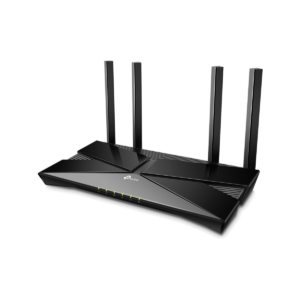
TP-Link Archer AX53
KSh 9,200 ex VATTP-Link TL-MR6400
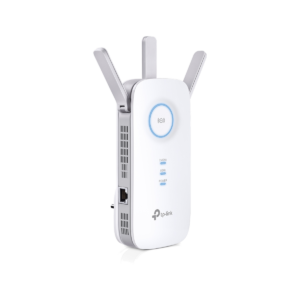
KSh 8,500 ex VATTP-Link RE450
KSh 7,900 ex VATTP-Link Archer BE220
KSh 14,600 ex VAT




You may also like…
TP-Link Archer AX53
KSh 9,200 ex VATTP-Link RE450
KSh 7,900 ex VATTP-Link TL-MR6400
KSh 8,500 ex VATTP-Link Archer BE220
KSh 14,600 ex VAT
Related products
TP-Link Archer AX12
KSh 5,500 ex VATMikroTik RB951Ui-2HnD
KSh 9,800 ex VATMikroTik hAP lite
KSh 4,900 ex VATD-Link DWR-M921
KSh 8,500 ex VAT