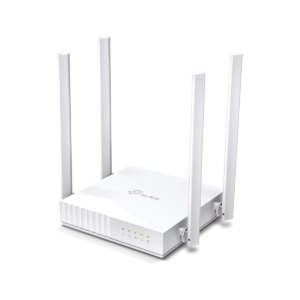
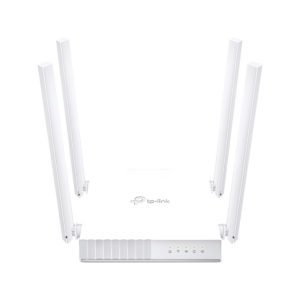
The TP-Link Archer C20 in Kenya is an entry-level AC750 dual-band Wi-Fi 5 router for small homes, rented rooms and light office use. It offers up to 433 Mbps on 5 GHz and 300 Mbps on 2.4 GHz, three fixed antennas and Tether app setup. Its ports are Fast Ethernet (10/100 Mbps), so it suits connections and uses that do not need Gigabit wiring.
Who it suits
The C20 fits a bedsitter, a one or two bedroom flat or a small shop with a modest internet plan: a few phones, a laptop or two and a TV. It is a straightforward replacement for a failed or very old router. If your plan is above 100 Mbps, or you want Gigabit wired ports, choose the TP-Link Archer C6 or one of the Wi-Fi 6 Archer models.
Wireless
The C20 supports 802.11ac on 5 GHz at up to 433 Mbps and 802.11n on 2.4 GHz at up to 300 Mbps, 733 Mbps combined. Guest networks are available on both bands. Encryption covers WPA3-Personal as well as WPA2, WPA and WEP. Three working modes are offered: router, access point and range extender, so the C20 can be reused later if you upgrade your main router.
Ports and hardware
One 10/100 Mbps WAN port and four 10/100 Mbps LAN ports are provided. The processor is single-core. Power is 9 V at 0.6 A. The body measures 230 x 144 x 35 mm. The package contains the Archer C20 router, a power adapter, an RJ45 Ethernet cable and a quick installation guide.
Features and setup
You set it up with the Tether app or the web page. Features include parental controls with URL filtering and time controls, QoS by device, port forwarding, DMZ, UPnP, DDNS, IPv6 and IPTV support. It supports EasyMesh and also works with OneMesh products, so a compatible extender can widen coverage later. Check an extender’s specification first.
Getting the best from it
With 10/100 Mbps ports, the C20 caps wired speeds at 100 Mbps, which is fine for most basic home plans. Place it centrally and off the floor, use 5 GHz for devices close by, and keep 2.4 GHz for smart devices and rooms further away. Update the firmware from the Tether app after the first setup.
Need it today? Orders placed with Encom Digital can be delivered the same day in Nairobi, and we send parcels countrywide too. Payment by M-Pesa, card or bank transfer is fine, and a KRA-compliant VAT invoice comes with the order. If you are equipping a school, hotel or office floor, ask about bulk and corporate pricing: +254 714 962 072, sales@encom.africa.
Frequently asked questions
Does the Archer C20 have Gigabit ports?
No. The WAN and LAN ports are 10/100 Mbps Fast Ethernet. For Gigabit ports, see the Archer C6.
Is it dual-band?
Yes. It offers 5 GHz at up to 433 Mbps and 2.4 GHz at up to 300 Mbps.
Can it work as an access point?
Yes. TP-Link lists router, access point and range extender modes.
Do I need the Tether app?
No. You can also use the web page to set it up, although the app is quicker for most people.
What customers say about Encom Digital
Bought the TP-Link Archer C20 from us? Review it on Google.Please mention the TP-Link Archer C20 in your review so other shoppers can find it. We copy the name for you when you tap the button.