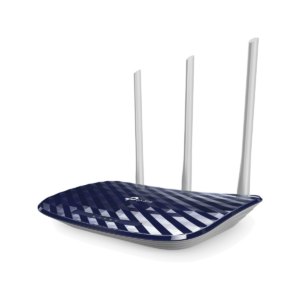
The TP-Link Archer C24 in Kenya is a compact AC750 dual-band Wi-Fi 5 router for small homes, bedsitters and small shops. It provides up to 433 Mbps on 5 GHz and 300 Mbps on 2.4 GHz, with four fixed antennas and Tether app setup. At about 115 x 107 x 24 mm it takes little space on a shelf or desk.
Who it suits
The C24 suits light everyday use: browsing, WhatsApp calls, streaming a show and a few smart devices. It is a tidy choice for a single-room setup, a student’s room or a small office desk. Its ports are 10/100 Mbps, so for faster wired devices or a plan above 100 Mbps, the TP-Link Archer C6 or the TP-Link Archer AX12 is a better match.
Wireless
The router runs 802.11ac on 5 GHz at up to 433 Mbps and 802.11n on 2.4 GHz at up to 300 Mbps. Guest networks are offered on both bands. Security covers WPA3-Personal, WPA2 and WPA, plus an SPI firewall, access control and IP and MAC binding. There are three working modes: router, access point and range extender.
Ports and hardware
The C24 has one 10/100 Mbps WAN port and four 10/100 Mbps LAN ports. Power is 9 V at 0.6 A. A single WPS and reset button is fitted. The package contains the router, power adapter, RJ45 Ethernet cable and quick installation guide.
Setup and features
Set it up with the Tether app on Android or iOS, or through the web page. TP-Link lists parental controls with URL filtering and time controls, QoS by device, port forwarding, port triggering, DMZ, UPnP, IPv6, IPTV support, and NO-IP and DynDNS support. Wired connection types are dynamic IP, static IP, PPPoE, PPTP and L2TP.
Getting the best from it
Because the C24 is small, it is easy to tuck away, but it works best out in the open and raised off the floor. Use 5 GHz for devices in the same room and 2.4 GHz for anything further away. The 10/100 Mbps ports cap wired speeds at 100 Mbps, which suits basic home plans.
When you buy from Encom Digital you deal with a Nairobi team that can answer technical questions before you pay. Same-day delivery covers Nairobi, and countrywide delivery covers the rest of Kenya. We take M-Pesa, cards and bank transfers and issue KRA-compliant VAT invoices. Companies buying in volume can request bulk pricing on +254 714 962 072 or sales@encom.africa.
Frequently asked questions
Does the C24 have Gigabit ports?
No. The WAN and LAN ports are 10/100 Mbps. For Gigabit, see the Archer C6 or AX12.
Is the Archer C24 dual-band?
Yes. It offers 5 GHz at up to 433 Mbps and 2.4 GHz at up to 300 Mbps.
Can I use it as an access point?
Yes. TP-Link lists router, access point and range extender modes.
How do I set it up?
Use the Tether app on Android or iOS, or the web page.
What customers say about Encom Digital
Bought the TP-Link Archer C24 from us? Review it on Google.Please mention the TP-Link Archer C24 in your review so other shoppers can find it. We copy the name for you when you tap the button.