




| Sensor | Darkfield, 200 to 8,000 DPI |
|---|---|
| Buttons | 8, including Haptic Sense Panel |
| Scroll | MagSpeed electromagnetic wheel, Thumb wheel |
| Connection | Logi Bolt USB-C receiver, Bluetooth Low Energy |
| Battery | Up to 70 days, USB-C rechargeable |
| Weight | 150g |
| Compatibility | Windows, macOS, ChromeOS, Linux, iPadOS, Android |
| Colour | Graphite |
Logitech MX Master 4 Wireless Mouse
KSh 16,800.00
- 8,000 DPI Darkfield sensor that tracks on glass
- Haptic Sense Panel and Actions Ring shortcuts
- MagSpeed wheel plus thumb wheel for wide spreadsheets
- Logi Bolt USB-C receiver or Bluetooth, up to three devices
- Up to 70 days per charge. Pairs well with the MX Keys Mini
Logitech’s top productivity mouse, now with a haptic panel and an on-screen shortcut ring
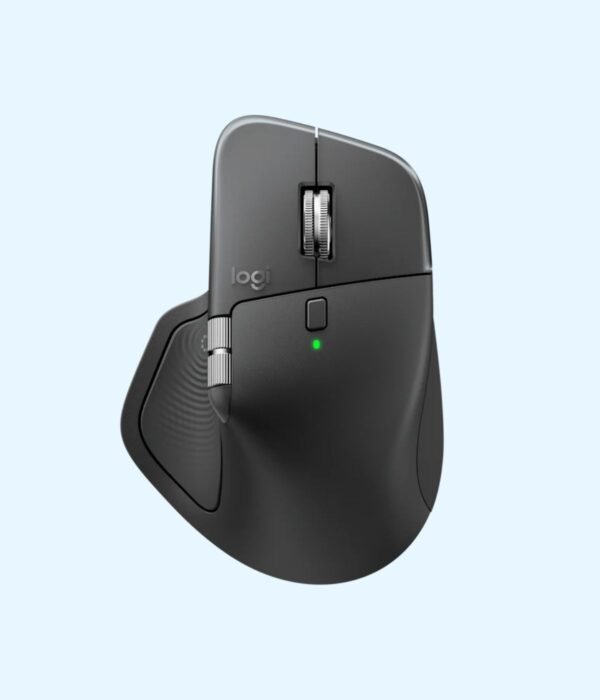
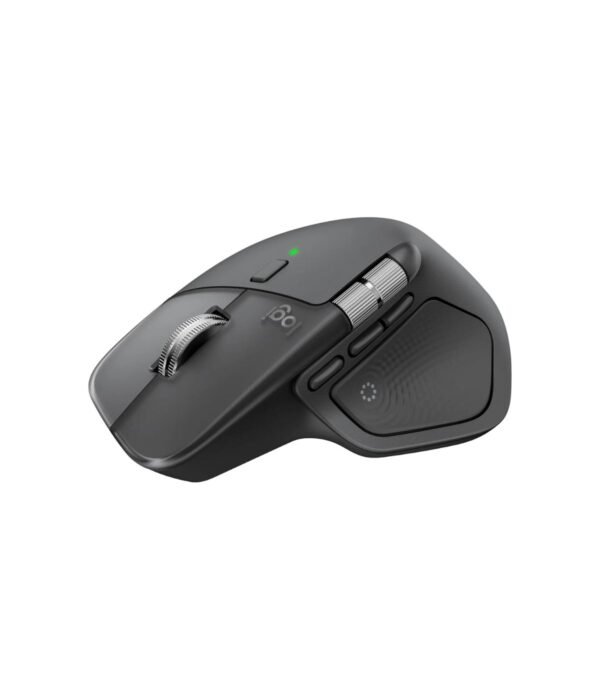
The Logitech MX Master 4 is the fourth generation of the mouse that designers, developers, analysts and finance teams have relied on for years. It keeps the shape people like, a large sculpted body that supports your whole hand, and adds two new things: a Haptic Sense Panel under your thumb that gives a small physical tap when you trigger a command, and the Actions Ring, a menu of shortcuts that pops up at your cursor. It connects through the included Logi Bolt USB-C receiver or over Bluetooth.
Browse more mice and keyboards in our accessories range.
What you get
8,000 DPI Darkfield sensor that tracks on glass
The Darkfield sensor tracks on almost any surface, including glass desks and glossy tables where ordinary mice fail. You can set it anywhere from 200 to 8,000 DPI in Logi Options+. At high settings, a small hand movement crosses a 4K screen or two monitors, which saves a lot of arm movement over a working day.
Haptic Sense Panel and Actions Ring
The thumb area has a pressure-sensitive panel with a haptic motor inside. Press it and the Actions Ring opens at your cursor with shortcuts for the app you are in: brushes and filters in Photoshop, formatting tools in Word, or anything you set up yourself. The haptic tap confirms each action without you looking down. Logitech’s own testing found the Actions Ring can save up to a third of the time on common desktop actions, depending on how you set it up. You can turn the vibration strength up or down, or switch it off.
MagSpeed scroll wheel and a thumb wheel
The MagSpeed wheel uses electromagnets. In ratchet mode it clicks line by line for precise work, and with a flick it spins freely, scrolling up to 1,000 lines a second, which is the fastest way through a long spreadsheet or code file. The thumb wheel scrolls sideways, which is useful for wide Excel sheets, video timelines and design canvases.
Eight buttons with quieter clicks
There are eight buttons, including back and forward, a gesture button and the haptic panel. Logitech says the main clicks are 90 percent quieter than the MX Master 3, which makes a difference in open-plan offices and late-night home offices.
Logi Bolt receiver and Bluetooth
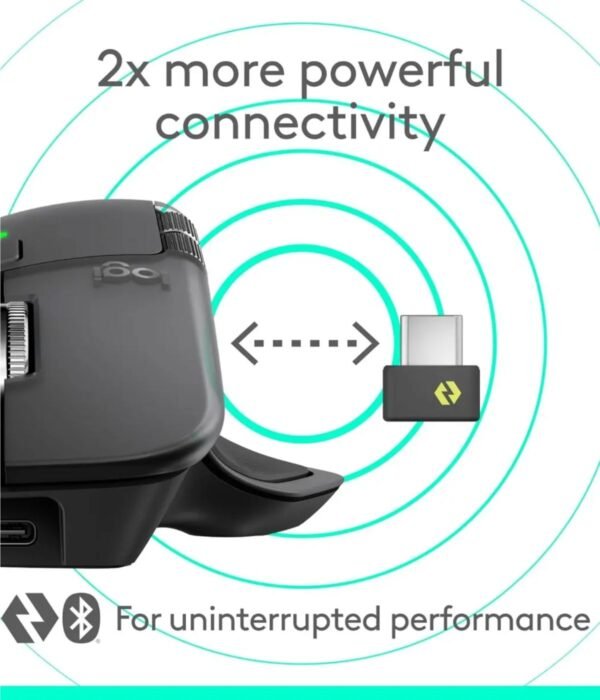
The included Logi Bolt receiver plugs into a USB-C port and gives a stable, encrypted connection, which is helpful in offices with lots of wireless devices. You can also connect over Bluetooth Low Energy. The mouse remembers up to three devices, and the Actions Ring lets you switch between them, so one mouse can serve your laptop, your desktop and a tablet.
70 days per charge
Logitech rates the battery at up to 70 days on a full charge. It charges over USB-C, and one minute of charging gives about three hours of use, so a flat battery before a meeting is a short problem. A charging cable is not in the box, but any USB-C cable works.
Size and weight
It measures 128.2 x 88.4 x 50.8mm and weighs 150g. It is a right-handed mouse designed for medium to large hands. People with small hands, or who want something for travel, may prefer the smaller Logitech MX Anywhere 3S.
Works with Windows, Mac and more
Full features, including the Actions Ring and custom buttons, work on Windows and macOS through the free Logi Options+ app. On ChromeOS, Linux, iPadOS and Android, the sensor, buttons and wheels work without extra software. Logi Options+ also lets you set different button actions for each app.
Who it suits
The MX Master 4 suits people who spend most of the day at a computer: accountants and analysts in Excel, designers in Adobe apps, video editors, developers and architects. It is also a good upgrade for anyone using a basic mouse who has started to feel wrist strain, since the shape supports the hand better. If you mostly game, a dedicated gaming mouse with a higher report rate is a better fit.
How it compares
Compared with the MX Master 3S, the MX Master 4 adds the haptic panel and Actions Ring, quieter clicks and a stronger wireless link, and the receiver is now USB-C. Compared with the MX Anywhere 3S, it is bigger, more comfortable for long days and has the thumb wheel. For a matching keyboard, the Logitech MX Keys S Combo gives you the full MX desk setup. Full product details are on Logitech’s official site.
Looking after it
Wipe the body with a slightly damp cloth. Keep the sensor window clean, since lint can cause jumpy tracking. If you use the Bolt receiver on a laptop, keep it in the laptop bag pocket when you travel so it does not get lost. Update Logi Options+ from time to time for new features and fixes.
Works well with
Pair it with the Logitech MX Keys Mini for a compact desk, a UGREEN swivel laptop stand to lift your screen, and the Logitech C920e webcam for clearer video calls.
Frequently asked questions
Does the MX Master 4 work with a Mac?
Yes. Full features work on macOS 12 or later through Logi Options+.
Does it come with a receiver?
Yes, a Logi Bolt receiver with a USB-C plug. It also connects over Bluetooth.
My laptop only has USB-A ports. Can I use it?
Yes, connect over Bluetooth instead. Most laptops from the last ten years have Bluetooth.
How long does the battery last?
Up to 70 days per charge. One minute of charging gives about three hours of use.
Is it good for left-handed users?
No. It is shaped for the right hand only.
Can I turn off the vibration?
Yes. You can set the haptic strength or switch it off in Logi Options+.
How many computers can it connect to?
Up to three, and you can switch between them from the Actions Ring.
Buying from Encom Digital
Everything we sell is genuine Logitech. Prices on this page exclude VAT, and every order comes with a KRA-compliant VAT invoice, which your accounts team will need if you are buying for a company.
We offer same-day delivery within Nairobi and deliver to the rest of Kenya. You can pay by M-Pesa, card or bank transfer. If you are fitting out an office, a school or an NGO, ask us for bulk and corporate pricing.
Call or WhatsApp us on +254 714 962 072, email us, or visit us at Rehema House, 4th Floor, Standard Street, Nairobi, Monday to Saturday, 8AM to 6PM.
You may also like…

Logitech MX Keys S Combo with Palm Rest
KSh 31,200.00


Related products
Dell OptiPlex 3080 Micro Tower (Core i3-10105)
KSh 50,400.00Dell Latitude 5450
Price range: KSh 137,500.00 through KSh 172,700.00Select options This product has multiple variants. The options may be chosen on the product pageDell Latitude 7200 2-in-1
KSh 165,000.00Dell Latitude 7450
Price range: KSh 231,000.00 through KSh 242,000.00Select options This product has multiple variants. The options may be chosen on the product page


Reviews
There are no reviews yet.