


| Connection | 2.4GHz wireless, USB receiver |
|---|---|
| Laser | Laser pointer |
| Model | LP479 |
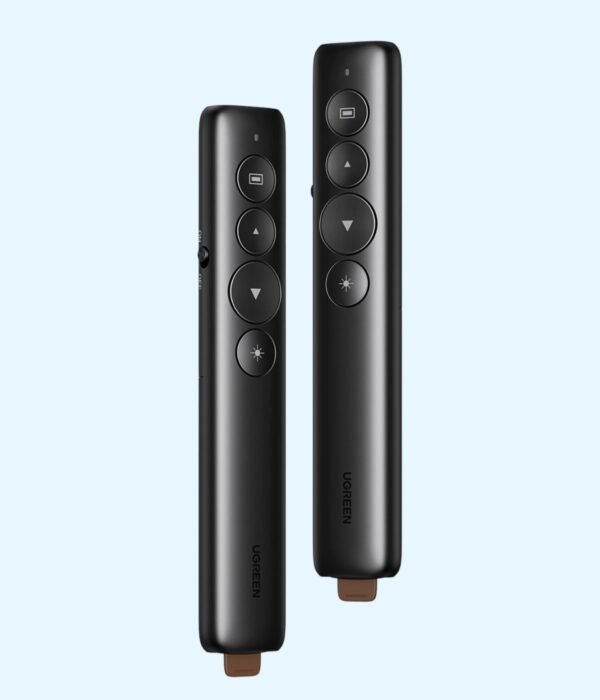
UGREEN Wireless Presenter LP479
KSh 2,500.00
- Wireless slide control with a laser pointer
- Plug-and-play USB receiver
- Works with PowerPoint, Keynote and PDF viewers
- Model LP479
A wireless clicker for people who present for a living
The UGREEN Wireless Presenter LP479 lets you change slides and point at the screen from anywhere in the room. It plugs into your laptop through a small USB receiver, works without software, and has a red laser pointer built in. Trainers, lecturers, pastors, sales teams and anyone who pitches to a board buy it for the same reason: walking back to the laptop every time you need the next slide breaks your flow and turns your back on the audience.
It is part of our presenters range.
What the LP479 does
Slide control from across the room
The presenter uses 2.4GHz wireless through a USB receiver, and retailers list the control range at up to 100 metres in open space. In a real hall, walls, people and other wireless devices shorten that, but it is still far more than you need to walk the stage of a conference room, a church hall or a lecture theatre. You move forward and back through slides with your thumb while you face the room.
Red laser pointer
Hold the laser button and a red dot appears on the screen or wall. Use it to pick out a number in a table, a line on a chart or a part of a diagram, so the audience looks where you want. It saves you from pointing vaguely at the screen or standing in front of the projector.
Extra controls
Besides next and previous slide, retailers list controls for adjusting the computer’s volume and opening hyperlinks in your slides. That is useful when your deck includes a video clip or a link to a website you want to show without walking back to the laptop.
Plug and play
There is no driver and no app. The laptop sees the presenter as a standard keyboard-type device, which is why it works the moment you plug in the receiver. That matters when you are presenting from a borrowed laptop at a client’s office or a hotel venue, where you can’t install anything.
Slim and light
The body measures about 143 by 28 by 13 mm, so it fits in a shirt pocket or a laptop bag’s pen slot. It runs on one AAA battery, which you can buy at any supermarket or kiosk if it runs out before an event.
Compatibility
The LP479 works with Windows, macOS and Linux, and retailers also list Android. It controls Microsoft PowerPoint, Apple Keynote, Google Slides and PDF viewers in full-screen mode, as well as Excel and most other programs that use the arrow or page keys. The receiver is USB-A. Laptops with only USB-C ports, such as the MacBook Air M5, need a USB-C adapter or hub.
Setting it up
Put a AAA battery in the presenter. Plug the receiver into a USB port on the laptop that is running your slides. Open your presentation, start the slideshow and press the next button to test it. Try the laser on the screen before the audience arrives, so you know how bright it looks under the venue’s lighting.
Who it suits
It suits teachers and lecturers, corporate trainers, church and conference speakers, sales and NGO teams presenting to partners, and students defending a project. It is less suited to people who need to control a presentation running on a phone or a tablet without a USB port.
How it compares
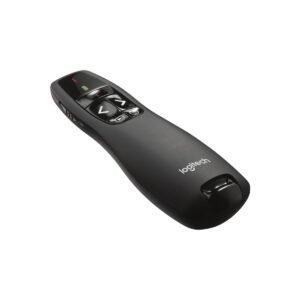
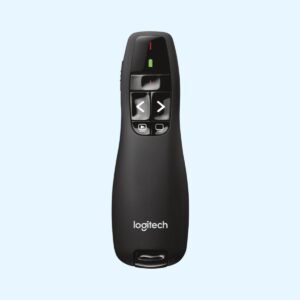
The Logitech R400 is the well-known alternative from Logitech, with a red laser and a similar receiver set-up, at a higher price. If you also want to drive the laptop’s pointer during a session, keep a small mouse like the UGREEN MU001 in the same bag. For trainers who teach from a laptop on a desk, the UGREEN Swivel Laptop Stand LP592 lets you turn the screen towards a small group.
Full product details are on UGREEN’s official site.
Looking after it
Never point the laser at anyone’s eyes, and keep the presenter away from small children. Take the battery out if you won’t present for a few weeks, because a leaking battery can damage the contacts. Carry a spare AAA to any important event. Keep the receiver with the presenter, since they are paired to each other, and don’t leave it plugged into a venue laptop when you leave.
Frequently asked questions
Does it need software?
No. Plug in the receiver and it works.
Does it work with Google Slides and PDF files?
Yes, in full-screen presentation mode, as well as PowerPoint and Keynote.
What battery does it use?
One AAA battery.
What colour is the laser?
Red.
How far can I stand from the laptop?
Retailers list up to 100 metres in open space. Walls and interference reduce that.
Does it work with a Mac?
Yes. A USB-C-only Mac needs an adapter for the receiver.
Can I use it at a venue with someone else’s laptop?
Yes. It needs no installation, so it works on any laptop with a USB port.
Buying from Encom Digital
Everything we sell is genuine UGREEN. Prices on this page exclude VAT, and every order comes with a KRA-compliant VAT invoice, which your accounts team will need if you are buying for a company.
We offer same-day delivery within Nairobi and deliver to the rest of Kenya. You can pay by M-Pesa, card or bank transfer. If you are fitting out an office, a school or an NGO, ask us for bulk and corporate pricing.
Call or WhatsApp us on +254 714 962 072, email us, or visit us at Rehema House, 4th Floor, Standard Street, Nairobi, Monday to Saturday, 8AM to 6PM.
You may also like…

Logitech R400 Wireless Presenter (Black)
KSh 4,000.00
Related products
UGREEN Mouse Pad CY016
KSh 200.00HP Wireless Mouse 200 (Pike Silver)
KSh 1,200.00Dell USB Multimedia Keyboard KB216
KSh 1,750.00Lenovo 400 Wireless Mouse
KSh 1,400.00


Reviews
There are no reviews yet.