
| Layout | Compact, no number pad |
|---|---|
| Connection | Bluetooth, up to 3 devices |
| Backlight | Smart illumination |
| Power | Rechargeable, USB-C |
| Compatibility | Windows, macOS, iPadOS, ChromeOS, Linux |
| Colour | Graphite |
| Part Number | 920-010498 |
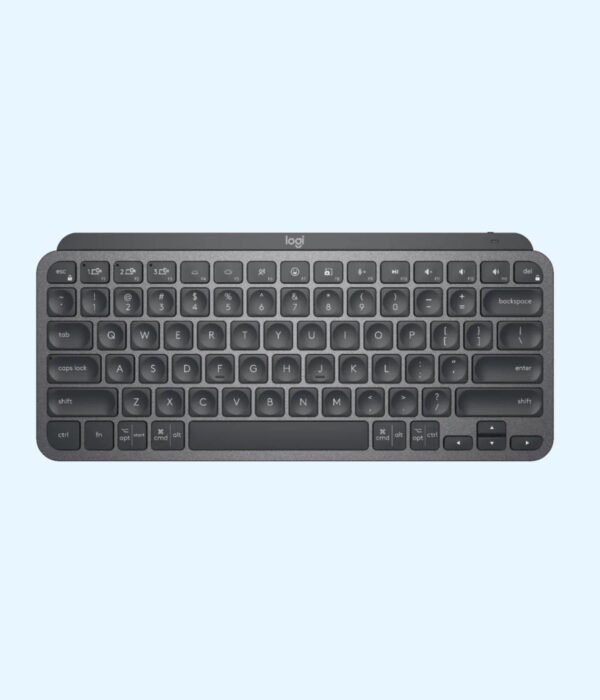
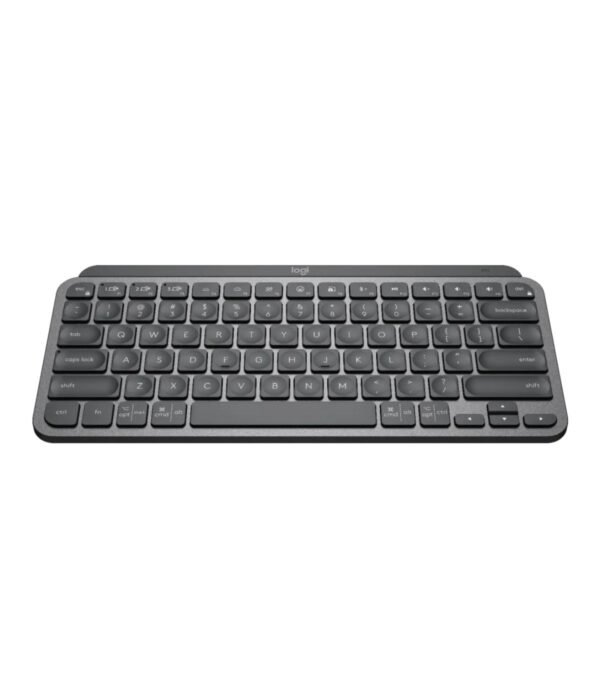
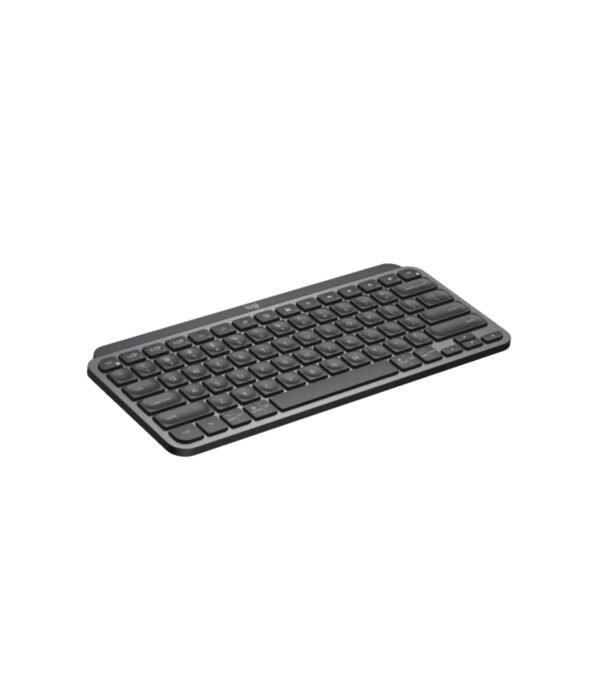
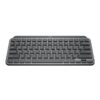
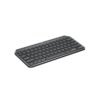
Logitech MX Keys Mini Illuminated Keyboard (Graphite)
KSh 17,500.00
- Compact keyboard without a number pad
- Backlit keys that light up as your hands approach
- Bluetooth, pairs with up to 3 devices
- Rechargeable over USB-C
- Part number 920-010498
A compact premium keyboard that frees up your desk
The Logitech MX Keys Mini is the small member of Logitech’s MX range, the line the company builds for people who type for a living. It keeps the typing feel of the full-size MX Keys but drops the number pad. The result is a keyboard about 30 cm wide that leaves room for your mouse closer to your body and fits neatly in front of a laptop on a stand.
It is part of our mice and keyboards range.
What you are paying for
Keys shaped for your fingertips
Each key has a shallow, rounded dip in the centre, which Logitech calls spherically dished. Your fingertips settle into the middle of each key, so you make fewer mistakes, and the keys feel stable rather than wobbly. Typing is quiet enough for a shared office or a late-night session at home.
Backlighting that switches itself on
Sensors pick up your hands as they approach, and the keys light up. The brightness adjusts to the light in the room and fades when you walk away. That is handy during evening work and in rooms where the lights go off unexpectedly.
Three devices, one keyboard
The MX Keys Mini pairs over Bluetooth with up to three devices. Three Easy-Switch keys at the top move you between them, so you can type on your laptop, answer a message on your tablet and go back without re-pairing anything. The range is up to 10 metres.
Keys for calls and dictation
Dedicated keys mute and unmute your microphone, open the emoji menu and start dictation, so you can talk instead of type. The mute key alone saves a lot of fumbling during Teams and Zoom calls.
Battery life and charging
The keyboard charges over USB-C, and the cable is in the box. Logitech rates it at up to 10 days on a full charge with the backlight on, or up to 5 months with the backlight off. You can keep typing while it charges. When the battery drops below 10 percent, the backlight turns off automatically to stretch what is left.
Size and build
The keyboard measures roughly 296 mm wide, 132 mm deep and 21 mm high, and weighs about 506 g. It is solid enough not to slide around on the desk but light enough to carry in a laptop bag. The graphite version uses a share of recycled plastic in its body.
Compatibility
It works fully with Windows 10 or later and macOS 11 or later. ChromeOS, Linux, Android, iOS and iPadOS are supported for typing and basic functions. On Windows and macOS, the free Logi Options+ app lets you change what the function keys do, adjust the backlight and set up shortcuts for specific apps.
This model connects over Bluetooth and does not include a USB receiver. If your computer has no Bluetooth, a Logi Bolt receiver, sold separately, will connect it.
Setting it up
Switch the keyboard on, hold one of the Easy-Switch keys until its light blinks, and choose MX Keys Mini in your computer’s Bluetooth settings. Repeat with the other two keys for a second and third device. Then install Logi Options+ if you want to customise it.
Who it suits
It suits writers, programmers, managers and anyone who uses a laptop on a stand with an external keyboard. It is also a good fit for people who switch between a Mac and a Windows machine, because the keys carry both sets of labels. It is not the right choice if you enter a lot of numbers. Accountants and data clerks will miss the number pad.
Works well with
Pair it with the Logitech MX Anywhere 3S. The two support Logitech Flow, which lets you move the cursor from one computer to another and carry text across. Put your laptop on the UGREEN Metallic Foldable Laptop Stand to bring the screen up to eye level. If you need a number pad and a palm rest, the Logitech MX Keys S Combo is the full-size option. On a tighter budget, the Logitech MK470 Slim gives you a compact keyboard and mouse together.
Full product details are on Logitech’s official site.
Looking after it
Wipe the keys with a soft, slightly damp cloth. Don’t spray liquid onto the keyboard. Charge it every week or two if you use the backlight daily, and switch it off when you travel.
Frequently asked questions
Does it work with both Mac and Windows?
Yes. The keys are labelled for both, and it switches layouts automatically depending on the device it is connected to.
Does it come with a USB receiver?
No. It connects over Bluetooth. A Logi Bolt receiver can be bought separately for computers without Bluetooth.
How long does the battery last?
Up to 10 days with the backlight on and up to 5 months with it off, according to Logitech.
Can I use it while it charges?
Yes.
Does it have a number pad?
No. It is a compact layout.
Will it work with an iPad?
Yes, over Bluetooth, for typing and basic functions.
Is it suitable for a shared office?
Yes. The keys are quiet.
Buying from Encom Digital
Everything we sell is genuine Logitech. Prices on this page exclude VAT, and every order comes with a KRA-compliant VAT invoice, which your accounts team will need if you are buying for a company.
We offer same-day delivery within Nairobi and deliver to the rest of Kenya. You can pay by M-Pesa, card or bank transfer. If you are fitting out an office, a school lab or an NGO, ask us for bulk and corporate pricing.
Call or WhatsApp us on +254 714 962 072, email us, or visit us at Rehema House, 4th Floor, Standard Street, Nairobi, Monday to Saturday, 8AM to 6PM.
You may also like…

Logitech MX Keys S Combo with Palm Rest
KSh 31,200.00


Related products
Dell Latitude 5440
Price range: KSh 137,500.00 through KSh 143,000.00Select options This product has multiple variants. The options may be chosen on the product pageDell Latitude 5550
Price range: KSh 139,700.00 through KSh 170,500.00Select options This product has multiple variants. The options may be chosen on the product pageHP ProBook 450 G10
Price range: KSh 93,500.00 through KSh 121,000.00Select options This product has multiple variants. The options may be chosen on the product pageDell Latitude 5450
Price range: KSh 137,500.00 through KSh 172,700.00Select options This product has multiple variants. The options may be chosen on the product page




Reviews
There are no reviews yet.