A slim, quiet combo for tidy desks and small spaces
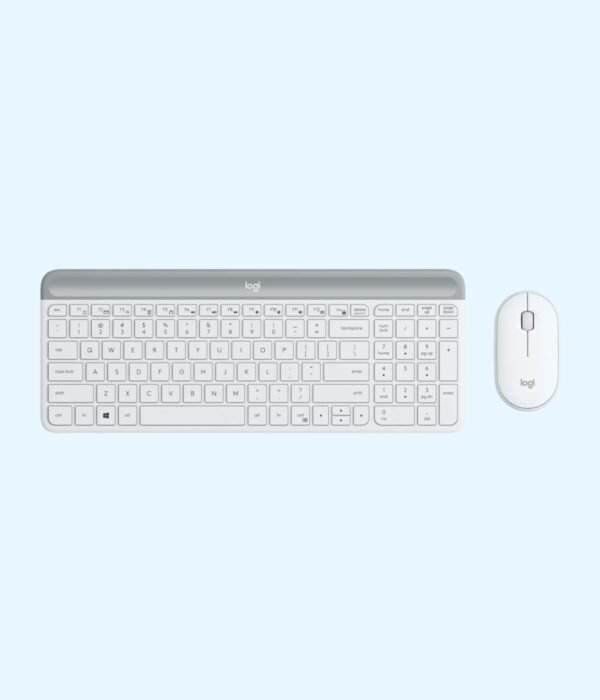
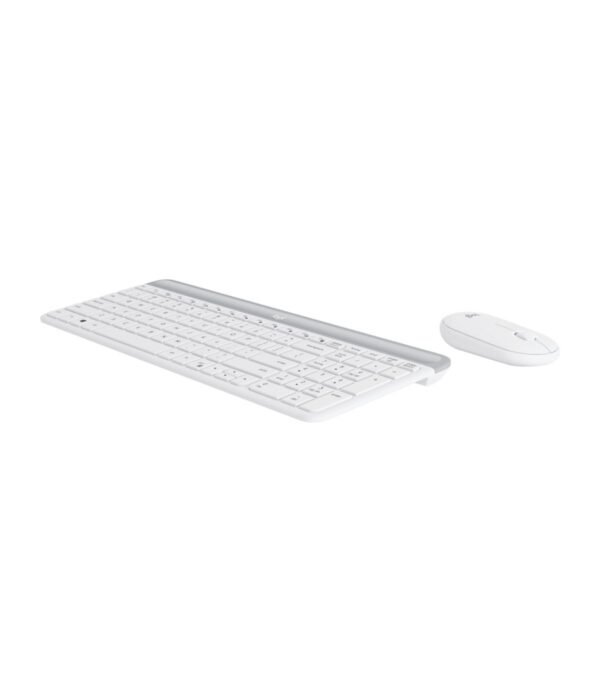
The Logitech MK470 Slim pairs a thin, compact keyboard with a flat, quiet mouse. It is the combo for people who care how their desk looks and sounds: the keys are low and soft, the mouse clicks are muted, and the whole set takes up much less room than a standard full-size keyboard. It still keeps a number pad, which most compact keyboards drop.
It is part of our mice and keyboards range, alongside the other Logitech combos.
What you are paying for
A compact layout that keeps the number pad
Logitech squeezes a full set of keys, including a number pad, into a keyboard about 373.5 mm wide. A standard full-size keyboard like the one in the MK270 is about 441 mm. Those 7 cm let you keep the mouse closer to your body, which is easier on the shoulder over a long day, and they make the set fit on reception counters, small home desks and shared hot desks. You also get 12 function key shortcuts along the top.
Low-profile, quiet keys
The keys use scissor switches, the same type found in most laptops, so they are low, stable and quiet. Logitech describes the typing as whisper-quiet. If you are used to a laptop keyboard, this feels familiar straight away. If you prefer deep, springy keys, look at the MK270 or MK540 instead.
A mouse with quiet clicks
The slim, pebble-shaped mouse is ambidextrous and, according to Logitech’s lab testing, cuts click noise by about 90 percent compared with a standard Logitech mouse. With quiet keys and quiet clicks together, this is one of the quietest combos we stock. It is a flat mouse, though, so people with large hands who rest their whole palm on the mouse may prefer something taller.
Long battery life
Logitech rates the keyboard at up to 36 months on AAA batteries and the mouse at up to 18 months on one AA battery. The batteries are in the box. Both devices sleep when idle and have on and off switches.
One plug-and-play receiver
The keyboard and mouse share one 2.4 GHz USB receiver, with a range of up to 10 metres according to Logitech. There is nothing to pair and no software to install.
Size and build
The keyboard measures about 373.5 mm wide, 143.9 mm deep and 21.3 mm thick and weighs about 558 g, according to Logitech’s figures as listed by retailers. It sits low on the desk, so many people find they do not need a wrist rest. The graphite finish is a dark grey that suits a corporate office or a home study and does not show dust as quickly as white.
Compatibility
Logitech lists Windows and ChromeOS. The keys are labelled for Windows. The receiver needs a USB-A port, so a USB-C-only laptop needs an adapter or hub. There is no Bluetooth. If you use a Mac, an iPad or several devices, the Pebble 2 Combo below is the better slim option.
Setting it up
Plug the receiver into a free USB port and switch on the keyboard and the mouse. Your computer recognises them within a few seconds. The batteries are already in the box.
Which colour
We stock the MK470 in Graphite, which is the colour shown in the photos.
Who it suits
The MK470 suits open-plan offices, hot desks, reception counters, home offices squeezed into a corner, and anyone working late beside a sleeping family. It also suits laptop users who want an external keyboard that feels like the one they already know. It is less suited to people with large hands, typists who want deep key travel, and anyone who needs Bluetooth or Mac key labels.
How it compares
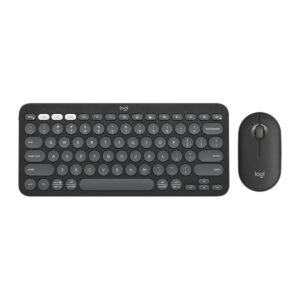
If you want the same slim, quiet idea over Bluetooth with switching between three devices, the Logitech Pebble 2 Combo costs a little more and drops the number pad. If budget is the priority and noise is not, the Logitech MK330 gives you quiet keys at full size for less. For a full-size mouse and a built-in palm rest, the Logitech MK540 Advanced is the alternative. And if you want a premium compact keyboard with backlighting, the Logitech MX Keys Mini is the step up, though it has no number pad.
Low-profile keys are easy to clean. Wipe them with a soft, slightly damp cloth and tip the keyboard over now and then to clear crumbs. Keep the mouse sensor clean and use a mouse pad on glass desks. When a device starts lagging, replace its batteries before anything else.
Frequently asked questions
Does it have a number pad?
Yes. It is compact but keeps a number pad.
How quiet is it?
The keys are low-profile and quiet, and Logitech says the mouse cuts click noise by about 90 percent.
Are batteries included?
Yes, for both the keyboard and the mouse.
How long do the batteries last?
Up to 36 months for the keyboard and up to 18 months for the mouse, according to Logitech.
Does it connect over Bluetooth?
No. It uses one USB receiver for both pieces.
Is the mouse suitable for left-handed users?
Yes. It is ambidextrous.
Does it work with a Mac?
Logitech lists Windows and ChromeOS only. The Pebble 2 Combo is the better choice for a Mac.
Buying from Encom Digital
Everything we sell is genuine Logitech. Prices on this page exclude VAT, and every order comes with a KRA-compliant VAT invoice, which your accounts team will need if you are buying for a company.
We offer same-day delivery within Nairobi and deliver to the rest of Kenya. You can pay by M-Pesa, card or bank transfer. If you are fitting out an office, a school or an NGO, ask us for bulk and corporate pricing.
Call or WhatsApp us on +254 714 962 072, email us, or visit us at Rehema House, 4th Floor, Standard Street, Nairobi, Monday to Saturday, 8AM to 6PM.
Reviews
There are no reviews yet.
Be the first to review “Logitech MK470 Slim Wireless Keyboard and Mouse Combo (Graphite)”Cancel Reply






Reviews
There are no reviews yet.