

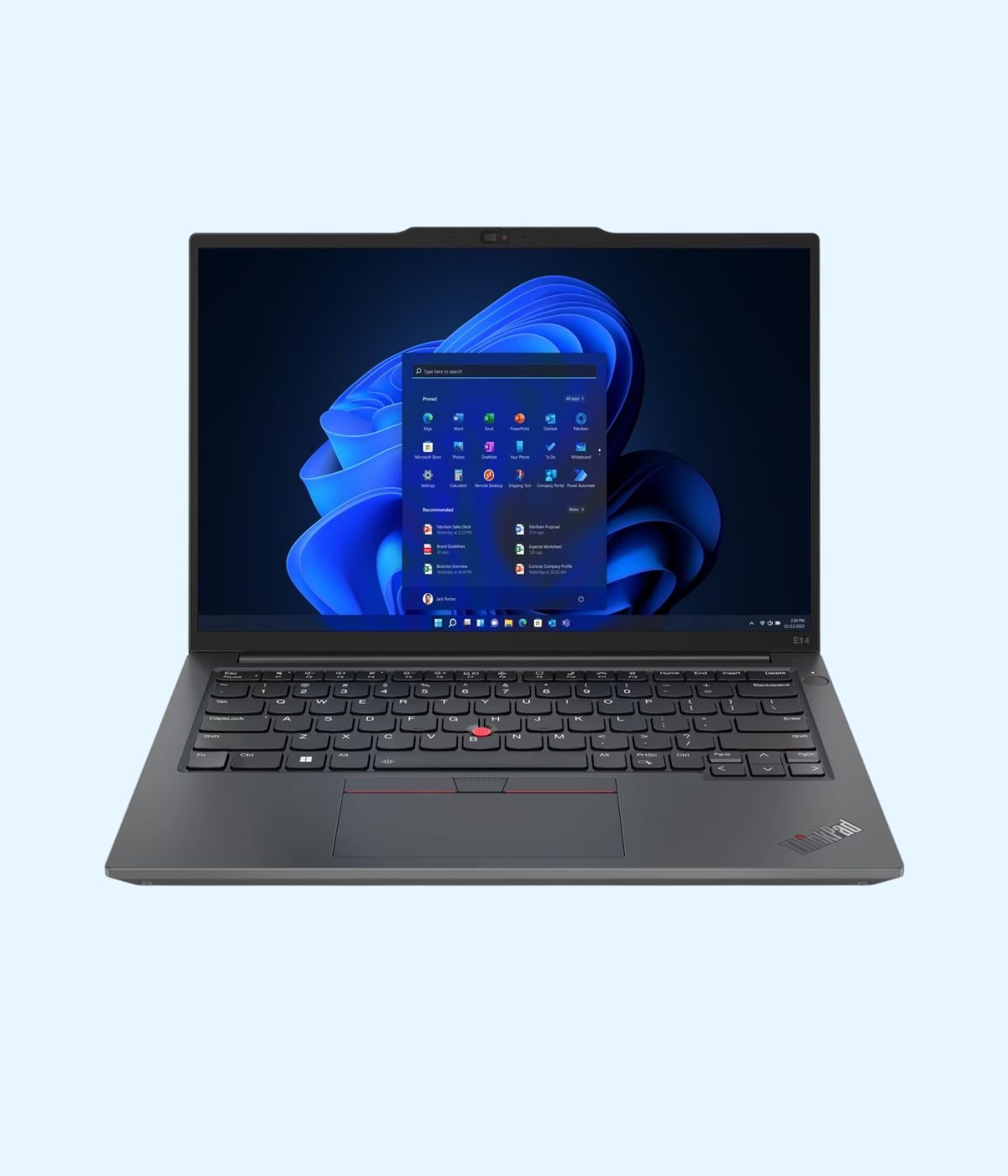
Walk into any bank branch, audit firm or NGO office in Nairobi and you will probably see a row of black laptops with a red dot in the middle of the keyboard. That is a Lenovo ThinkPad, and there is a reason so many IT teams in Kenya keep buying them: a keyboard people like typing on all day, the ports offices still use, and a build that survives matatu rides and site visits.
The hard part is choosing one. The ThinkPad name covers several families and many generations, and a Core i7 from 2019 can cost about the same as a Core i5 from 2023. This guide explains what each ThinkPad series is for, compares the 14 models we stock at Encom Digital with their prices, and helps you match one to the work you actually do.
The ThinkPad families in plain language
Lenovo splits ThinkPads into series by price and purpose. The letter at the start of the model name tells you most of what you need to know.
- E series. Lenovo pitches the E series as stylish and affordable productivity for small businesses. It is the entry point to ThinkPad, and the one most SMEs, schools and NGOs in Kenya buy in bulk.
- L series. Built for company fleets, with what Lenovo calls legendary reliability and cost-conscious pricing. Plain, sturdy and full of ports.
- T series. The classic corporate ThinkPad. Lenovo describes it as premium business laptops with enterprise grade performance, advanced security and rugged durability. The “s” models, like the T14s, are the slimmer and lighter versions.
- X1 series. The top of the range, made for executives and people who travel. Our X1 Tablet is a detachable that works as a tablet or a laptop.
- P series. Mobile workstations. Lenovo says P series laptops are certified by independent software vendors for all major applications, which matters if you run AutoCAD, Revit or ArcGIS.
After the letter comes the screen size (14, 15 or 16 inches) and then the generation. A higher “Gen” number means a newer model with a newer processor. Older names like L490 and L590 come from before Lenovo switched to the Gen system: the “4” means 14 inch, the “5” means 15.6 inch, and the “90” places them around 2019.
Lenovo ThinkPad prices in Kenya: the full Encom range
Here is every ThinkPad on Encom Shop’s business laptops range at the time of writing. Prices are in Kenya shillings and exclude VAT. Where a model comes in more than one configuration, the price shown is the starting price. Click a model for the current price and stock.
| Model | Processor | RAM and storage | Screen | From (KES, excl. VAT) |
|---|---|---|---|---|
| ThinkPad E14 Gen 2 | Core i5-1135G7 (11th Gen) | 8GB, 512GB SSD | 14 inch Full HD | 88,000 |
| ThinkPad E14 Gen 4 | Core i5-1235U or i7-1255U (12th Gen) | 8GB or 16GB, 512GB SSD | 14 inch Full HD | 90,200 |
| ThinkPad E15 Gen 2 | Core i5-1135G7 or i7-1165G7 (11th Gen) | 8GB or 16GB, 512GB SSD | 15.6 inch Full HD | 93,000 |
| ThinkPad L490 | Core i7-8565U (8th Gen) | 8GB, 512GB SSD | 14 inch | 93,500 |
| ThinkPad L590 | Core i7-8565U (8th Gen) | 8GB, 512GB SSD | 15.6 inch | 93,500 |
| ThinkPad E14 Gen 5 | Core i5 or i7 (13th Gen) | 8GB or 16GB, 512GB SSD | 14 inch WUXGA 16:10 | 95,200 |
| ThinkPad E16 Gen 1 | Core i5-1335U or i7-1355U (13th Gen) | 8GB, 512GB SSD | 16 inch WUXGA 16:10 | 99,000 |
| ThinkPad L15 Gen 1 | Core i5 (10th Gen) | 8GB, 512GB SSD | 15.6 inch | 101,200 |
| ThinkPad X1 Tablet Gen 3 | Core i5-8250U (8th Gen) | 8GB, 256GB SSD | 13 inch 3K touch | 129,800 |
| ThinkPad T14 Gen 2 | Core i5-1135G7 or Core i7 (11th Gen) | 8GB/512GB or 16GB/256GB | 14 inch Full HD | 132,000 |
| ThinkPad P52s | Core i7-8550U + NVIDIA Quadro P500 | 16GB, 512GB SSD | 15.6 inch | 143,000 |
| ThinkPad E14 Gen 6 | Core Ultra 7 155H or 155U | 16GB, 512GB or 1TB SSD | 14 inch WUXGA 16:10 | 148,500 |
| ThinkPad T14s Gen 6 | Latest-generation AI processor | 16GB, 1TB SSD | 14 inch WUXGA | 261,800 |
| ThinkPad T14s 2-in-1 Gen 1 | Core Ultra (Series 2) | 32GB, 1TB SSD | 14 inch WUXGA touch | 275,000 |
Which ThinkPad should you buy?
For office staff on a budget: E14 Gen 2, E14 Gen 4 or E14 Gen 5
If the job is email, Microsoft 365, a CRM, an accounting package and Teams or Zoom calls, an E14 does it well. The E14 Gen 2 is the cheapest way into a ThinkPad. The E14 Gen 4 adds a Thunderbolt 4 port for docks and external monitors for only a little more. Our pick for most offices is the E14 Gen 5: its 16:10 screen shows more rows of a spreadsheet, and Lenovo’s own spec sheet lists it as having passed MIL-STD-810H military testing, with a spill-resistant keyboard and a camera privacy shutter.
All three keep a built-in Ethernet port, which still matters in Kenyan offices that run on wired networks, and all three have a free memory slot. Buy 8GB today and add more later instead of replacing the laptop.
For accountants and anyone who lives in Excel: E15 Gen 2, E16 Gen 1, L15 or L590
A bigger body leaves room for a full number pad, and that alone saves finance teams hours every month. The E16 Gen 1 is the newest of the four, with a 16 inch 16:10 screen and a fingerprint reader. Note that it ships without an operating system, which suits companies whose IT team installs its own image. If you need a Windows licence with it, ask us when you order.
On a tighter budget, the E15 Gen 2, L15 Gen 1 and L590 all give you a 15.6 inch screen and a number pad. The L15 and L590 also have an SD card reader, handy for staff who pull photos off a camera for site reports.
For managers who travel: T14 Gen 2 or T14s Gen 6
The T series is where ThinkPad build quality steps up. The T14 Gen 2 has two Thunderbolt 4 ports and still keeps Ethernet and HDMI, and its Lenovo spec sheet confirms MIL-STD-810H testing and room to grow memory up to 48GB.
The T14s Gen 6 is for people who carry their laptop everywhere, from a client in Westlands to a board meeting in Kisumu. Lenovo lists it as starting from about 1.24 to 1.28 kg depending on the processor, with memory soldered to the board, so choose the RAM you need on day one. The version we stock has 16GB and a 1TB SSD. It has no Ethernet port, so plan on a USB-C dock or adapter if your office is wired.
For people who write, sign and present: T14s 2-in-1 or X1 Tablet
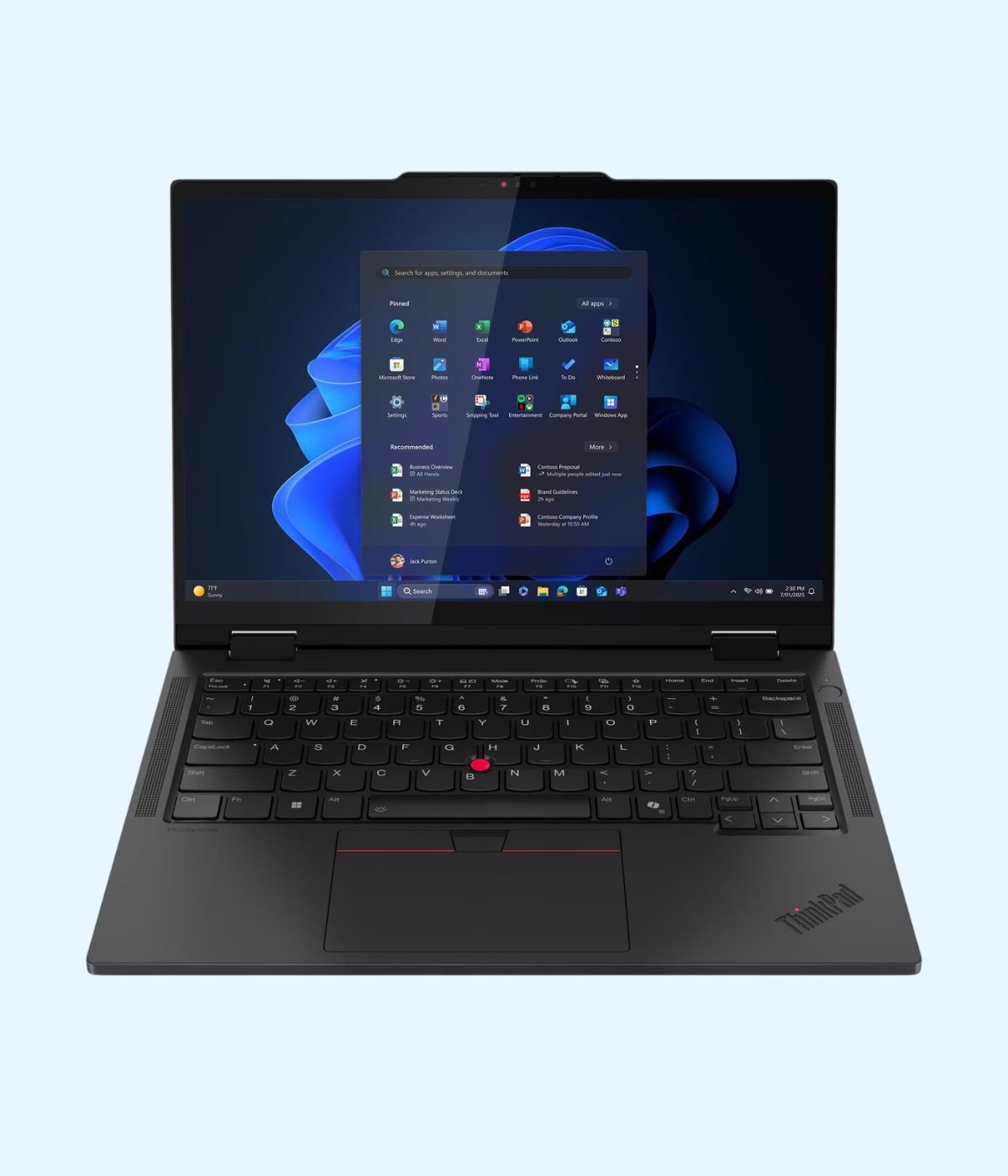
The T14s 2-in-1 Gen 1 folds back into a tablet and takes a pen, which suits executives, consultants and lecturers who mark up documents and take handwritten notes. It is a Copilot+ PC. Microsoft defines that class as Windows 11 laptops with an NPU that can perform more than 40 trillion operations per second (TOPS), the level many of the newest Windows AI features need. Ours comes with 32GB of memory and a 1TB SSD. To compare it with other convertibles, see our guide to 2-in-1 laptops.
For a lighter, lower-cost option, the X1 Tablet Gen 3 is a 13 inch Windows tablet with a 3000 x 2000 screen, a kickstand and a detachable keyboard. It is meant for documents, email and meetings, not heavy creative work.
For engineers, architects and GIS teams: P52s
The P52s pairs a Core i7 with NVIDIA Quadro P500 workstation graphics and 16GB of memory. It suits 2D drafting and moderate 3D models in AutoCAD and Revit, which is why quantity surveyors and engineering students ask for it. It is not a rendering or gaming machine.
If you want AI features without the top price: E14 Gen 6
The E14 Gen 6 runs an Intel Core Ultra 7 with a built-in NPU that handles things like background blur and noise cancelling on calls. Be clear on one point: its NPU is rated at 11 TOPS on the Core Ultra 7 155H, so it is not a Copilot+ PC. What the 155H does bring is 16 cores and Intel Arc graphics, which help with photo editing and data work.
Older Core i7 or newer Core i5?
This is the question we hear most. An L490 with an 8th Gen Core i7 costs about the same as an E14 Gen 5 with a 13th Gen Core i5. For most office work, the newer Core i5 is the better buy: newer processors are faster per core, use less power and come in laptops with better screens and ports. Pick the older Core i7 if you specifically want the L series build, the card reader, or the TrackPoint style keyboard you are used to.
Whichever you choose, check Windows support. Microsoft ended Windows 10 support on 14 October 2025, so security updates have stopped for it. Every ThinkPad we stock uses an 8th Gen Intel Core processor or newer, and 8th Gen is the earliest Intel Core generation on Microsoft’s Windows 11 supported list.
Four checks before you pay
- Can the memory be upgraded? Most E, L and T14 models have a free slot. The T14s Gen 6, T14s 2-in-1 and X1 Tablet do not, so buy the RAM you need now.
- Do you need Ethernet? All the E and L models and the T14 Gen 2 have it. The slim T14s models and the X1 Tablet need an adapter.
- Does it come with Windows? The E16 Gen 1 is supplied without an operating system. Ask us about the OS on any model before you order.
- Is it genuine? We source Lenovo laptops through authorised distribution channels, so every unit we sell is genuine.
A good ThinkPad battery helps when stima imeenda, but it will not keep your router or desktop running. Our guide on keeping work going during power cuts covers that side. And if you are not sure whether you need a new machine at all, read our signs you’ve outgrown your laptop.
Buying a ThinkPad from Encom
You can order any of these models directly on Encom Shop. Buying for a team? Tell us how many units, which model and the configuration you need and we will send a quote. Email us to request a quote, or message us on WhatsApp on +254 714 962 072. You can also see the laptops in person at Rehema House, 4th Floor, Standard Street, Nairobi, Monday to Saturday, 8AM to 6PM.
Frequently asked questions
How much is a Lenovo ThinkPad in Kenya?
On Encom Shop, ThinkPads start from KES 88,000 excluding VAT for the E14 Gen 2 and go up to KES 275,000 excluding VAT for the T14s 2-in-1 Gen 1, at the time of writing. Check each product page for the current price.
Do your prices include VAT?
No. Encom’s prices are quoted excluding VAT.
What is the cheapest ThinkPad you sell?
The ThinkPad E14 Gen 2, with an 11th Gen Core i5, 8GB RAM and a 512GB SSD.
What is the difference between the ThinkPad E series and T series?
The E series is the affordable ThinkPad for small businesses. The T series is the premium corporate line, with stronger materials, more ports such as two Thunderbolt 4 on the T14 Gen 2, and a higher price.
Which ThinkPad is best for students?
For most courses, an E14 Gen 4 or E14 Gen 5 gives the best balance of price and performance. Engineering and architecture students who run AutoCAD or Revit should look at the P52s.
Which ThinkPad has a number pad?
The 15.6 and 16 inch models: E15 Gen 2, E16 Gen 1, L15 Gen 1, L590 and P52s.
Are ThinkPads really military tested?
Lenovo’s spec sheets list the E14 Gen 5, T14 Gen 2 and T14s Gen 6 as having passed MIL-STD-810H military tests. Lenovo notes that such testing is not a guarantee of future performance and that abuse is not covered by warranty.
Can I upgrade the RAM on a ThinkPad?
On most E and L models and the T14 Gen 2, yes. The T14s Gen 6, T14s 2-in-1 Gen 1 and X1 Tablet Gen 3 have soldered memory that cannot be upgraded.
Which ThinkPad is a Copilot+ PC?
The ThinkPad T14s 2-in-1 Gen 1 in our range. Copilot+ PCs need an NPU that runs above 40 TOPS.
Will an older ThinkPad like the L490 run Windows 11?
Its 8th Gen Core i7 is on Microsoft’s list of supported Intel processors for Windows 11. Every ThinkPad we stock uses an 8th Gen Intel Core processor or newer.
Does the ThinkPad E16 Gen 1 come with Windows?
No. It is supplied without an operating system. We can supply a genuine Windows licence on request.
Do all ThinkPads have an Ethernet port?
No. The E and L models and the T14 Gen 2 do. The T14s Gen 6, T14s 2-in-1 and X1 Tablet need a USB-C adapter or dock.
Are your ThinkPads genuine?
Yes. We source Lenovo laptops through authorised distribution channels.
Do you supply ThinkPads in bulk for companies?
Yes. Send us the model, configuration and number of units by email at info@encom.africa or on WhatsApp at +254 714 962 072 and we will quote.