


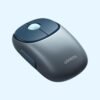

| Connection | 2.4GHz USB receiver, Bluetooth |
|---|---|
| Power | Rechargeable |
| Colour | Blue |
| Model | MU102 |
UGREEN FUN+ Wireless and Bluetooth Rechargeable Mouse MU102 (Blue)
KSh 2,250.00
- Connects by 2.4GHz USB receiver or Bluetooth
- Rechargeable, no batteries to buy
- Switch between a laptop and a tablet
- Blue, model MU102
One rechargeable mouse for your laptop and your tablet
The UGREEN FUN+ MU102 is a dual-mode wireless mouse. It connects to a laptop or desktop through a small USB receiver, or to a tablet, phone or computer over Bluetooth. It charges over USB-C, so you never buy batteries for it. People buy it because it covers two devices without a second mouse, and because the quiet clicks don’t bother anyone sharing the room.
It sits in our mice and keyboards range, next to the keyboards and other mice that go with it.
What you get with the MU102
Two ways to connect
The 2.4GHz receiver is the simplest option for a Windows laptop or an office desktop. Plug it in and the mouse works, with no pairing step. Bluetooth is the better choice for an iPad, an Android tablet, or a laptop whose USB ports are already taken by a flash disk, a printer and a phone charger. You switch between the two connections on the mouse itself, so you can work on your laptop through the receiver and move to your tablet over Bluetooth without pairing again each time.
A built-in rechargeable battery
There is no AA battery to replace. You charge the mouse with the USB-C cable that comes in the box, and most people already have a USB-C phone charger nearby if the cable goes missing. For a student or a small office, that removes a running cost and the drawer of half-dead batteries that comes with older mice. When the battery runs low, plug it in for a while and carry on.
Quiet clicks
The buttons use quiet switches, so a click is a soft tap rather than a loud snap. That matters in open-plan offices, libraries, shared bedrooms and late-night work while the rest of the house is asleep. You still feel each click clearly, so you are not left guessing whether it registered.
Adjustable pointer speed
The sensor is adjustable up to 4000 DPI, with retailers listing steps of 1000, 1600, 2000 and 4000. DPI controls how far the pointer moves when you move the mouse. A lower setting gives you fine control for editing photos or working in a spreadsheet. A higher setting gets you across a large monitor, or two monitors side by side, with less wrist movement. Pick the step that feels right and leave it there.
A compact, rounded shape
The FUN+ is a compact mouse with a rounded body. It slips into a laptop bag pocket and doesn’t take much space on a small desk or a café table. People with large hands who grip a mouse with their whole palm may find it small for a full day of work. The blue finish shown in the photos is the colour we stock.
Compatibility
The MU102 works with Windows, macOS, ChromeOS and Linux through either connection. Over Bluetooth it also works with iPads and Android tablets and phones. The receiver is USB-A, so a laptop with only USB-C ports, such as the MacBook Air M5, either uses Bluetooth or needs a USB-C adapter for the receiver. No driver or software is needed.
Setting it up
Charge the mouse first. For the receiver, plug it into a USB port, switch the mouse on and select the receiver mode. For Bluetooth, select Bluetooth mode, put the mouse into pairing mode, and choose it from the Bluetooth list on your laptop or tablet. On an iPad, Bluetooth mice are added from the Bluetooth page in Settings. Once both are set up, switching between them takes a second.
Who it suits
It suits students who work on a laptop and a tablet, staff who carry a laptop between home and the office, and anyone tired of buying batteries. It is also a good fit for shared spaces where clicking noise is a problem. It is not the right choice for gamers, who need a dedicated gaming sensor, or for people with large hands who would be more comfortable on a full-size mouse.
How it compares
If you only use one laptop and want to spend less, the UGREEN MU105 uses a receiver and an AA battery, and comes in five colours. The Logitech M196 is a Bluetooth-only alternative from Logitech. For a premium mouse that pairs with three devices and scrolls very fast, the Logitech MX Anywhere 3S is the step up. If you want a full-size shape for long days, the Logitech M190 is bigger in the hand.
Full product details are on UGREEN’s official site.
Looking after it
Lithium batteries last longest when they are not left flat for weeks, so top the mouse up before it dies completely and charge it every so often if it sits in a drawer. Switch it off when you pack it in a bag so it doesn’t wake up and drain. Wipe it with a slightly damp cloth, keep the sensor window clean, and store the receiver safely when you unplug it, since the mouse is paired to that receiver.
Frequently asked questions
Does it need batteries?
No. It has a built-in rechargeable battery that charges over USB-C.
Is a charging cable included?
Yes. A USB-C cable comes in the box with the USB receiver.
Does it work with an iPad?
Yes, over Bluetooth.
Can I use it with a laptop and a tablet at the same time?
You can set it up on both, one through the receiver and one over Bluetooth, and switch between them on the mouse.
Are the clicks quiet?
Yes. It uses quiet switches.
Can I change the pointer speed?
Yes. The DPI adjusts up to 4000.
Which colour is this?
This listing is for the blue version shown in the photos.
Buying from Encom Digital
Everything we sell is genuine UGREEN. Prices on this page exclude VAT, and every order comes with a KRA-compliant VAT invoice, which your accounts team will need if you are buying for a company.
We offer same-day delivery within Nairobi and deliver to the rest of Kenya. You can pay by M-Pesa, card or bank transfer. If you are fitting out an office, a school or an NGO, ask us for bulk and corporate pricing.
Call or WhatsApp us on +254 714 962 072, email us, or visit us at Rehema House, 4th Floor, Standard Street, Nairobi, Monday to Saturday, 8AM to 6PM.
You may also like…

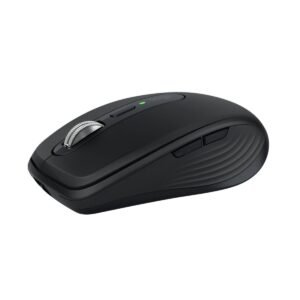
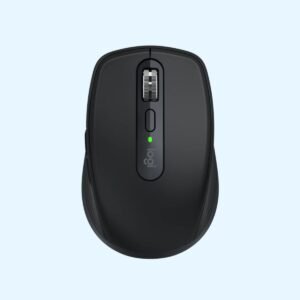
Logitech MX Anywhere 3S Bluetooth Mouse (Graphite)
KSh 11,900.00
Related products
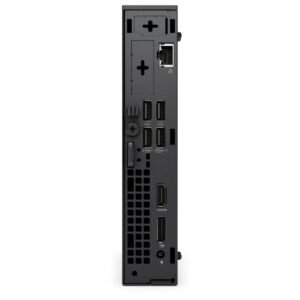
Dell OptiPlex 7020 Micro Tower
Price range: KSh 110,200.00 through KSh 139,200.00Select options This product has multiple variants. The options may be chosen on the product pageDell Latitude 5450
Price range: KSh 137,500.00 through KSh 172,700.00Select options This product has multiple variants. The options may be chosen on the product pageHP ProBook 440 G11
Price range: KSh 112,200.00 through KSh 132,000.00Select options This product has multiple variants. The options may be chosen on the product pageDell Latitude 7200 2-in-1
KSh 165,000.00



Reviews
There are no reviews yet.