

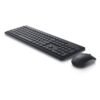
| Connection | 2.4GHz wireless, single USB-A receiver |
|---|---|
| Keyboard | Full size with number pad |
| Model | KM3322W |
Dell Wireless Keyboard and Mouse KM3322W
KSh 3,100.00
- Full-size wireless keyboard and mouse
- One USB receiver for both
- Quiet, comfortable keys
- Model KM3322W
A full-size wireless keyboard and mouse for a tidy office desk
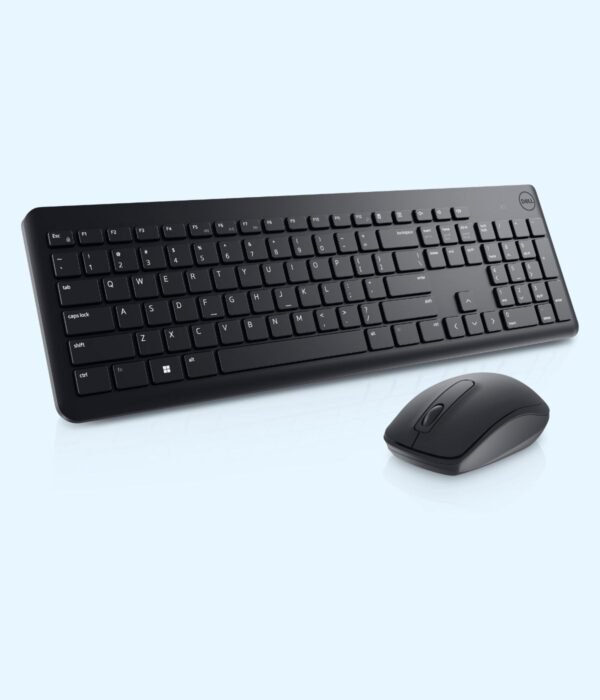
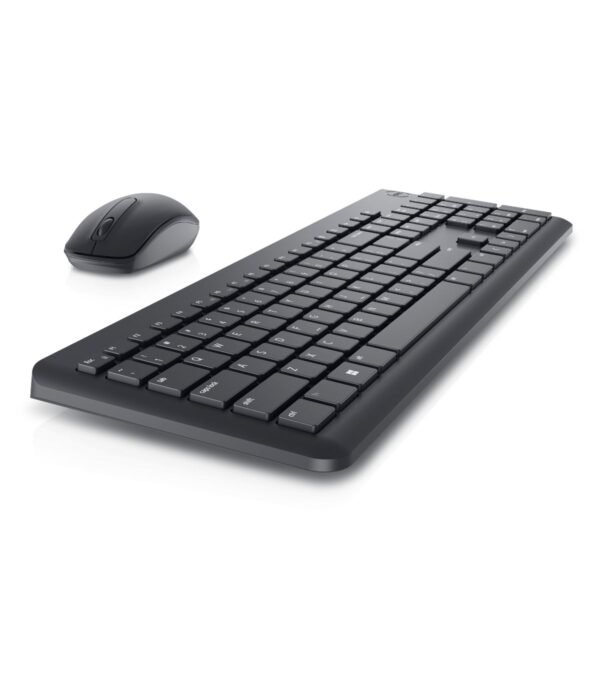
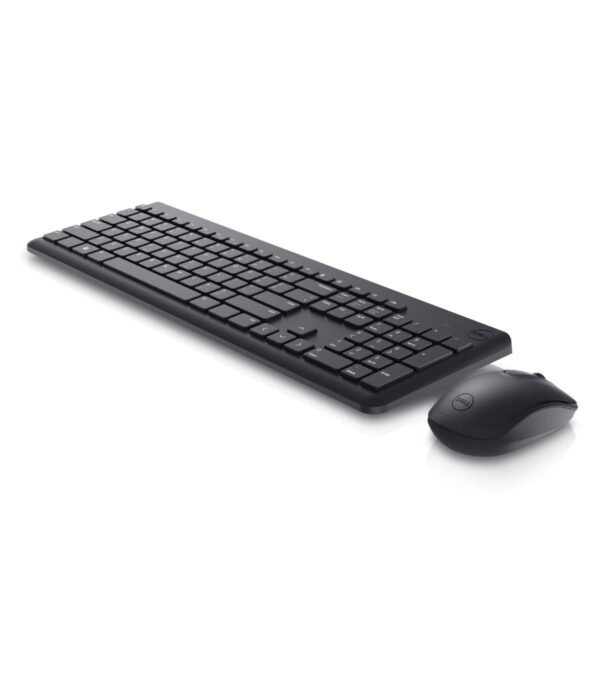
The Dell KM3322W is a wireless keyboard and mouse set that runs on a single USB receiver. You get a full-size keyboard with a number pad, a three-button mouse and the batteries to power both.
People buy it to clear cables off the desk, to set up a laptop on a stand with a proper keyboard, or to give a whole office the same reliable set without spending much per desk.
It is part of our mice and keyboards range, where you will find other keyboards, mice and combos.
What makes the KM3322W worth it
One receiver for both
The keyboard and mouse connect over 2.4 GHz wireless through one USB receiver, so they only take up a single USB port. That matters on a laptop with two or three ports, where you also need room for a flash disk, a printer or a charger. Dell lists AES-128 encryption on the wireless link, which scrambles what you type between the keyboard and the receiver. For accounts staff and anyone entering passwords all day, that is a sensible thing to have.
Battery life measured in years
Dell rates the keyboard at up to 36 months and the mouse at up to 18 months on their batteries. Real figures depend on how much you type and click, but even heavy users should expect a long time between changes. The box includes one AA and two AAA batteries, so the set works as soon as you open it.
A full-size keyboard with media keys
The keyboard has the standard layout with a function row, arrow keys and a full number pad, which accountants, cashiers and data clerks need. Media keys for mute, volume down, volume up, play or pause, forward and back let you control a call or a video without leaving what you are working on.
Spill resistant keys that keep their labels
Dell describes the keys as spill resistant and the key labels as anti-fade. Spill resistance gives you a better chance of recovering from a splash of tea. The anti-fade printing matters more than people think: on cheap keyboards the most-used letters wear off within a year, which is a real problem for staff who still look at the keys while typing.
Quiet keys and adjustable height
The keys use a low-profile plunger design that is quiet enough for an open-plan office. Fold-out legs underneath let you raise the back of the keyboard if you prefer a steeper angle.
A simple, light mouse
The mouse has left and right buttons and a clickable scroll wheel, with a 1000 DPI optical sensor. That resolution is right for office work on one or two standard monitors. Dell gives the keyboard size as about 445 mm by 141 mm and the mouse weight as about 58 g.
Compatibility
Dell lists support for Windows 7, 8.1, 10 and 11, macOS, ChromeOS, Linux and Android. The receiver uses a USB-A port. Laptops with only USB-C ports, including recent MacBooks, need a USB-C to USB-A adapter or hub. On a Mac, the Windows key works as the Command key. Dell Peripheral Manager is available for Windows if you want to adjust settings, but the set works without it.
Setting it up
Put the batteries into the keyboard and mouse. Plug the receiver into a USB-A port on your computer. Switch the mouse on using the switch underneath. Your computer will pick up both within a few seconds, with no driver needed. Keep the receiver safe if you unplug it.
Who it suits
The KM3322W suits offices and schools buying a standard keyboard and mouse for every desk, people who work from a laptop on a stand at home, and anyone who wants fewer cables on the desk. It pairs well with Dell business machines such as the Dell Latitude 5450 laptop and the Dell OptiPlex 7020 Micro Tower. Pick something else if you want backlit keys, need to switch one keyboard between several devices over Bluetooth, or want a mouse with extra buttons for design work.
How it compares
If you would rather avoid batteries altogether, the Dell KB216 wired keyboard gives you a similar quiet, full-size layout over a cable. For a wired keyboard and mouse together, the Lenovo 160 Wired Combo costs less. Among wireless sets, the Logitech MK270 is a close rival with a single receiver, and the Logitech MK540 Advanced adds a palm rest and a larger mouse.
Full product details are on Dell’s official site.
Looking after it
Wipe the keys and mouse with a soft, slightly damp cloth, and tap crumbs out of the keyboard now and then. If something spills, take the batteries out, turn the keyboard over and let it dry fully before you use it. Switch the mouse off when you carry it in a bag. When the pointer starts to lag or keys miss presses, change the batteries before assuming a fault.
Frequently asked questions
Are batteries included?
Yes. The box includes one AA and two AAA batteries.
How long do the batteries last?
Dell rates the keyboard at up to 36 months and the mouse at up to 18 months. Heavy use will shorten that.
Do the keyboard and mouse share one receiver?
Yes. One USB receiver handles both.
Does it work with a Mac?
Yes. Dell lists macOS support. A USB-C only Mac needs an adapter.
Does it have Bluetooth?
No. It connects through the USB receiver only.
Are the keys backlit?
No.
Can I buy several for an office?
Yes. Contact us for bulk pricing and a VAT invoice.
Buying from Encom Digital
Everything we sell is genuine Dell. Prices on this page exclude VAT, and every order comes with a KRA-compliant VAT invoice, which your accounts team will need if you are buying for a company.
We offer same-day delivery within Nairobi and deliver to the rest of Kenya. You can pay by M-Pesa, card or bank transfer. If you are fitting out an office, a school or an NGO, ask us for bulk and corporate pricing.
Call or WhatsApp us on +254 714 962 072, email us, or visit us at Rehema House, 4th Floor, Standard Street, Nairobi, Monday to Saturday, 8AM to 6PM.
You may also like…


Related products

Dell OptiPlex 3080 Micro Tower (Core i3-10105)
KSh 50,400.00Dell Latitude 7440
KSh 217,800.00Dell OptiPlex 3000 SFF (Core i3-12100)
KSh 60,000.00HP ProBook 440 G11
Price range: KSh 112,200.00 through KSh 132,000.00Select options This product has multiple variants. The options may be chosen on the product page


Reviews
There are no reviews yet.