



| Connection | Bluetooth, up to 3 devices |
|---|---|
| Sensor | 8,000 DPI, tracks on glass |
| Power | Rechargeable, USB-C |
| Colour | Graphite |
| Part Number | 910-006929 |
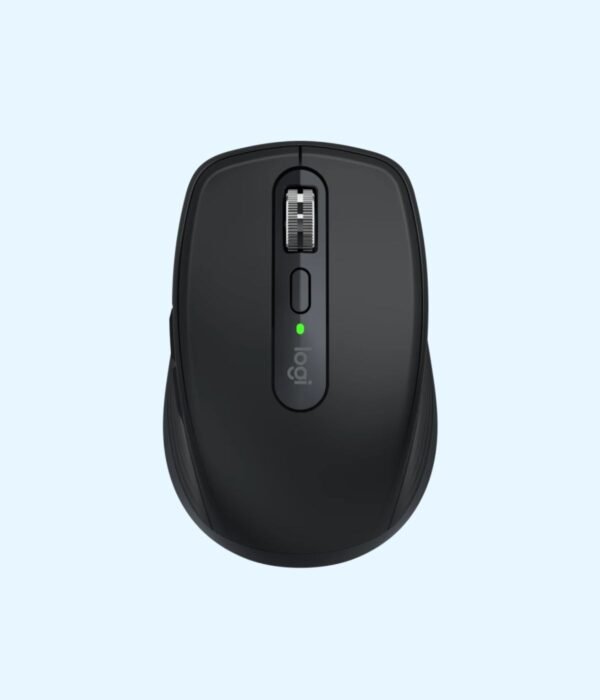
Logitech MX Anywhere 3S Bluetooth Mouse (Graphite)
KSh 11,900.00
- Compact premium mouse for laptops and travel
- Quiet clicks and fast MagSpeed scroll wheel
- 8,000 DPI sensor that tracks even on glass
- Bluetooth, pairs with up to 3 devices
- Rechargeable over USB-C, part number 910-006929
A premium compact mouse for people who work from anywhere
The Logitech MX Anywhere 3S is the travel mouse in Logitech’s MX range, the line it builds for people who spend their working day at a computer. It is small enough for a laptop bag, but it has the features of a full desk mouse: an 8,000 DPI sensor that tracks even on glass, a metal scroll wheel that can fly through 1,000 lines a second, quiet clicks, and a rechargeable battery that charges over USB-C. It connects to three devices over Bluetooth and switches between them with one button.
It costs considerably more than an everyday mouse. What you get for the money is a mouse that works on any surface, in any office, hotel or café, and that you never need to buy batteries for.
It is part of our mice and keyboards range.
What sets it apart
Tracks on glass
The 8,000 DPI Darkfield sensor tracks on almost any surface, including glass desks, which defeat ordinary optical mice. That matters more than it sounds. Glass-top desks are common in offices and boardrooms, and on the road you rarely know what surface you will be working on. You can set the sensor anywhere from 200 to 8,000 DPI in Logi Options+, which also helps on large and high-resolution screens.
MagSpeed scroll wheel
The steel MagSpeed wheel uses magnets instead of a mechanical ratchet. Scroll slowly and it moves in precise, quiet steps. Flick it and it spins freely, which Logitech says reaches 1,000 lines per second. Long spreadsheets, documents and codebases become much quicker to move through.
Quiet clicks
Logitech made the clicks on the 3S quieter than on the previous MX Anywhere 3. You still feel a clear click, but it is far less noticeable in meetings, on calls and in shared offices.
Rechargeable with quick charge
A 500 mAh battery gives up to 70 days on a full charge, according to Logitech. A full charge takes about two hours over USB-C, and a one-minute charge gives up to three hours of use. If it runs low before a meeting, plug it in while you make tea and it is ready. The USB-A to USB-C cable is in the box.
Three devices, one mouse
The mouse pairs with up to three devices over Bluetooth, and the Easy-Switch button moves between them. With Logitech Flow, set up in Logi Options+, you can move the cursor from one computer to another and copy and paste across them.
Six buttons you can customise
Left and right click, a middle click, a button to change the wheel mode, and back and forward buttons on the side. In Logi Options+ you can assign each one different actions, even per app.
Size and weight
It measures about 100.5 mm long, 65 mm wide and 34.4 mm high, and weighs around 95 g. That is compact enough for a laptop bag, yet shaped well enough for a full day at a desk for small to medium hands.
Compatibility
Over Bluetooth, it works with Windows 10 or later, macOS 10.15 or later, iPadOS 13.4 or later, Android 9 or later, ChromeOS and Linux. It does not come with a USB receiver. If your computer lacks Bluetooth, it works with a Logi Bolt receiver, sold separately. Logi Options+ runs on Windows and macOS. It suits laptops such as the MacBook Pro M5 and the Dell Latitude 7450.
Setting it up
Charge the mouse briefly if needed and switch it on. Hold the Easy-Switch button until the light for channel 1 blinks quickly, then select MX Anywhere 3S in your computer’s Bluetooth settings. Repeat on channels 2 and 3 for other devices. Install Logi Options+ to set the buttons, sensor speed and Flow.
Who it suits
It suits consultants, managers, developers and anyone who works across a laptop, a tablet and a desktop, or who travels and works on unpredictable surfaces. It also suits people who want an MX-quality mouse but find the larger MX Master too big. It is not ideal for left-handed users, since the side buttons are on the left, or for people with very large hands who want a full-size mouse. If you only need basic clicking at one desk, a cheaper mouse will do.
Works well with
The Logitech MX Keys Mini is its natural partner: compact, backlit, multi-device and Flow compatible. Put your laptop on the UGREEN Metallic Foldable Laptop Stand for a better screen height. If you want quiet clicks and side buttons for less money, and do not need glass tracking or a rechargeable battery, the Logitech Signature M650 is the sensible alternative.
Full product details are on Logitech’s official site.
Looking after it
Top up the charge every few weeks rather than running it flat. Wipe the shell and wheel with a soft, slightly damp cloth. Switch it off when you pack it. Keep the sensor window clean so glass tracking stays reliable.
Frequently asked questions
Does it work on a glass desk?
Yes. The Darkfield sensor tracks on glass.
Does it come with a USB receiver?
No. It connects over Bluetooth. A Logi Bolt receiver is sold separately.
How long does a charge last?
Up to 70 days, according to Logitech.
Can I use it while charging?
Yes, with the cable connected.
How many devices can it connect to?
Three, switched with the Easy-Switch button.
Does it work with an iPad?
Yes, on iPadOS 13.4 or later.
Is it good for left-handed users?
No. The side buttons are placed for the right thumb.
Buying from Encom Digital
Everything we sell is genuine Logitech. Prices on this page exclude VAT, and every order comes with a KRA-compliant VAT invoice, which your accounts team will need if you are buying for a company.
We offer same-day delivery within Nairobi and deliver to the rest of Kenya. You can pay by M-Pesa, card or bank transfer. If you are fitting out an office, a school or an NGO, ask us for bulk and corporate pricing.
Call or WhatsApp us on +254 714 962 072, email us, or visit us at Rehema House, 4th Floor, Standard Street, Nairobi, Monday to Saturday, 8AM to 6PM.
You may also like…

Logitech MX Keys S Combo with Palm Rest
KSh 31,200.00


Related products
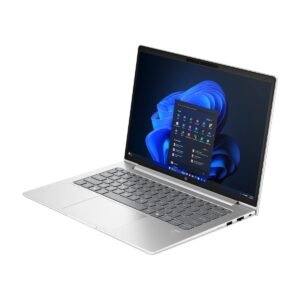
HP ProBook 450 G10
Price range: KSh 93,500.00 through KSh 121,000.00Select options This product has multiple variants. The options may be chosen on the product pageApple MacBook Neo
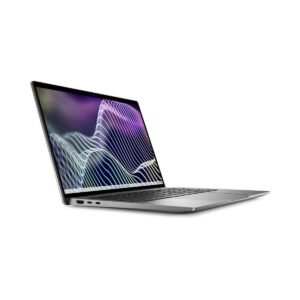
Price range: KSh 102,300.00 through KSh 118,800.00Select options This product has multiple variants. The options may be chosen on the product pageDell Latitude 7440
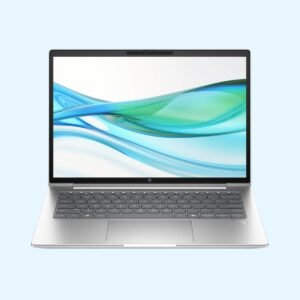
KSh 217,800.00HP ProBook 440 G11
Price range: KSh 112,200.00 through KSh 132,000.00Select options This product has multiple variants. The options may be chosen on the product page



Reviews
There are no reviews yet.