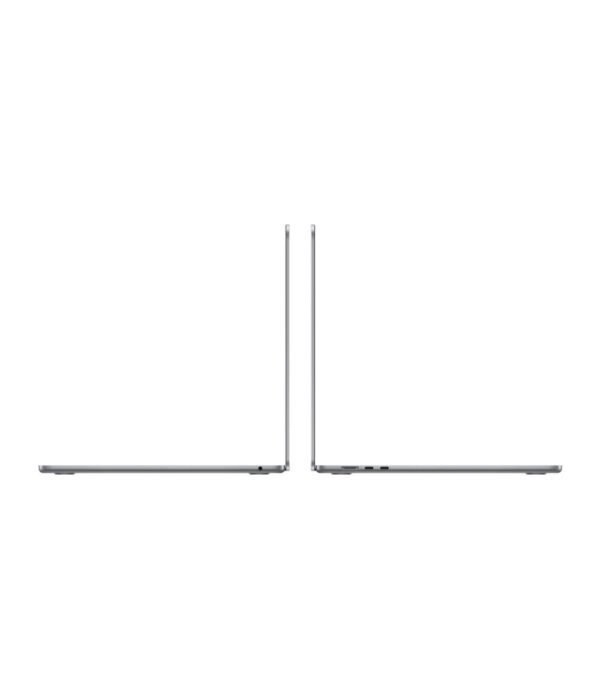
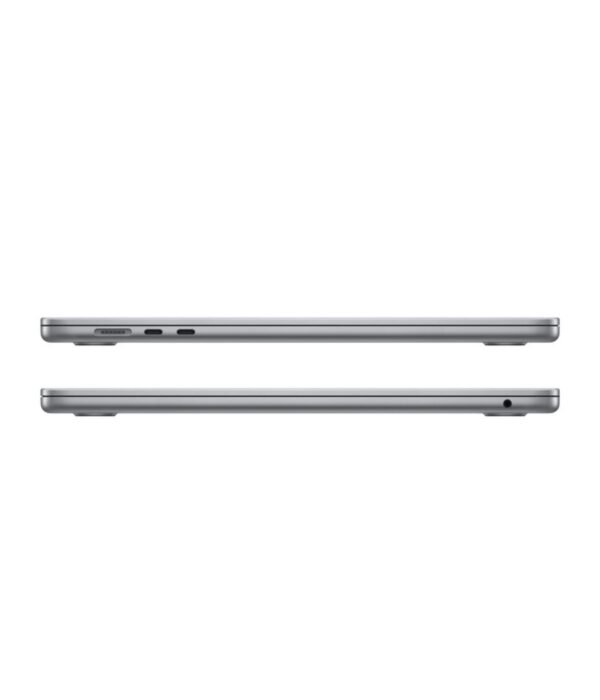
2 x Thunderbolt / USB 4, MagSafe 3, 3.5mm headphone jack
Security
Touch ID
Weight
About 1.51kg
A big-screen MacBook Air for people who want more room without the weight
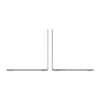
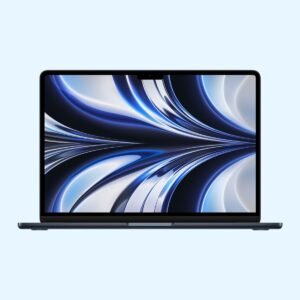
The Apple MacBook Air 15 inch with the M2 chip gives you a 15.3 inch screen in a body that is still thin, light and silent. It was the first 15 inch MacBook Air and it remains a good buy for anyone who works in spreadsheets, documents and browser tabs side by side. We have it with 8GB of memory and a 256GB SSD in Space Grey, or with 8GB and a 512GB SSD in Space Grey, Starlight or Midnight.
The M2 has an 8-core CPU and a 10-core GPU in every 15 inch version. It handles Office, browsing, video calls, photo editing and short video edits comfortably. Like every MacBook Air, it has no fan, so it is completely quiet, but very long heavy jobs such as exporting a long 4K video will slow down as it warms up.
Memory and storage
All versions here have 8GB of unified memory. Memory and storage cannot be upgraded after purchase. 8GB is fine for office work, study and browsing. Choose the 512GB SSD if you keep photos, videos or large files on the laptop, because 256GB fills up quickly once macOS, apps and a phone backup are on it. The 512GB SSD is also a bit faster than the 256GB one.
15.3 inch Liquid Retina display
The screen is 2880 x 1864 with up to 500 nits of brightness and support for one billion colours. The extra space over a 13 inch model makes two windows side by side much more usable.
Ports
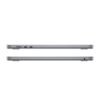
You get two Thunderbolt / USB 4 ports, MagSafe 3 for charging and a headphone jack. The M2 Air supports one external monitor. If you need two, look at the M3 or newer models.
Sound, camera and wireless
It has a six-speaker sound system, which is the best audio in any MacBook Air of this generation, a 1080p FaceTime HD camera and three microphones. Wi-Fi 6 and Bluetooth 5.3 are built in, and Touch ID is in the keyboard.
Size, weight and battery
It weighs about 1.51kg and is about 1.15cm thick. Apple rates the battery at up to 18 hours of video playback.
Who it suits
It suits accountants, administrators, students and home users who want a large screen they can still carry in a backpack. It also works well for older eyes, because you can make text bigger without running out of space. If you need more than 8GB of memory for coding, design or heavy multitasking, choose a model with more memory, such as the 24GB MacBook Air 13 inch M3. If you travel daily and want the smallest bag, the 13 inch is easier to carry.
Operating system
It runs macOS and gets free macOS updates from Apple. Microsoft Office, Google Workspace, Zoom, Teams and most web-based business systems run well. Apple Intelligence features are supported on M2 Macs where Apple has switched them on.
How it compares
The MacBook Air 13 inch M2 has the same chip in a smaller, lighter body for less money. The MacBook Air 13 inch M3 has a newer chip, Wi-Fi 6E and support for two external monitors. The MacBook Air M5 is the latest Air if you want the newest chip and longer software support.
Plug the charger into a surge protector or a UPS, especially in areas where the power goes off and comes back with a spike. MagSafe and USB-C chargers are not cheap to replace, and a bad surge can reach the logic board. macOS has Optimised Battery Charging switched on by default, which learns your routine and holds the battery at 80% when the Mac sits on the charger for long periods. Leave it on. Keep the laptop on a hard surface, clean the screen with a soft, dry microfibre cloth, and do not spray liquid directly onto the keyboard or display.
Space Grey for the 256GB version. Space Grey, Starlight and Midnight for the 512GB version.
How much memory does it have?
8GB on every version we stock. It cannot be upgraded later.
256GB or 512GB?
Choose 512GB if you store photos, videos or large files on the laptop. 256GB suits people who keep most files in the cloud.
How many external monitors can it run?
One external monitor.
Does it have a fan?
No. It is silent.
Is it heavy?
About 1.51kg, which is light for a 15 inch laptop.
Does it have an SD card slot or HDMI?
No. Use a USB-C hub or adapter for those.
Buying from Encom Digital
Everything we sell is genuine Apple. Prices on this page exclude VAT, and every order comes with a KRA-compliant VAT invoice, which your accounts team will need if you are buying for a company.
We offer same-day delivery within Nairobi and deliver to the rest of Kenya. You can pay by M-Pesa, card or bank transfer. If you are fitting out an office, a school or an NGO, ask us for bulk and corporate pricing.
Call or WhatsApp us on +254 714 962 072, email us, or visit us at Rehema House, 4th Floor, Standard Street, Nairobi, Monday to Saturday, 8AM to 6PM.
Reviews
There are no reviews yet.
Be the first to review “Apple MacBook Air 15 inch M2”Cancel Reply











Reviews
There are no reviews yet.