



| Video | 720p HD |
|---|---|
| Microphone | Built in, noise reduction |
| Connection | USB-A |
| Mount | Universal clip |
| Colour | Dark Grey |
| Part Number | 960-001063 |
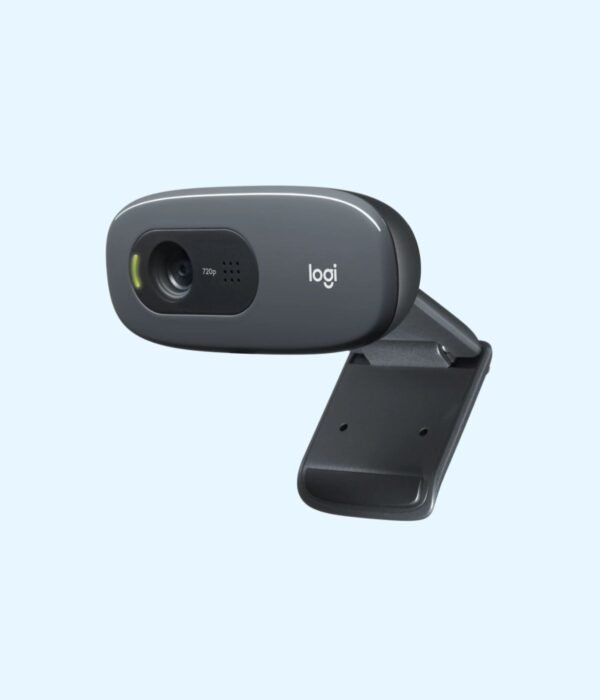
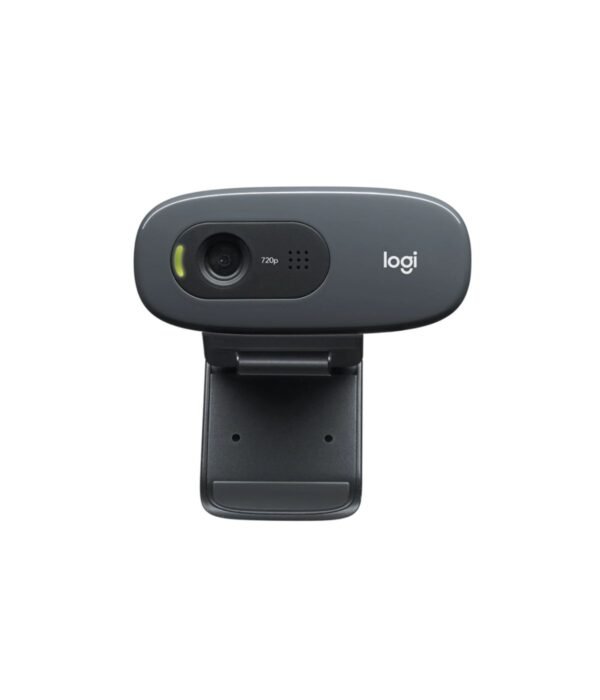
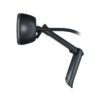
Logitech C270 HD Webcam
KSh 3,400.00
- 720p HD video calls
- Built-in microphone with noise reduction
- Clips onto a monitor or laptop
- Part number 960-001063
A simple, affordable webcam for calls, classes and interviews
The Logitech C270 is a good fit when you need a camera that works and don’t want to spend much. It gives a desktop PC, or a laptop with a poor built-in camera, clear 720p video and a microphone for Zoom, Google Meet, Microsoft Teams and Skype. You plug it into a USB port, clip it to the top of the screen and join your call. There is no software to install for basic use.
Most office desktops ship without a camera, and that is where the C270 earns its place. It is part of our webcams range, along with the keyboards and mice you might be replacing at the same time.
What the C270 does well
720p HD video at 30 frames per second
Logitech rates the C270 at 720p HD at 30 frames per second in widescreen format. Many video-calling apps send around that resolution anyway, especially on a shared office connection or mobile data. It is not as sharp as a 1080p camera, but for meetings, online classes and interviews it does the job.
A 55 degree field of view
The lens covers 55 degrees diagonally, according to Logitech. That is a fairly tight frame that shows your head and shoulders and keeps most of the room behind you out of the picture. It suits one person at a desk. If you want to fit two or three people around a table into the shot, a wider camera such as the C920e is a better match.
Fixed focus
The C270 uses a fixed-focus lens, so there is no autofocus hunting when you move. The trade-off is that it is sharpest at normal sitting distance. Hold a document very close to the lens and it will look soft. For showing papers or small objects on camera, step up to a model with autofocus.
Automatic light correction
Logitech’s RightLight 2 adjusts the picture to the light in the room, which helps in an office lit only by a window or in a dim bedroom at night. You will still get a better picture if you face a window or lamp rather than sitting with the light behind you.
A noise-reducing microphone
The built-in mono microphone reduces background noise, and Logitech says it picks up voices clearly up to 1.5 metres away. For a person sitting at a desk that is plenty, and it means you can drop a separate headset for everyday calls. In a noisy open-plan office or a busy cyber, a headset will still give the other side cleaner sound.
A clip that fits screens and laptops
The universal clip folds to grip the top of a monitor or a laptop lid. Fold it flat and the camera sits on a shelf or the top of a desktop tower instead. The cable is about 1.5 metres long and attached to the camera, which is enough to reach a desktop under most desks.
Compatibility
The C270 connects through USB-A and works as a standard plug-and-play camera on Windows, macOS and ChromeOS. Once connected, it appears as a camera and microphone option in Zoom, Teams, Google Meet, Skype and your browser. A computer with only USB-C ports, such as a recent MacBook, needs a USB-C to USB-A adapter.
Setting it up
Plug the cable into a USB port on your computer. Open the clip and hook it over the top edge of your screen so the lens faces you. In your calling app, open the audio and video settings and choose the Logitech camera and microphone.
Who it suits
The C270 suits offices adding cameras to desktop PCs, schools and colleges running online lessons, students sitting interviews or classes from home, cybers offering video calls, and anyone whose laptop camera has failed.
It is not the right choice for content creators, people who present products on camera, or anyone who wants a sharp image on a large screen in a boardroom. They will be happier with 1080p and autofocus.
How it compares
The Logitech C920e moves you up to Full HD 1080p with autofocus, a wider 78 degree view and two microphones, which makes a real difference for managers who are on calls all day. For streaming and recording, the Logitech C922 Pro Stream adds 720p at 60 frames per second and comes with a desk tripod. If you are setting up new desks, the C270 fits neatly on a desktop such as the Dell OptiPlex 3000 SFF, and the Logitech MK270 combo completes the setup with a wireless keyboard and mouse.
Full product details are on Logitech’s official site.
Looking after it
Wipe the lens gently with a dry microfibre cloth, the kind you would use for glasses. Avoid household cleaners and tissue, which can scratch or smear it. Don’t wrap the cable tightly around the camera when you pack it away, because sharp bends near the camera are where cables wear out first.
Frequently asked questions
Does it have a microphone?
Yes. It has a built-in mono microphone with noise reduction that picks up voices up to about 1.5 metres away, according to Logitech.
Do I need to install drivers?
No. It works as a plug-and-play camera on Windows, macOS and ChromeOS.
Will it work on a desktop that has no camera?
Yes. That is exactly what it is made for.
Does it have autofocus?
No. It uses a fixed-focus lens that is sharpest at normal sitting distance.
Is 720p good enough for Zoom and Teams?
For everyday meetings, yes. Many calling apps send video at around this resolution anyway.
Can it sit on a shelf instead of the screen?
Yes. The clip folds flat so the camera can stand on a shelf or a desktop tower.
Can I order several for an office or school?
Yes. Contact us for bulk pricing and a VAT invoice.
Buying from Encom Digital
Everything we sell is genuine Logitech. Prices on this page exclude VAT, and every order comes with a KRA-compliant VAT invoice, which your accounts team will need if you are buying for a company.
We offer same-day delivery within Nairobi and deliver to the rest of Kenya. You can pay by M-Pesa, card or bank transfer. If you are fitting out an office, a school or an NGO, ask us for bulk and corporate pricing.
Call or WhatsApp us on +254 714 962 072, email us, or visit us at Rehema House, 4th Floor, Standard Street, Nairobi, Monday to Saturday, 8AM to 6PM.
You may also like…

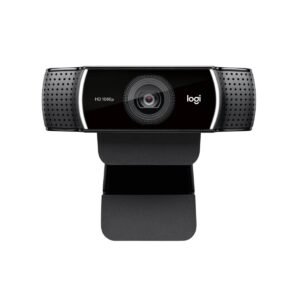
Logitech C920e HD Pro Webcam
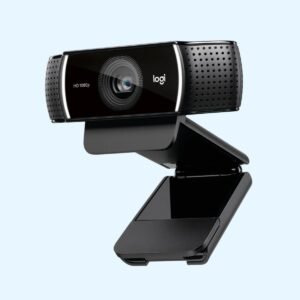
KSh 12,500.00Logitech C922 Pro Stream Webcam
KSh 13,800.00


Related products
Lenovo 150 Wireless Mouse (Black)
KSh 1,100.00Lenovo 300 Wired USB Mouse (Black)
KSh 750.00UGREEN Mouse Pad CY016
KSh 200.00Lenovo 160 Wired Keyboard and Mouse Combo
KSh 2,500.00



Reviews
There are no reviews yet.