




| Connection | 2.4 GHz USB nano receiver |
|---|---|
| Power | 1 x AA battery |
| Shape | Compact, ambidextrous |
| Colour | Black, Blue, Red, Blue Grey |
Logitech M171 Wireless Mouse
KSh 1,400.00
- Plug-and-play wireless mouse with a tiny USB receiver
- Compact shape for left or right hand
- Runs for months on one AA battery
- Black, Blue, Red or Blue Grey
A compact wireless mouse in four colours
The Logitech M171 is a small, light wireless mouse that you can buy in a colour you actually like. Inside, it is a simple, proven Logitech design: a tiny USB receiver, one AA battery and a symmetrical shape. Outside, you choose between Black, Blue, Red and Blue Grey. That makes it a good fit for students, for families sharing a laptop, and for offices that colour-code equipment by department.
Browse the rest of our mice and keyboards if you need a matching keyboard.
What the M171 offers
Small enough for any bag
The M171 measures about 97.7 mm long, 61.5 mm wide and 35.2 mm high, and weighs roughly 70 g with the battery fitted, according to Logitech’s data sheet. It is one of the most compact mice we carry, so it travels well with a laptop. Small and medium hands will find it comfortable. Large hands may prefer a full-size mouse.
A receiver you can forget about
The mouse talks to your computer over 2.4 GHz wireless through a USB nano receiver of about 18.7 by 14.4 mm. Leave it plugged in and the mouse is ready whenever you switch it on. Logitech rates the range at up to 10 metres.
About a year on one battery
Logitech rates the M171 at up to 12 months on a single AA battery. An on and off switch and an automatic sleep mode help it last. For a school or office, that means no charging cables to manage.
Comfortable for either hand
The contoured body is symmetrical, so a left-handed student can use the same mouse as a right-handed one.
Controlled scrolling
The wheel scrolls one line at a time, which keeps you in control in long documents and spreadsheets.
Compatibility
The M171 works with Windows, macOS, ChromeOS and Linux through its USB-A receiver. Laptops with only USB-C ports, such as the MacBook Air M5, need a USB-C adapter or hub. It does not have Bluetooth.
Setting it up
Plug the receiver into a USB port and switch the mouse on using the switch underneath. Your computer picks it up in a few seconds. There is nothing to install, and the battery comes in the box.
Which colour
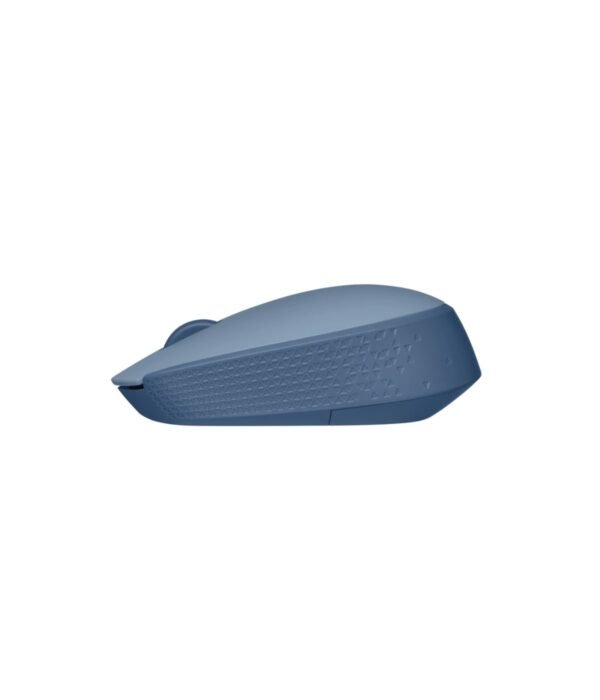
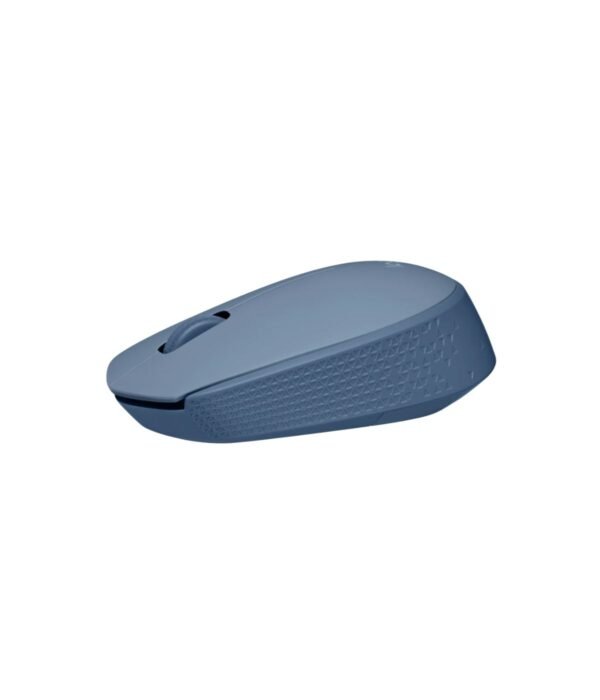
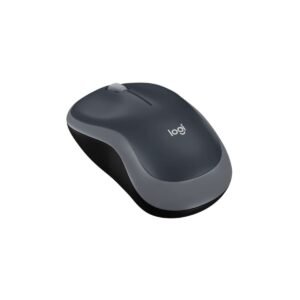
We stock the M171 in Black, Blue, Red and Blue Grey. All four cost the same and work the same, so the choice is down to taste. Black and Blue Grey look at home in an office. Blue and Red are easy to spot on a crowded desk or in a school bag, which helps stop mice going missing in shared labs. The photos show Blue Grey. Choose your colour from the options above.
Who it suits
The M171 suits students, people who carry a laptop every day, and buyers who want a basic wireless mouse that is not grey or black. It is not the best pick for large hands, for anyone who needs side buttons, or for open-plan offices where clicking is a distraction.
How it compares
The Logitech M170 is the same mouse in grey, at the same price, so choose the M171 when colour matters. The Logitech M185 is a touch bigger and comes in Swift Grey, Blue and Red. The Logitech M190 is the full-size option for bigger hands and longer battery life. If you want no receiver at all, the Logitech M196 connects over Bluetooth and also comes in three colours.
Full product details are on Logitech’s official site.
Looking after it
Switch it off before it goes into a bag. Wipe the shell with a damp cloth from time to time. When the pointer starts to lag, change the battery. Keep the receiver safe, because the mouse is paired to it.
Frequently asked questions
Do all the colours cost the same?
Yes. The price is the same for every colour.
Is it the same as the M170?
Yes, apart from the colours. Size, receiver and battery rating are the same.
Is the battery included?
Yes. One AA battery is in the box.
How long does the battery last?
Up to 12 months, according to Logitech.
Can left-handed people use it?
Yes. The shape is symmetrical.
Will it work on a Chromebook?
Yes, through the USB receiver.
Can I order mixed colours for a school?
Yes. Tell us how many of each colour and ask for bulk pricing.
Buying from Encom Digital
Everything we sell is genuine Logitech. Prices on this page exclude VAT, and every order comes with a KRA-compliant VAT invoice, which your accounts team will need if you are buying for a company.
We offer same-day delivery within Nairobi and deliver to the rest of Kenya. You can pay by M-Pesa, card or bank transfer. If you are fitting out an office, a school or an NGO, ask us for bulk and corporate pricing.
Call or WhatsApp us on +254 714 962 072, email us, or visit us at Rehema House, 4th Floor, Standard Street, Nairobi, Monday to Saturday, 8AM to 6PM.
You may also like…

Logitech M185 Wireless Mouse
KSh 1,500.00Select options This product has multiple variants. The options may be chosen on the product pageLogitech M196 Bluetooth Mouse
KSh 1,600.00Select options This product has multiple variants. The options may be chosen on the product page


Related products
Dell OptiPlex 7020 Micro Tower
Price range: KSh 110,200.00 through KSh 139,200.00Select options This product has multiple variants. The options may be chosen on the product pageDell Latitude 5540
Price range: KSh 135,900.00 through KSh 162,800.00Select options This product has multiple variants. The options may be chosen on the product pageDell Latitude 5530
KSh 128,200.00Dell Latitude 5440
Price range: KSh 137,500.00 through KSh 143,000.00Select options This product has multiple variants. The options may be chosen on the product page


Reviews
There are no reviews yet.