3 x USB-A, 1 x USB-C (charging and DisplayPort), HDMI, RJ45 Ethernet, Headset jack
Weight
About 1.54kg
Security
TPM chip, Wedge lock slot
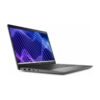
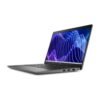
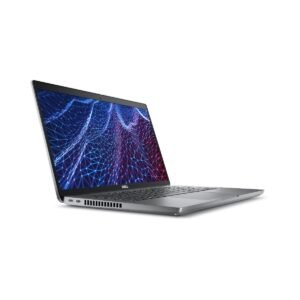
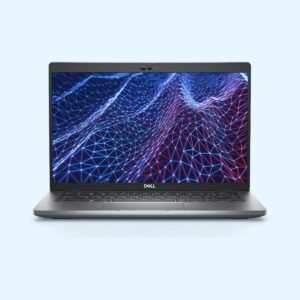
A 14 inch Core i7 Dell business laptop with the ports offices still need
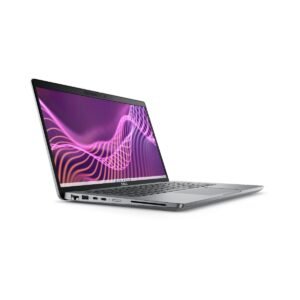
The Dell Latitude 3440 is the 14 inch model in Dell’s entry business range for 2023. It pairs a 13th Gen Intel Core i7-1355U with 16GB of RAM, a 512GB SSD and a 14 inch Full HD screen, and it keeps HDMI, three USB-A ports and wired Ethernet. It comes in two versions here, the same hardware either with Ubuntu Linux or with Windows 11 installed by us.
The i7-1355U has 10 cores and 12 threads and boosts up to 5.0GHz. That is plenty for large Excel workbooks, many browser tabs, finance and ERP systems, and light photo work alongside video calls. It is a low-power chip built for thin laptops, so it runs cool and quiet in normal office use.
16GB RAM and a 512GB SSD
The 16GB of DDR4 memory runs in two standard SO-DIMM slots, so it is in dual channel, which helps the built-in Intel Iris Xe graphics. Because the memory is not soldered, it can be upgraded later. The 512GB NVMe SSD sits in a single M.2 slot and keeps start-up and file opening quick.
14 inch Full HD screen
The 1920 x 1080 matte screen cuts reflections from office lights and windows. It is a business panel aimed at documents and spreadsheets rather than colour work, and reviewers note it is best used indoors.
Ports for a normal office
You get three USB-A ports, a USB-C port that supports charging and DisplayPort output, a full HDMI port, an RJ45 Ethernet port, a headset jack and a wedge-shaped lock slot. That covers a mouse, flash drives, a printer, a projector and a cabled network without any adapters.
Wireless, webcam and security
Wi-Fi 6E and Bluetooth 5.2 are built in. There is a webcam and microphones for Teams and Zoom calls, and a TPM chip for drive encryption. Dell offered a Full HD camera with a privacy shutter, a fingerprint reader in the power button and a backlit keyboard on many configurations, so ask us if you need one of these on your unit.
Size and weight
Notebookcheck measured it at about 1.54kg and under 2cm thick, with a 54Wh battery. The bottom panel comes off with a normal screwdriver, and the SSD, both memory slots and the Wi-Fi card can be reached for upgrades.
Who it suits
The Latitude 3440 suits managers, accountants, consultants and IT staff who want Core i7 headroom in a standard 14 inch business laptop. It also works well for schools and NGOs that want a simple machine with Ethernet that is easy to open and upgrade. If you mainly do email and Office, a Core i5 model such as the Dell Latitude 3450 costs less. If you fly often or want Thunderbolt for a dock, the 5000 series is the better pick.
Operating system
Choose the version you want when you order. The Ubuntu Linux version ships with Ubuntu, a free and stable system that runs LibreOffice, Chrome, Zoom and most web-based business tools. For the Windows version, we install Windows 11 on it before delivery. If you would rather run a different operating system, tell us when you order.
Use a surge protector or a UPS where power cuts and voltage swings are common. Keep the vents clear by working on a hard surface rather than a bed or sofa, and blow dust out of the vents every few months if the office is dusty. If the laptop stays plugged in at your desk most of the day, Dell’s power settings let you limit charging so the battery lasts longer. Clean the keyboard with a soft brush and the screen with a dry microfibre cloth.
Only the operating system. Both have the Core i7-1355U, 16GB RAM and a 512GB SSD. One ships with Ubuntu Linux, the other gets Windows 11 installed by us.
Can I add more RAM?
Yes. It uses two DDR4 SO-DIMM slots. Ask us before buying memory so we can confirm the right modules.
Does it have an Ethernet port?
Yes. It has a built-in RJ45 Gigabit Ethernet port.
Does it have Thunderbolt?
No. The USB-C port supports charging and DisplayPort output but not Thunderbolt.
Can I connect a monitor or projector?
Yes, through the HDMI port or the USB-C port.
Is it good for students?
It works well, but a Core i7 business laptop is more than most students need. A Core i5 model costs less.
Can the SSD be upgraded?
Yes. The SSD sits in an M.2 slot under the bottom panel.
Buying from Encom Digital
Everything we sell is genuine Dell. Prices on this page exclude VAT, and every order comes with a KRA-compliant VAT invoice, which your accounts team will need if you are buying for a company.
We offer same-day delivery within Nairobi and deliver to the rest of Kenya. You can pay by M-Pesa, card or bank transfer. If you are fitting out an office, a school or an NGO, ask us for bulk and corporate pricing.
Call or WhatsApp us on +254 714 962 072, email us, or visit us at Rehema House, 4th Floor, Standard Street, Nairobi, Monday to Saturday, 8AM to 6PM.
Reviews
There are no reviews yet.
Be the first to review “Dell Latitude 3440”Cancel Reply









Reviews
There are no reviews yet.