
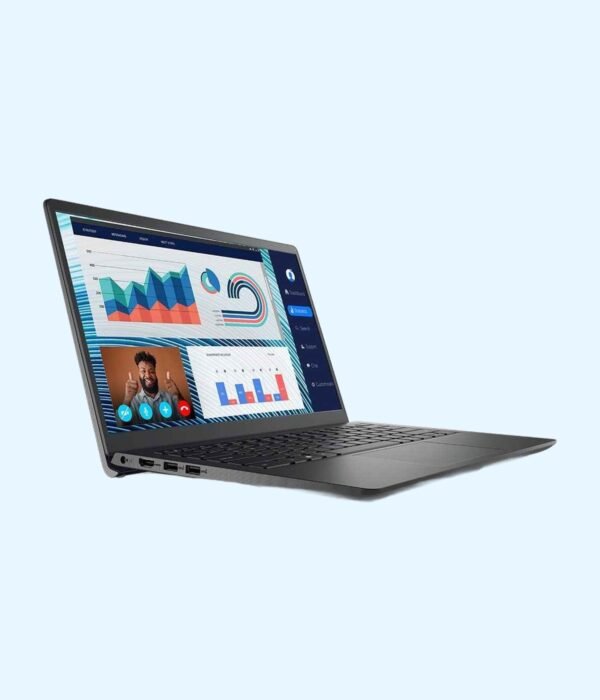




| Processor | 12th Gen Intel Core i7-1255U |
|---|---|
| RAM | 16GB |
| Storage | 512GB SSD |
| Screen Size | 14 inch |
| Display | Full HD |
| Graphics | Intel integrated graphics |
| Operating System | Ubuntu Linux |
| Form Factor | Clamshell |
| Model | Vostro 3420 |
| Ports | 2 x USB 3.2 Type-A, 1 x USB 2.0, HDMI 1.4, RJ45 Ethernet, SD card reader, Headset jack |
| Keyboard | Full size, no number pad |
| Weight | About 1.48kg |
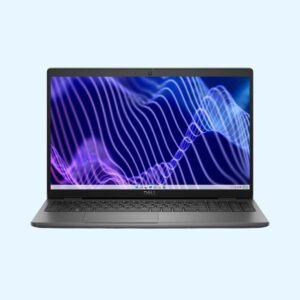
Dell Vostro 3420
KSh 85,800.00
- 12th Gen Intel Core i7-1255U, 10 cores
- 16GB RAM and 512GB SSD
- 14 inch Full HD anti-glare screen
- HDMI, Ethernet and SD card reader
- Ubuntu Linux, or Windows 11 installed by Encom on request
A 14 inch Dell for busy office days, with a Core i7 and 16GB of RAM
The Dell Vostro 3420 is Dell’s 14 inch laptop for small and growing businesses, built on Intel’s 12th generation processors. It sits below the Latitude range on price but still gives you a Full HD screen, a wired network port and an SD card reader. We have it in one strong configuration: a Core i7-1255U with 16GB of RAM, a 512GB SSD and a 14 inch Full HD screen. It ships with Ubuntu Linux.
It is part of our range of business laptops.
What you get
12th Gen Intel Core i7-1255U
The i7-1255U has 10 cores and 12 threads: two performance cores for the task in front of you and eight efficient cores for everything running in the background. It boosts up to 4.7GHz. In practice that means large spreadsheets, a finance system, dozens of browser tabs and a video call can all run at once without the machine bogging down. It is a big step up from the 11th Gen chips in older Vostro models.
16GB RAM and a 512GB SSD
Sixteen gigabytes is plenty for heavy office multitasking and light development work. The 3420 has two memory slots, and spec listings put its maximum at 16GB, so this configuration is already at the top. The 512GB NVMe SSD sits in an M.2 slot, so start-up and file opening are quick and there is room for years of documents.
14 inch Full HD screen
The 1920 x 1080 anti-glare screen is sharp enough for side-by-side documents and keeps reflections down under office lights. Dell’s ComfortView software cuts blue light for long days at the screen. The keyboard is full size without a number pad, which keeps the laptop compact.
Ports for a normal office
Spec listings show two USB 3.2 Type-A ports, one USB 2.0 port, HDMI 1.4 for a monitor or projector, a flip-down RJ45 Ethernet port, an SD card reader and a headset jack. Some builds swap one USB-A port for USB-C, so ask us if you need one. The Ethernet port is handy where Wi-Fi is weak or the office runs on cabled networks.
Wireless and webcam
Wi-Fi and Bluetooth are built in, and there is an HD webcam with a microphone for Teams, Zoom and Google Meet calls.
Size and weight
It weighs about 1.48kg and is under 19mm thick, with a footprint of roughly 324mm by 220mm. That is light enough to carry to client meetings and between branches every day.
Who it suits
The Vostro 3420 suits managers, accountants, analysts and developers who want Core i7 power and 16GB of memory in a 14 inch body at a fair price. Teams already using Ubuntu, and developers who want Linux out of the box, will find it ready to use. If you need Windows on day one, want a number pad for heavy data entry, or prefer the tougher build and management features of Dell’s Latitude line, look at the options below.
Operating system
The Vostro 3420 ships with Ubuntu Linux. Ubuntu is free, gets regular security updates, and runs LibreOffice, Chrome, Firefox, Zoom, VS Code and most web-based business systems well. If you would rather have Windows, we install Windows 11 on it before delivery. Tell us when you order.
How it compares
The Dell Vostro 3400 is the previous 14 inch Vostro, with 11th Gen chips, if you want to spend less. The Dell Latitude 3440 moves to Dell’s business line with 13th Gen processors and USB-C charging. For a tougher, more premium 14 inch Dell, the Dell Latitude 5430 is the step up. Comparing brands? The Lenovo ThinkPad E14 Gen 4 is the closest 12th Gen alternative.
Full product details are on Dell’s official site.
Looking after it
Use a surge protector or a UPS where power cuts are common, because a surge when power returns can damage the charger and the board. Keep the vents clear by working on a hard surface rather than a bed or sofa. If the laptop sits plugged in at a desk most of the day, Dell’s BIOS has a battery charge setting that stops charging below full, which helps the battery last longer. Clean the keyboard with a soft brush and the screen with a dry microfibre cloth.
Works well with
Add the Dell KM3322W keyboard and mouse for a full desk setup with a number pad, or the Dell WM126 wireless mouse on its own. The UGREEN Metallic Foldable Laptop Stand lifts the screen to eye level for long days at a desk.
Frequently asked questions
Which processor does it have?
A 12th Gen Intel Core i7-1255U with 10 cores and 12 threads, boosting up to 4.7GHz.
Can I add more RAM?
It already has 16GB, which spec listings give as the maximum for this model.
Does it come with Windows?
It ships with Ubuntu Linux. If you prefer Windows, we install Windows 11 before delivery. Tell us when you order.
Does it have an Ethernet port?
Yes. It has a flip-down RJ45 port for wired networks.
Does it have a number pad?
No. It is a 14 inch laptop with a full-size keyboard but no number pad.
Can I connect a monitor or projector?
Yes, through the HDMI port.
Is it light enough to carry every day?
Yes. At about 1.48kg it is easy to carry in a backpack or laptop bag.
Buying from Encom Digital
Everything we sell is genuine Dell. Prices on this page exclude VAT, and every order comes with a KRA-compliant VAT invoice, which your accounts team will need if you are buying for a company.
We offer same-day delivery within Nairobi and deliver to the rest of Kenya. You can pay by M-Pesa, card or bank transfer. If you are fitting out an office, a school or an NGO, ask us for bulk and corporate pricing.
Call or WhatsApp us on +254 714 962 072, email us, or visit us at Rehema House, 4th Floor, Standard Street, Nairobi, Monday to Saturday, 8AM to 6PM.
You may also like…

Dell Latitude 5440
Price range: KSh 137,500.00 through KSh 143,000.00Select options This product has multiple variants. The options may be chosen on the product pageDell Latitude 7420
KSh 116,400.00Dell Latitude 5430
KSh 135,300.00


Related products
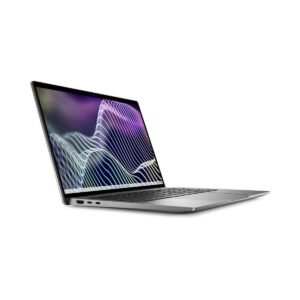
Dell Latitude 7440
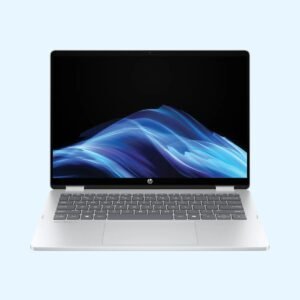
KSh 217,800.00HP OmniBook 5 Flip 14 (14-fp0023dx)
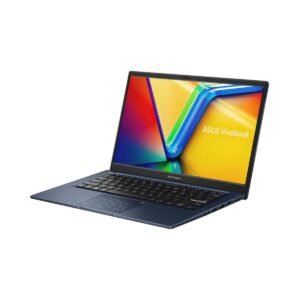
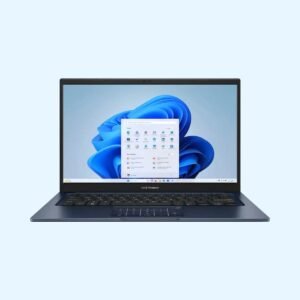
KSh 115,500.00ASUS Vivobook 14 X1404
Price range: KSh 66,000.00 through KSh 77,000.00Select options This product has multiple variants. The options may be chosen on the product pageDell Latitude 3540
KSh 130,400.00


Reviews
There are no reviews yet.