


| Devices | 1 Device, 3 Devices, 5 Devices, 10 Devices, 20 Devices |
|---|---|
| Platform | Windows, macOS, Android, iOS |
| Protection | Real-time antivirus, Safe browsing, Anti-phishing, Online payment protection |
| Privacy | Unlimited VPN, Premium password manager, Data leak checker, Identity protection |
| Support | Priority remote IT support, Expert PC health check |
| Licence | 1 year |
| Delivery | Boxed licence (5 devices), Digital key by email (1, 3, 10 and 20 devices) |
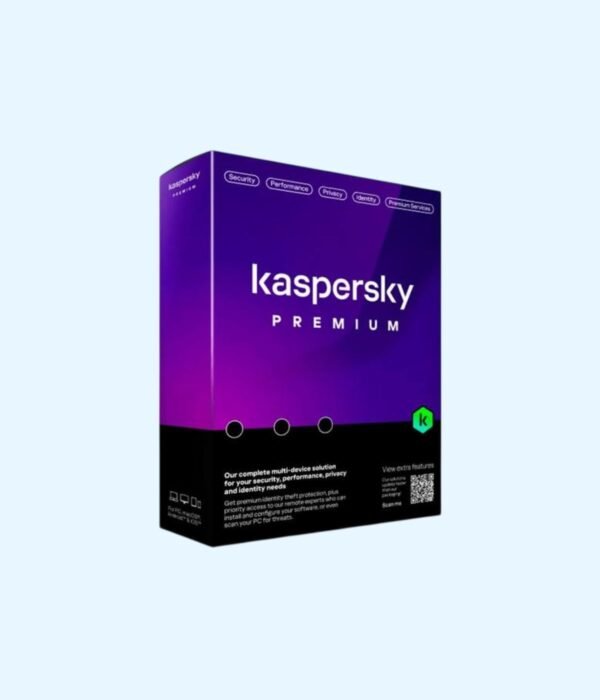
Kaspersky Premium
Price range: KSh 2,700.00 through KSh 15,000.00
- Kaspersky’s most complete home protection
- Everything in Kaspersky Plus: antivirus, unlimited VPN, password manager
- Identity protection for your documents and accounts
- Priority remote IT support from Kaspersky experts
- Choose 1, 3, 5, 10 or 20 devices: Windows, Mac, Android and iPhone
Kaspersky’s top plan: full protection, privacy and expert support for every device
Kaspersky Premium is the most complete plan in Kaspersky’s home range. It includes everything in Kaspersky Plus, so antivirus, safe browsing, payment protection, an unlimited VPN and a premium password manager, and adds identity protection and priority access to Kaspersky’s remote IT support team. One licence covers a mix of Windows PCs, Macs, Android devices and iPhones, with packs of up to 20 devices for larger families and small offices.
Browse the rest of our antivirus and internet security range.
What you get
Full Kaspersky protection
Real-time antivirus stops viruses, ransomware, spyware and cryptojackers. Safe browsing and anti-phishing block fake pages before they load, and online payment protection opens banking and payment sites in a protected browser.
Unlimited VPN and password manager
The VPN encrypts your connection on public Wi-Fi with no data cap, and the password manager keeps your passwords, cards and notes in an encrypted vault that syncs across your devices. Kaspersky notes that VPN availability can vary by country.
Identity protection
Store scans of important documents such as your ID, passport and certificates in an encrypted wallet, so they are safe and available when you need them. The data leak checker monitors whether your details appear in known breaches, and Kaspersky’s tools help stop people taking remote control of your PC.
Priority remote IT support
Premium customers get priority support from Kaspersky’s specialists, who can help with installation, set-up and security problems. An expert PC health check can look for and remove threats that are hard to clean yourself.
Performance tools
Performance optimisation and a hard disk cleaner clear out junk and unused apps, and Do Not Disturb mode holds back alerts during calls, presentations and games.
Which pack should you buy?
Count all the laptops, desktops, Macs, phones and tablets you want covered. A family of four with a phone each and two laptops needs the 10 device pack. Small offices with up to 20 devices can cover everyone with the 20 device pack. The 5 device pack is a boxed licence. The 1, 3, 10 and 20 device packs are digital keys sent by email.
Who it suits
Kaspersky Premium suits families who want one plan for every device, people who handle sensitive personal or company documents, and anyone who would value expert help when something goes wrong. If you do not need identity protection or priority support, Kaspersky Plus costs less.
How it compares
Over Plus, Premium adds identity protection, priority remote IT support and the expert PC health check. Kaspersky Standard is the antivirus-only plan. For a business with a file server, Kaspersky Small Office Security is licensed for servers, which the home plans are not. Full details are on Kaspersky’s official site. Some features vary by device and by country.
Installing and activating
Create a free My Kaspersky account, install the Kaspersky app on each device and enter your activation code. Digital keys arrive by email, so you can be protected the same day. Remove other antivirus software from a PC first. We can install it for you at our shop.
System requirements
Windows 11, 10, 8.1, 8 or 7 SP1; a recent macOS version; Android 11 or later; a recent iOS version. An internet connection and a My Kaspersky account are needed. Some features are more limited on iPhone because of Apple’s restrictions.
Works well with
Protect a new laptop, phone or tablet from day one, and back up your files to a drive from our memory and storage range.
Frequently asked questions
What does remote IT support cover?
Kaspersky’s specialists help with installing, setting up and fixing security problems on your protected devices.
Can I use one licence for my whole family?
Yes. Each family member can use the app on their own devices, up to the number in your pack.
Do I get a box or a code?
The 5 device pack is boxed. The 1, 3, 10 and 20 device packs are digital keys sent by email.
Can I install it on a Windows Server?
No. Home plans are not licensed for servers. Use Kaspersky Small Office Security or Quick Heal AntiVirus for Server.
What happens when the licence ends?
Protection updates stop and the premium features switch off. Renew before the end date.
Buying from Encom Digital
Every licence we sell is genuine Kaspersky. Every order comes with a KRA-compliant VAT invoice, which your accounts team will need if you are buying for a company.
We offer same-day delivery within Nairobi and deliver to the rest of Kenya. You can pay by M-Pesa, card or bank transfer. If you are protecting an office, a school or an NGO, ask us for bulk and corporate pricing.
Call or WhatsApp us on +254 714 962 072, email us, or visit us at Rehema House, 4th Floor, Standard Street, Nairobi, Monday to Saturday, 8AM to 6PM.
You may also like…

Kaspersky Small Office Security (5 PCs + 1 File Server)
KSh 17,000.00
Related products
Kaspersky Plus
Price range: KSh 2,900.00 through KSh 6,700.00Select options This product has multiple variants. The options may be chosen on the product pageQuick Heal Total Security
Price range: KSh 1,800.00 through KSh 4,000.00Select options This product has multiple variants. The options may be chosen on the product pageKaspersky Standard
Price range: KSh 2,350.00 through KSh 5,300.00Select options This product has multiple variants. The options may be chosen on the product pageQuick Heal AntiVirus for Server
KSh 9,000.00




Reviews
There are no reviews yet.