


| Users | 1 User, 2 Users, 3 Users, 5 Users |
|---|---|
| Platform | Windows 11, Windows 10, Windows 8.1, Windows 8 |
| Protection | Real-time antivirus, Firewall, Anti-ransomware with backup and restore, Safe Banking, Scam link and fraud protection |
| Data Protection | USB data theft protection, Encrypted file vault, External drive protection |
| Privacy | Webcam protection, Anti-tracker, Dark web monitoring |
| Extras | Parental control, PC tuning, Game booster |
| Licence | 1 year |
| Delivery | Licence key |
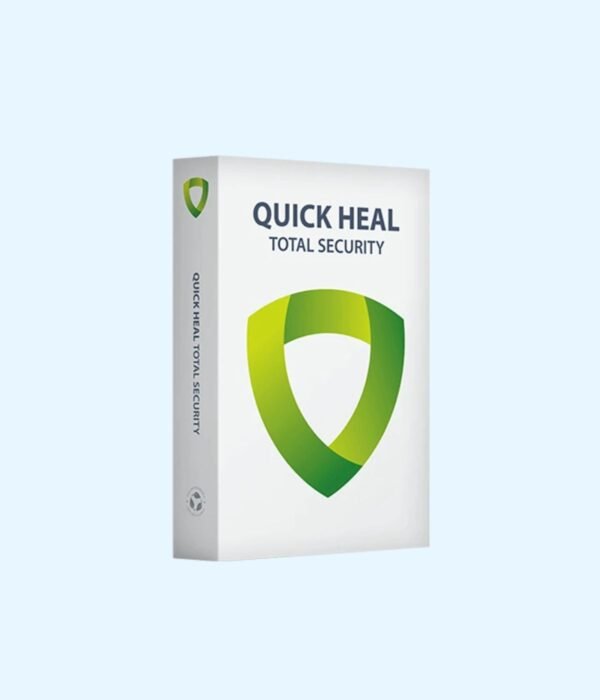
Quick Heal Total Security
Price range: KSh 1,800.00 through KSh 4,000.00
- Quick Heal’s most complete protection for Windows PCs
- Everything in Internet Security, plus scam link and fraud protection
- Stops data being copied off the PC to USB drives
- Encrypted file vault and PC tuning tools
- Choose 1, 2, 3 or 5 Windows PCs
Quick Heal’s top edition: full protection, fraud defence and data control for Windows PCs
Quick Heal Total Security is the most complete package in Quick Heal’s home range. It includes all the protection of Internet Security, then adds the tools that matter most to small businesses and anyone who keeps sensitive files on a PC: fraud and scam link protection, a block on data being copied to USB drives, an encrypted vault for private files, and tuning tools that keep an older PC running smoothly.
Compare it with the rest of our antivirus and internet security range.
What you get
Core protection and anti-ransomware
Real-time scanning checks every file you open, download or copy, using both signatures and behaviour-based detection. If ransomware starts encrypting your files, it is stopped, and backup and restore lets you recover your work. A two-way firewall blocks unwanted traffic in and out of the PC, which is important on shared office networks.
Fraud and scam link protection
Fraud is now the most common way people in Kenya lose money online: fake payment pages, bogus delivery links and lookalike bank sites. Total Security checks links, emails and apps in real time and warns you before you hand over details. Safe Banking opens banking and payment sites in a protected session that other programs cannot read.
USB data theft protection
You can stop data being copied from the PC to flash disks and external drives. For an office, this is a simple way to stop client lists, payroll files or designs walking out of the building on a memory stick. External drive protection also scans drives as they are plugged in and blocks autorun malware.
Encrypted file vault
Create a password-protected, encrypted folder for private documents such as contracts, ID scans and financial records. Anyone who uses the PC without the password cannot open it.
Privacy tools
Webcam protection stops unknown apps from using your camera. The anti-tracker blocks scripts that follow you around the web. Dark web monitoring alerts you if your email address or phone number shows up in leaked data.
Parental control and PC tuning
Parental control limits what children can see and how long they spend online. The PC tuning tools clear junk files and leftover traces that slow Windows down, and a game booster reduces background activity when you need full performance.
Which pack should you buy?
One user means one Windows PC. Choose 1, 2, 3 or 5. A five-person office needs the 5 user pack, which costs far less per PC than five single licences. For larger offices, combine packs or ask us for bulk pricing.
Who it suits
Total Security suits small businesses that handle client data or payments, accountants and consultants with confidential files, and families who want the strongest protection on a shared PC. If you only need antivirus with a firewall and safe banking, Quick Heal Internet Security costs less.
How it compares
Over Internet Security, Total Security adds fraud and scam link protection, USB data theft protection, the encrypted file vault and PC tuning. AntiVirus Pro is the basic edition without the firewall or banking protection. For a Windows server, choose Quick Heal AntiVirus for Server. For a mix of PCs, Macs and phones, Kaspersky Premium covers them all. Full details are on Quick Heal’s official site.
Installing and activating
You receive a licence key. Download the installer from Quick Heal’s website, enter the key and activate over the internet. Remove any other antivirus first. We can install it for you at our shop, or set it up on any computer you buy from us.
System requirements
Windows 11, 10, 8.1 or 8, 32-bit or 64-bit, fully updated. Quick Heal recommends 4 GB of RAM and about 3 GB of free disk space, an internet connection for activation and updates, and a screen resolution of at least 1024 x 768. It does not run on macOS or Android.
Works well with
Pair it with a new business laptop or desktop, and keep an offline copy of important files on an external drive from our memory and storage range.
Frequently asked questions
Can I still use my own flash disk if USB blocking is on?
Yes. You control the setting and can allow specific drives or switch it off with your password.
Does it protect M-Pesa and online banking?
Safe Banking protects any banking or payment website you open in the browser. Fraud protection warns you about fake payment and delivery links.
Does it work on Windows 7?
Quick Heal lists Windows 8 and later for the current Total Security. For a Windows 7 PC, ask us before buying.
Can I protect my phone with it?
No. This edition covers Windows PCs. For phones and Macs, look at Kaspersky.
What happens when the licence ends?
Updates stop. Renew before the end date to stay protected.
Buying from Encom Digital
Every licence we sell is genuine Quick Heal. Every order comes with a KRA-compliant VAT invoice, which your accounts team will need if you are buying for a company.
We offer same-day delivery within Nairobi and deliver to the rest of Kenya. You can pay by M-Pesa, card or bank transfer. If you are protecting an office, a school or an NGO, ask us for bulk and corporate pricing.
Call or WhatsApp us on +254 714 962 072, email us, or visit us at Rehema House, 4th Floor, Standard Street, Nairobi, Monday to Saturday, 8AM to 6PM.
You may also like…

Kaspersky Premium
Price range: KSh 2,700.00 through KSh 15,000.00Select options This product has multiple variants. The options may be chosen on the product page

Related products
Kaspersky Small Office Security (5 PCs + 1 File Server)
KSh 17,000.00Quick Heal AntiVirus for Server
KSh 9,000.00Microsoft 365 Family (6 Users, 1 Year)
KSh 12,000.00Kaspersky Plus
Price range: KSh 2,900.00 through KSh 6,700.00Select options This product has multiple variants. The options may be chosen on the product page



Reviews
There are no reviews yet.