


| Processor | Intel Core i7-1355U |
|---|---|
| RAM | 16GB |
| Storage | 512GB SSD |
| Screen Size | 14 inch |
| Graphics | Intel Iris Xe Graphics |
| Operating System | Windows 11 (installed by Encom) |
| Form Factor | Clamshell |
| Ports | 2 x Thunderbolt 4 USB-C, 2 x USB-A 5Gbps (one always on), HDMI (4K 60Hz), RJ45 Ethernet, Headphone/mic combo jack |
| Keyboard | Spill-resistant with TrackPoint |
| Weight | From about 1.32kg |
| Security | Discrete TPM 2.0, Webcam privacy shutter |
Lenovo ThinkPad T14 Gen 4
KSh 231,000.00
- 13th Gen Intel Core i7-1355U, 10 cores, up to 5.0GHz
- 16GB RAM, 512GB PCIe 4.0 SSD
- 14 inch 16:10 screen
- 2 x Thunderbolt 4, 2 x USB-A, HDMI, RJ45 Ethernet, Wi-Fi 6E
- Windows 11 installed by Encom before delivery
A 14 inch ThinkPad workhorse for corporate teams
The Lenovo ThinkPad T14 Gen 4 is the mainstream model in Lenovo’s T series, the ThinkPad line that banks, telecoms, audit firms and international organisations standardise on. It has a full set of ports including Ethernet, two Thunderbolt 4 ports, a 16:10 screen and the ThinkPad keyboard people do not want to give up. We stock it with a 13th Gen Intel Core i7-1355U, 16GB of RAM and a 512GB SSD.
It is part of our range of business laptops.
What you get
Intel Core i7-1355U
The Core i7-1355U is from Intel’s 13th generation. It has 10 cores (two performance cores and eight efficient cores) and 12 threads, and boosts up to 5.0GHz. The efficient cores handle background tasks quietly while the performance cores take care of whatever you are working on, so it stays quick with Office, ERP systems, many browser tabs and video calls running together. Graphics are Intel Iris Xe.
16GB RAM and a 512GB SSD
Sixteen gigabytes is the right amount for a business laptop today. Lenovo builds the T14 Gen 4 with either fully soldered memory or soldered memory plus one free slot, depending on the configuration, so ask us before you plan an upgrade. The 512GB SSD uses a PCIe 4.0 M.2 2280 slot and can be replaced with a drive of up to 2TB.
14 inch 16:10 screen
Every T14 Gen 4 has a 14 inch 16:10 screen, which shows more of a document than an older 16:9 panel. Lenovo offers it in WUXGA 1920 x 1200, 2.2K and 2.8K OLED versions, with or without touch. Ask us which panel the unit in stock has.
Ports
Ports are a strong point. You get two Thunderbolt 4 USB-C ports for charging, docks and monitors, two USB-A ports (one always on), an HDMI port that supports 4K at 60Hz, a full-size RJ45 Ethernet port and a headset jack. No dongles needed in an office with cabled networks.
Wireless, webcam and security
Wi-Fi 6E and Bluetooth 5.1 are built in. The webcam has a privacy shutter. A discrete TPM 2.0 chip protects encryption keys, and Lenovo offers a fingerprint reader in the power button. The keyboard is spill-resistant.
Size and weight
Lenovo quotes a starting weight of about 1.32kg and a thickness of about 17.9mm. It is easy to carry every day, and Rapid Charge takes the battery to 80 percent in about an hour with a 65W charger.
Who it suits
The T14 Gen 4 suits corporate IT departments, finance teams, auditors, engineers and managers who want a dependable laptop for four or five years of daily use. The built-in Ethernet port makes it a strong fit for offices with wired networks and for staff who move between branches. If you want something thinner and lighter for constant travel, look at the T14s, and if you need a number pad, a 15.6 or 16 inch model fits better.
Operating system
We install Windows 11 on it before delivery. If you would rather run a different operating system, tell us when you order.
How it compares
The Lenovo ThinkPad T14 Gen 2 is the older 11th Gen model if you want to spend less. For a thinner and newer ThinkPad, the Lenovo ThinkPad T14s Gen 6 is the premium step up. The Lenovo ThinkPad E14 Gen 5 is the more affordable 13th Gen ThinkPad, and the Dell Latitude 7440 is the closest Dell alternative.
Full product details are on Lenovo’s official site.
Looking after it
Use a UPS or a surge protector at the desk, since power cuts and surges are common in many parts of Kenya. Keep the vents clear and work on a hard surface. If the laptop sits on a dock most of the day, set a charge threshold in Lenovo Vantage so the battery stops at around 80 percent and lasts longer. Clean the keyboard with a soft brush and the screen with a dry microfibre cloth.
Works well with
The Logitech MX Anywhere 3S is a compact mouse for work and travel. The Logitech C920e webcam improves video calls when the laptop is docked with the lid closed, and the UGREEN Swivel Laptop Stand raises the screen to eye level.
Frequently asked questions
Does it have an Ethernet port?
Yes, a full-size RJ45 port.
Can I connect external monitors?
Yes, through the HDMI port and the Thunderbolt 4 ports, or through a Thunderbolt dock.
Can I upgrade the RAM?
It depends on the build. Ask us and we will check the unit before you buy memory.
Can I upgrade the SSD?
Yes. It takes an M.2 2280 PCIe 4.0 SSD up to 2TB.
Does it charge over USB-C?
Yes, through either Thunderbolt 4 port.
Is it a vPro laptop?
No. The Core i7-1355U is not a vPro chip. Ask us if your IT team needs vPro management.
Does it come with Windows?
Yes. We install Windows 11 before delivery. If you prefer another operating system, tell us when you order.
Buying from Encom Digital
Everything we sell is genuine Lenovo. Prices on this page exclude VAT, and every order comes with a KRA-compliant VAT invoice, which your accounts team will need if you are buying for a company.
We offer same-day delivery within Nairobi and deliver to the rest of Kenya. You can pay by M-Pesa, card or bank transfer. If you are fitting out an office, a school or an NGO, ask us for bulk and corporate pricing.
Call or WhatsApp us on +254 714 962 072, email us, or visit us at Rehema House, 4th Floor, Standard Street, Nairobi, Monday to Saturday, 8AM to 6PM.
You may also like…

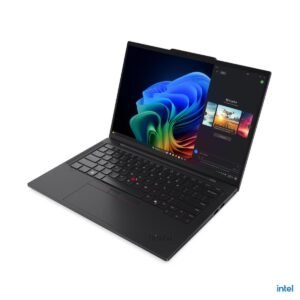
Lenovo ThinkPad T14s Gen 6
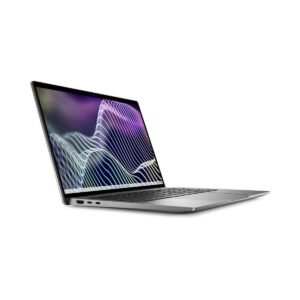
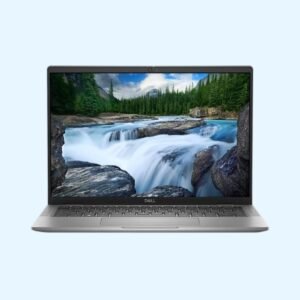
KSh 261,800.00Dell Latitude 7440
KSh 217,800.00


Related products
Apple MacBook Neo
Price range: KSh 102,300.00 through KSh 118,800.00Select options This product has multiple variants. The options may be chosen on the product pageDell Latitude 7450
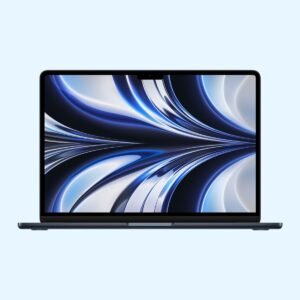
Price range: KSh 231,000.00 through KSh 242,000.00Select options This product has multiple variants. The options may be chosen on the product pageApple MacBook Air 13 inch (M2)
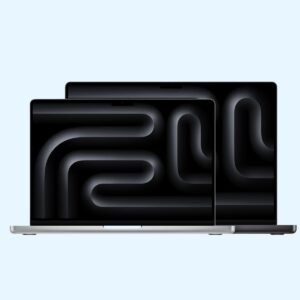
KSh 140,800.00Apple MacBook Pro 14 inch (M5)
KSh 295,350.00



Reviews
There are no reviews yet.