


| Connection | Bluetooth, up to 3 devices |
|---|---|
| Clicks | Quiet |
| Power | 1 x AAA battery |
| Shape | Slim, ambidextrous |
| Colour | Tonal White, Tonal Rose |
Logitech M350s Pebble Mouse 2
KSh 3,400.00
- Slim, light Bluetooth mouse that slips into any bag
- Pairs with up to 3 devices and switches with one button
- Quiet clicks
- Runs for months on one AAA battery
- Tonal White 910-007013 or Tonal Rose 910-007014
A slim, quiet Bluetooth mouse for people who work on the move
The Logitech Pebble Mouse 2 M350s is a flat, rounded mouse that slides into a laptop sleeve or a handbag as easily as a phone. It connects over Bluetooth, so there is no receiver to carry or lose, and it can remember three devices at once and switch between them with a single button. The clicks are quiet, and Logitech rates the battery at up to two years.
People buy it for three reasons: it is thin enough to carry everywhere, it frees up USB ports on modern laptops, and it lets you jump between a laptop, a tablet and a second computer without re-pairing.
It is part of our mice and keyboards range.
What the Pebble Mouse 2 does
Thin enough to forget it is in your bag
The mouse is about 106.7 mm long, 58.7 mm wide and just 26.6 mm high, and weighs around 76 g with its battery fitted, according to Logitech. That low, smooth profile is what makes it so easy to pack. The trade-off is that your palm does not rest on it the way it would on a taller mouse, so it suits fingertip and claw grips better than a full palm grip.
Three devices, one button
The Easy-Switch button cycles between three paired devices. You could pair your work laptop, your personal laptop and an iPad, then move from one to the next with a press.
Bluetooth, or a Logi Bolt receiver
It connects over Bluetooth Low Energy, with a range of about 10 metres. If a computer has no Bluetooth, the mouse also works with a Logi Bolt USB receiver, which is sold separately and is not in the box.
Quiet clicks
The buttons give a soft, muted click. That makes the Pebble 2 easy to use in meetings, libraries, shared offices and on calls, where a loud mouse gets noticed.
Up to 24 months on a single battery
Logitech rates the battery life at up to 24 months. The battery is replaceable and sits under the removable top cover. It comes fitted, so the mouse works straight out of the box.
A sensor you can adjust and a button you can customise
The optical sensor runs from 400 to 4,000 DPI. With the free Logi Options+ app on Windows or macOS, you can change the pointer speed and assign a different action to the middle button, such as copy, paste or a screenshot shortcut.
Compatibility
Logitech lists Windows 10 and 11, macOS 11 or later, iPadOS 14 or later, Android 9 or later, ChromeOS and Linux. That covers laptops like the MacBook Air M5, Android tablets, iPads and Chromebooks. Logi Options+ customisation works on Windows and macOS only.
Setting it up
Switch the mouse on, hold the Easy-Switch button until the light blinks quickly, and choose the mouse in your device’s Bluetooth settings. To add a second or third device, press the button to move to channel 2 or 3 and repeat. Install Logi Options+ afterwards if you want to change the middle button.
Which colour
We stock the Pebble Mouse 2 in Tonal White and Tonal Rose, both at the same price. Tonal White is an all-white finish that matches silver laptops and white desks. Tonal Rose is a soft pink. The photos show Tonal White. Choose your colour from the options above.
Who it suits
It suits people who travel or move between home and office, people who use more than one device, iPad users, and anyone who needs a quiet mouse in shared spaces. It is not the right mouse for long days of heavy desk work with large hands, because the flat shape gives little palm support. It also lacks side buttons.
How it compares
If you only need Bluetooth on one device and want to spend less, the Logitech M196 is taller, simpler and cheaper. For a fuller shape with quiet clicks and side buttons, the Logitech Signature M650 is the better desk mouse. If you also want the matching keyboard, the Logitech Pebble 2 Combo pairs this style of mouse with a slim keyboard. For a premium travel mouse that tracks on glass and recharges over USB-C, look at the Logitech MX Anywhere 3S.
Full product details are on Logitech’s official site.
Looking after it
Turn the mouse off when it goes into a bag so it does not wake up from movement. The white finish shows marks, so wipe it every so often with a soft, slightly damp cloth. Keep the sensor window clean. When the battery runs down, lift the top cover and replace it.
Frequently asked questions
Does it come with a USB receiver?
No. It connects over Bluetooth. A Logi Bolt receiver can be added, but it is sold separately.
How many devices can it connect to?
Three, and you switch between them with the Easy-Switch button.
How long does the battery last?
Logitech rates it at up to 24 months.
Is it rechargeable?
No. It uses a replaceable battery, which is included.
Does it work with an iPad?
Yes, on iPadOS 14 or later.
Are the clicks quiet?
Yes. The clicks are soft and muted.
Is it good for left-handed users?
Yes. The shape is symmetrical.
Buying from Encom Digital
Everything we sell is genuine Logitech. Prices on this page exclude VAT, and every order comes with a KRA-compliant VAT invoice, which your accounts team will need if you are buying for a company.
We offer same-day delivery within Nairobi and deliver to the rest of Kenya. You can pay by M-Pesa, card or bank transfer. If you are fitting out an office, a school or an NGO, ask us for bulk and corporate pricing.
Call or WhatsApp us on +254 714 962 072, email us, or visit us at Rehema House, 4th Floor, Standard Street, Nairobi, Monday to Saturday, 8AM to 6PM.
You may also like…

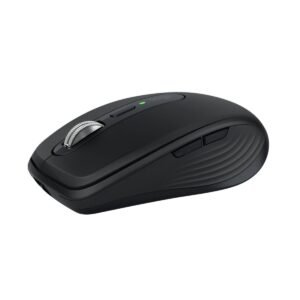
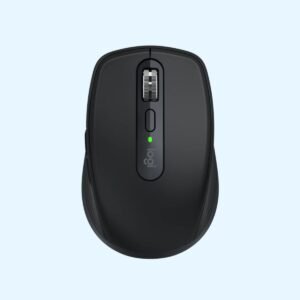
Logitech MX Anywhere 3S Bluetooth Mouse (Graphite)
KSh 11,900.00
Related products
Dell Latitude 5540
Price range: KSh 135,900.00 through KSh 162,800.00Select options This product has multiple variants. The options may be chosen on the product pageHP OmniBook 5 Flip 14 (14-fp0023dx)
KSh 115,500.00Dell OptiPlex 7020 Micro Tower
Price range: KSh 110,200.00 through KSh 139,200.00Select options This product has multiple variants. The options may be chosen on the product pageDell Latitude 5550
Price range: KSh 139,700.00 through KSh 170,500.00Select options This product has multiple variants. The options may be chosen on the product page
Reviews
There are no reviews yet.