




| Processor | Intel Core i5-1345U |
|---|---|
| RAM | 16GB |
| Storage | 512GB SSD |
| Screen Size | 13.3 inch |
| Display | Full HD |
| Graphics | Intel Iris Xe Graphics |
| Operating System | Windows 11 (installed by Encom) |
| Form Factor | Clamshell |
| Model | Latitude 5340 |
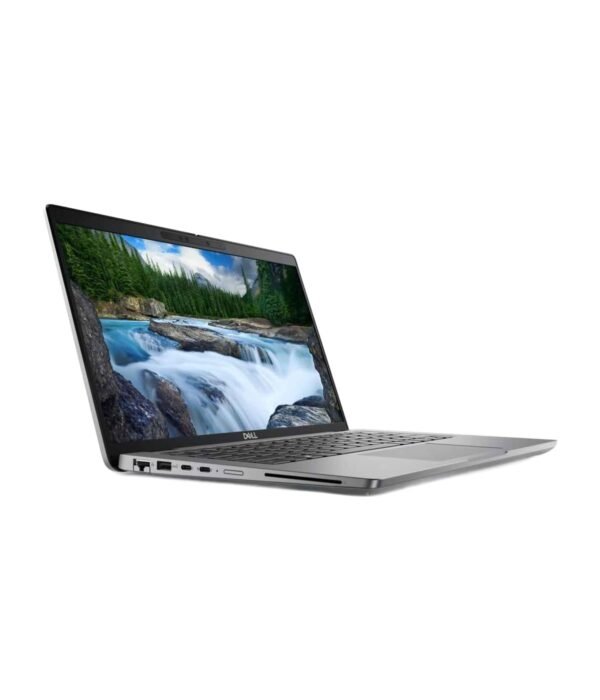
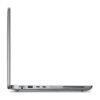
| Ports | 2 x Thunderbolt 4 USB-C, 2 x USB-A (one with PowerShare), HDMI 2.0, Headset jack |
| Weight | About 1.23kg |
| Management | Intel vPro |
Dell Latitude 5340
KSh 148,500.00
- 13th Gen Intel Core i5-1345U with vPro, up to 4.7GHz
- 16GB LPDDR5 RAM (soldered) and 512GB SSD
- 13.3 inch Full HD anti-glare screen
- Two Thunderbolt 4 ports, two USB-A and HDMI
- Windows 11 installed by Encom before delivery
A compact 13.3 inch Dell business laptop for people who travel
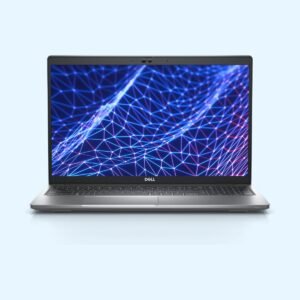
The Dell Latitude 5340 is the 13.3 inch model in Dell’s mid-range 5000 business series. At about 1.23kg it is light enough to carry all day, yet it keeps two Thunderbolt 4 ports, two USB-A ports and full-size HDMI, so you do not need a bag of adapters. The unit we have here has a 13th Gen Intel Core i5-1345U, 16GB of RAM, a 512GB SSD and a 13.3 inch Full HD screen.
It is part of our range of business laptops.
What you get
13th Gen Intel Core i5-1345U with vPro
The i5-1345U has 10 cores and 12 threads and boosts up to 4.7GHz. It is the business version of Intel’s 13th Gen Core i5, with Intel vPro support, which lets company IT teams manage, update and secure laptops remotely. For Office, ERP and accounting systems, browsers and video calls, it is quick and stays quiet. LaptopMedia found the 5340 holds its speed well under sustained load for a laptop this size.
16GB RAM and a 512GB SSD
The 16GB of fast LPDDR5 memory is soldered to the board and runs in dual channel, which keeps the Intel Iris Xe graphics responsive. Because it is soldered, it cannot be upgraded later, so 16GB is the right amount to buy now. The 512GB NVMe SSD sits in a short M.2 2230 slot and can be replaced with a larger drive of the same size.
13.3 inch Full HD screen
The 1920 x 1080 anti-glare IPS screen has wide viewing angles and, in LaptopMedia’s testing, no PWM flicker, which is easier on the eyes over long days. The smaller screen is what makes the laptop so easy to carry. If you work on spreadsheets all day, plan on an external monitor at your desk.
Thunderbolt 4 and ports
On the left you get a USB-A port and two Thunderbolt 4 USB-C ports that handle charging, displays and docks. On the right are HDMI 2.0, a second USB-A port with PowerShare for charging a phone, a headset jack and a lock slot. There is no Ethernet port or card reader, so use a USB-C dock or adapter if you need a cabled network.
Wireless, webcam and security
Wi-Fi 6E and Bluetooth 5.3 are built in, with a webcam and microphones for calls. Dell offered a fingerprint reader in the power button, a privacy shutter, a smart card reader, a backlit keyboard and NFC as options on this model, so ask us which ones your unit has.
Size and weight
It measures about 30.6 x 20.8cm, under 2cm thick, and weighs about 1.23kg. LaptopMedia measured over 10 hours of video playback with the larger 54Wh battery.
Who it suits
The Latitude 5340 suits sales staff, consultants, auditors, NGO field staff and managers who move between meetings, sites and airports. It also suits company IT teams who manage fleets with vPro. If you work at one desk all day and want a bigger screen, a 14 inch model such as the Dell Latitude 5440 is more comfortable. If you need Ethernet built in, choose a 14 inch model too.
Operating system
We install Windows 11 on it before delivery, so it is ready to use when it arrives. If you would rather run a different operating system, tell us when you order.
How it compares
The Dell Latitude 5350 is the newer version of this laptop, with Intel Core Ultra processors and a built-in NPU. The Dell Latitude 5440 uses the same generation of processor in a 14 inch body with Ethernet. For a premium step up, the Dell Latitude 7440 is lighter and better finished. From HP, the HP EliteBook 830 G10 x360 is a 13.3 inch rival with a fold-back screen.
Full product details are on Dell’s official site.
Looking after it
Use a surge protector or a UPS where power cuts and voltage swings are common. Keep the vents clear by working on a hard surface rather than a bed or sofa, and use a padded sleeve when you travel. If it sits on a dock most of the day, Dell’s power settings let you limit charging so the battery lasts longer. Clean the keyboard with a soft brush and the screen with a dry microfibre cloth.
Works well with
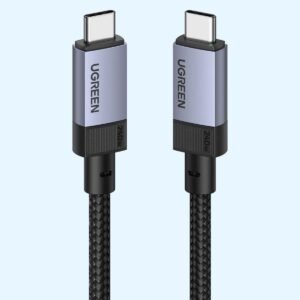
The Logitech MX Anywhere 3S is a small mouse that works on most surfaces, which suits a travel laptop. The UGREEN Metallic Foldable Laptop Stand folds flat for your bag, and the UGREEN 240W USB-C cable is a good spare for charging.
Frequently asked questions
Which processor does it have?
A 13th Gen Intel Core i5-1345U with 10 cores, 12 threads, a boost of up to 4.7GHz and Intel vPro support.
Can I upgrade the RAM?
No. The 16GB of memory is soldered to the board.
Can I upgrade the SSD?
Yes. It uses an M.2 2230 slot, so a larger drive of that size will fit.
Does it have an Ethernet port?
No. Use a USB-C dock or adapter for a wired network.
Does it have Thunderbolt?
Yes. It has two Thunderbolt 4 ports, and both can charge the laptop.
Can I connect two monitors?
Yes. Use the HDMI port and a Thunderbolt port, or a Thunderbolt dock.
Does it come with Windows?
Yes. We install Windows 11 before delivery. If you prefer another operating system, tell us when you order.
Buying from Encom Digital
Everything we sell is genuine Dell. Prices on this page exclude VAT, and every order comes with a KRA-compliant VAT invoice, which your accounts team will need if you are buying for a company.
We offer same-day delivery within Nairobi and deliver to the rest of Kenya. You can pay by M-Pesa, card or bank transfer. If you are fitting out an office, a school or an NGO, ask us for bulk and corporate pricing.
Call or WhatsApp us on +254 714 962 072, email us, or visit us at Rehema House, 4th Floor, Standard Street, Nairobi, Monday to Saturday, 8AM to 6PM.
You may also like…

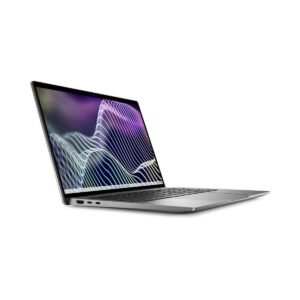
Dell Latitude 7440
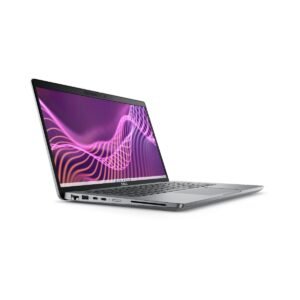
KSh 217,800.00Dell Latitude 5440
Price range: KSh 137,500.00 through KSh 143,000.00Select options This product has multiple variants. The options may be chosen on the product page


Related products
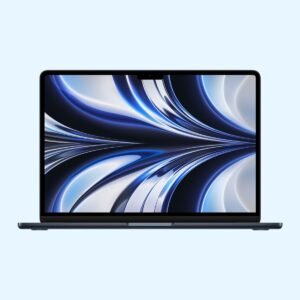
Apple MacBook Air 13 inch (M2)
KSh 140,800.00Dell Latitude 5530
KSh 128,200.00Dell OptiPlex 7000 Micro Tower (Core i7-12700)
KSh 110,200.00UGREEN USB-C to USB-C Cable 240W (1M)
KSh 800.00


Reviews
There are no reviews yet.