






| Processor | Intel Core i5-1145G7 |
|---|---|
| RAM | 16GB |
| Storage | 512GB SSD |
| Screen Size | 15.6 inch |
| Display | Full HD |
| Graphics | Intel Iris Xe Graphics |
| Operating System | Windows 11 (installed by Encom) |
| Form Factor | Clamshell |
| Model | Latitude 5520 |
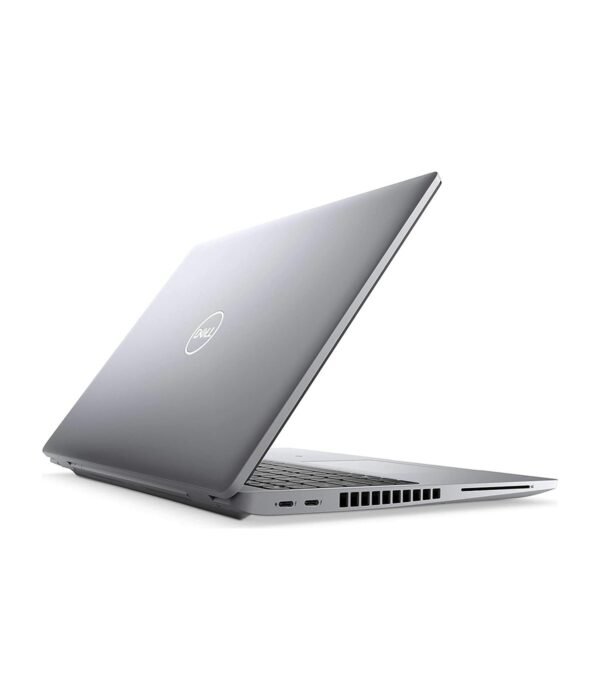
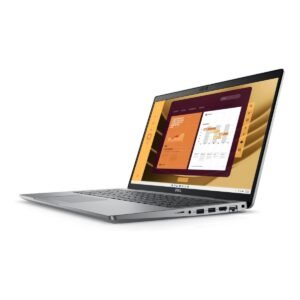
| Ports | 2 x Thunderbolt 4 (USB-C), 2 x USB-A, HDMI, Ethernet (RJ45), microSD card reader, 3.5mm audio jack |
| Management | Intel vPro |
| Keyboard | Full size with number pad |
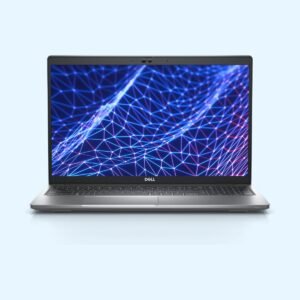
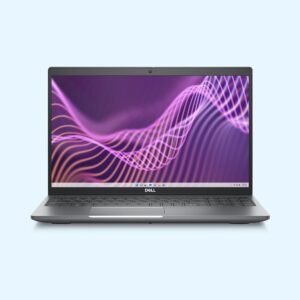
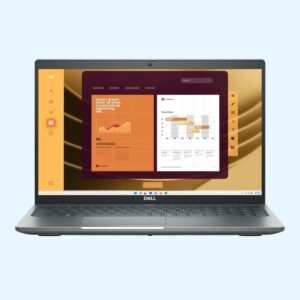
Dell Latitude 5520
KSh 138,600.00
- 11th Gen Intel Core i5-1145G7 with vPro
- 16GB RAM and 512GB SSD
- 15.6 inch Full HD display with number pad
- Two Thunderbolt 4 ports, USB-A, HDMI and Ethernet
- Windows 11 installed by Encom, or your choice of OS
Dell’s mid-range 15.6 inch business laptop with Thunderbolt 4
The Dell Latitude 5520 sits in Dell’s 5000 series, the range most companies standardise on for staff who need more than an entry laptop. It has a slimmer aluminium-look build than the 3000 series, Thunderbolt 4 for one-cable docking, and business features such as Intel vPro. This configuration has an 11th Gen Intel Core i5-1145G7, 16GB of RAM, a 512GB SSD and a 15.6 inch Full HD screen.
It is part of our range of business laptops.
What you get
Intel Core i5-1145G7 with vPro
The i5-1145G7 is a four-core, eight-thread processor with a boost clock of up to 4.4GHz. It is a vPro chip, so an IT team can manage, update and secure the laptop remotely, which helps companies with staff in several branches or working from home.
16GB RAM and a 512GB SSD
Sixteen gigabytes is the comfortable amount for business users who keep Office, a browser full of tabs, a finance system and a video call open together. The 5520 uses two memory slots and supports up to 64GB, so there is room to grow. The 512GB SSD is fast and gives plenty of space for files and software.
Intel Iris Xe Graphics
The built-in Iris Xe graphics drive external monitors smoothly and handle presentations, video and light photo editing well.
15.6 inch Full HD screen and number pad
The 1920 x 1080 anti-glare screen is easy on the eyes in bright offices, and the large size makes spreadsheets and reports easier to work with. The keyboard has a full number pad for fast data entry.
Thunderbolt 4 and a complete set of ports
Two Thunderbolt 4 ports handle charging, fast data transfer and external displays, and they work with Thunderbolt and USB-C docks, so one cable connects you to monitors, a keyboard and the network at your desk. You also get two USB-A ports, HDMI, a wired Ethernet port, a microSD card reader and a headset jack, so you rarely need an adapter.
Light for its size
Dell quotes the 5520 from about 1.59kg, which is light for a 15.6 inch laptop with a number pad. Wi-Fi 6 and Bluetooth come built in, along with an HD webcam for online meetings. Some Latitude 5520 units also have a fingerprint reader or a smart card reader, so ask us what this unit has if you need either.
Who it suits
The Latitude 5520 suits accountants, analysts, managers and engineers who want a big screen and a number pad without carrying a heavy machine. It also suits companies that dock their laptops at a desk and manage them centrally. It is not built for gaming or heavy 3D work, which need a dedicated graphics card.
Operating system
We install Windows 11 on it before delivery, so it is ready to use when it arrives. If you would rather run a different operating system, tell us when you order.
How it compares
The Dell Latitude 5530 and Dell Latitude 5540 are the newer members of the same family with 12th and 13th Gen processors. If you want the same 15.6 inch size at a lower price, look at the entry Dell Latitude 3520. For a ThinkPad alternative, compare the Lenovo ThinkPad L15 Gen 1.
Full product details are on Dell’s official site.
Looking after it
Use a surge protector or a UPS where power cuts are common. Carry it in a padded sleeve or bag sized for 15.6 inch laptops, and do not stack heavy files on the lid. If it stays docked most of the day, use Dell’s power settings to limit charging so the battery lasts longer.
Works well with
Pair it with the Logitech MX Anywhere 3S for work on the move, the UGREEN Metallic Foldable Laptop Stand for your desk, and the UGREEN 240W USB-C cable as a spare charging cable.
Frequently asked questions
Which processor does it have?
An 11th Gen Intel Core i5-1145G7 with Intel vPro, four cores and a boost clock of up to 4.4GHz.
How much RAM does it have, and can I add more?
It has 16GB. It uses two memory slots and supports up to 64GB.
Does it have Thunderbolt?
Yes, two Thunderbolt 4 ports that also charge the laptop.
Does it have an Ethernet port?
Yes. It has a built-in RJ45 Ethernet port.
Does it have a number pad?
Yes. The keyboard has a full number pad.
Does it come with Windows?
Yes. We install Windows 11 before delivery. If you prefer another operating system, tell us when you order.
Can I connect two monitors?
Yes, using the HDMI port and a Thunderbolt port, or through a Thunderbolt dock.
Buying from Encom Digital
Everything we sell is genuine Dell. Prices on this page exclude VAT, and every order comes with a KRA-compliant VAT invoice, which your accounts team will need if you are buying for a company.
We offer same-day delivery within Nairobi and deliver to the rest of Kenya. You can pay by M-Pesa, card or bank transfer. If you are fitting out an office, a school or an NGO, ask us for bulk and corporate pricing.
Call or WhatsApp us on +254 714 962 072, email us, or visit us at Rehema House, 4th Floor, Standard Street, Nairobi, Monday to Saturday, 8AM to 6PM.
You may also like…

Dell Latitude 5530
KSh 128,200.00Dell Latitude 5540
Price range: KSh 135,900.00 through KSh 162,800.00Select options This product has multiple variants. The options may be chosen on the product page

Related products
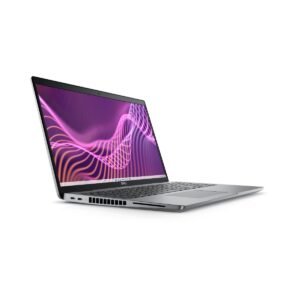
Dell Latitude 5550
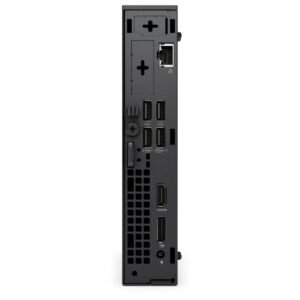
Price range: KSh 139,700.00 through KSh 170,500.00Select options This product has multiple variants. The options may be chosen on the product pageDell OptiPlex 7020 Micro Tower
Price range: KSh 110,200.00 through KSh 139,200.00Select options This product has multiple variants. The options may be chosen on the product pageApple MacBook Neo
Price range: KSh 102,300.00 through KSh 118,800.00Select options This product has multiple variants. The options may be chosen on the product pageApple MacBook Air 13 inch (M2)
KSh 140,800.00


Reviews
There are no reviews yet.