

A student laptop in Kenya has a hard life. It goes to lectures in a backpack, sits through group work in the library, runs assignments late into the night and has to keep going when stima imeenda in the hostel. Buy the wrong one and you feel it for four years. Buy the right one and you barely think about it.
This guide is for students and the parents paying for the laptop. It explains which specs matter, what your course actually needs, and which laptops on Encom Shop fit each budget, from about KES 50,000 up to a MacBook Air. All our prices are quoted excluding VAT.
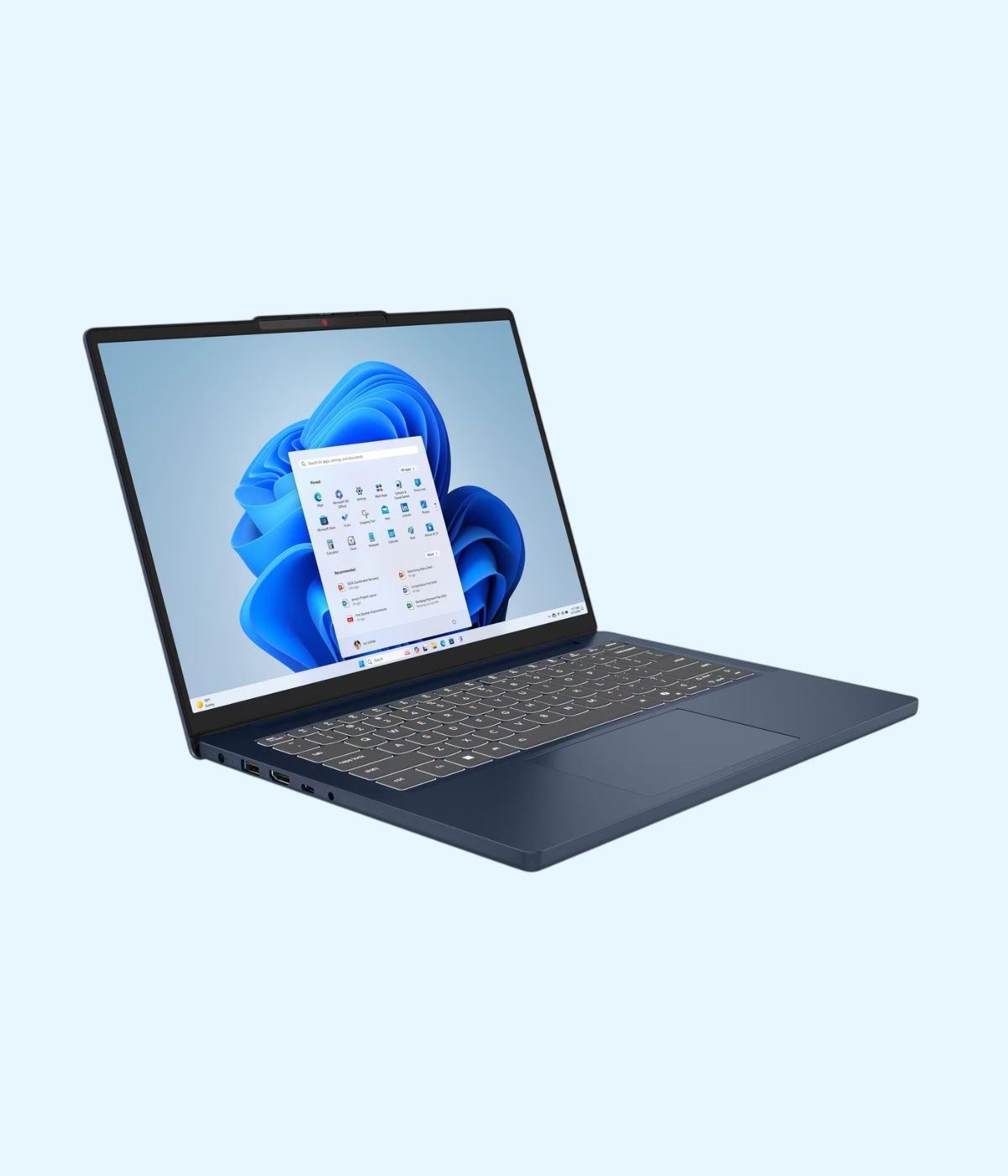
What a student laptop really needs
Five things decide whether a laptop will last through campus. Get these right and the brand matters much less.
- An SSD, not a hard drive. A solid state drive makes the laptop start in seconds and open files fast. Avoid any laptop that only has a spinning HDD, even if it looks cheaper. 512GB is a comfortable size for four years of notes, projects and software.
- 8GB of RAM at the very least, 16GB if you can. 8GB handles Word, a browser full of tabs and Zoom. 16GB is what you want for programming, design software or keeping lots of things open at once.
- RAM you can upgrade later. Some laptops have memory soldered to the board, so 8GB stays 8GB forever. Others have a free slot, which lets you add RAM in second or third year instead of buying a new laptop.
- The right kind of processor. Intel’s letter at the end of the model number tells you its job. Intel describes H chips as “highest performance” and U chips as “power efficient”. An H chip such as the Core i5-13420H is the better pick for coding and engineering software. A U chip gives longer battery life for writing and research.
- Size and weight you can carry. A 14 inch laptop around 1.4kg is easy to carry between lecture halls all day. A 15.6 inch model gives a bigger screen and a number pad, which accounting and statistics students tend to like, but it weighs more.
Match the laptop to your course
The biggest mistake we see is buying for the price tag instead of the course. A business student and an engineering student need very different machines.
Business, law, education, arts and social sciences
Your day is documents, spreadsheets, presentations, research and online classes. Any laptop with a modern processor, 8GB of RAM and an SSD will do the job well. Spend the rest of your budget on battery life and a light body. Before you pay for Microsoft Office, check with your university: students with an eligible education email address can get Office 365 A1 free from Microsoft, which includes the web versions of Word, Excel, PowerPoint, Outlook and OneNote.
Computer science, IT and software engineering
You will run a code editor, a browser, databases and sometimes a phone emulator at the same time. That is where 16GB of RAM and an H series processor earn their keep. A 14 inch screen with a 1920 x 1200 resolution also gives you a little more vertical space for code than a standard Full HD panel. Both Windows laptops and MacBooks work well for most programming courses.
Engineering, architecture and design
This is where the software sets the rules. For AutoCAD 2026, the published requirements list 8GB of memory as basic and 32GB as recommended, with a 2GB graphics card as the basic level and an 8GB card recommended. SOLIDWORKS asks for more: its system requirements page lists 16GB of RAM as the minimum, with 32GB recommended, and it runs on Windows only. SOLIDWORKS also states that Apple Macs running Windows through Boot Camp are not supported.
So if your course uses SOLIDWORKS or other Windows only engineering software, buy a Windows laptop with 16GB of RAM, and a dedicated graphics card if your budget allows. Ask your department which software and versions you will use before you buy, and check SOLIDWORKS’ certified graphics list if 3D modelling is a big part of your course.
Student laptops at Encom, by price
| Laptop | Price from (KES) | Processor | Memory and storage | Screen | Best for |
|---|---|---|---|---|---|
| HP 15-dw | 49,500 | Core i3, i5 or i7 (10th or 11th Gen) | 4GB with 1TB HDD, or 8GB with 512GB SSD | 15.6 inch | Tight budgets, pick the SSD version |
| ASUS Vivobook 14 X1404 | 66,000 | Core 5 120U or Core i7-1355U | 8GB or 12GB, 512GB SSD | 14 inch Full HD | Everyday coursework |
| Lenovo IdeaPad Slim 3 14IRH8 | 68,200 | Core i5-13420H | 8GB (soldered), 512GB SSD | 14 inch Full HD | Business and arts |
| Lenovo V14 G5 IRL | 71,500 | Core i5-13420H | 8GB DDR5 in two slots, 512GB SSD | 14 inch Full HD | Buy now, upgrade RAM later |
| Lenovo V14 G4 IRU | 74,800 | Core i5-13420H or Core i7-13620H | 8GB, 512GB SSD | 14 inch Full HD | All rounder with Ethernet |
| Lenovo IdeaPad Slim 3 14IRH10 | 77,000 | Core i5-13420H | 16GB, 512GB SSD | 14 inch WUXGA | Best value for computer science |
| Lenovo IdeaPad Slim 3 15IRH10 | 77,000 | Core i5-13420H | 16GB (up to 24GB), 512GB SSD with a free M.2 slot | 15.3 inch WUXGA | Accounting, statistics, coding |
| Lenovo IdeaPad 3 14ITL6 | 79,200 | Core i7-1165G7 | 8GB DDR4 (up to 16GB) | 14 inch Full HD | Light carry, upgradable |
| Lenovo IdeaPad 5 2-in-1 14IAL10 | 82,500 | Core Ultra 5 225U | 8GB (soldered), 512GB SSD | 14 inch WUXGA touchscreen | Handwritten notes with a pen |
| Lenovo IdeaPad Slim 3 15IRH8 | 85,800 | Core i7-13620H | 16GB, 512GB SSD | 15.6 inch Full HD | Heavier coding and data work |
| HP 14s | 86,900 | Core i7-1165G7 | 8GB, 512GB SSD | 14 inch | Light everyday laptop |
| HP 15-fd0 | 88,000 | Core 5 120U, Core Ultra 5 125H or Core i7-1355U | 8GB or 16GB, 512GB SSD | 15.6 inch Full HD, touch on some versions | Big screen with number pad |
| Apple MacBook Neo | 102,300 | Apple A18 Pro | 8GB, 256GB or 512GB SSD | 13 inch Liquid Retina | Long battery life on macOS |
| HP Victus 15 | 121,000 | Core i5-13420H with RTX 4050 6GB | 16GB, 512GB SSD | 15.6 inch Full HD 144Hz | Engineering and 3D on a budget |
| ASUS Vivobook S14 OLED | 124,300 | Core Ultra 7 256V | 16GB, 512GB SSD | 14 inch OLED | Design, media and photo work |
| MacBook Air 13 inch M2 | 140,800 | Apple M2 | 8GB, 256GB SSD | 13.6 inch Liquid Retina | Entry MacBook Air |
| MacBook Air 13 inch M3 | 145,200 | Apple M3 | 8GB with 256GB, or 24GB with 512GB | 13.6 inch Liquid Retina | All day battery, silent |
| Lenovo LOQ 15IRH8 | 170,500 | Core i7-13620H with RTX 4050 6GB | 16GB, 512GB SSD | 15.6 inch Full HD 144Hz | CAD, 3D and rendering |
| MacBook Air 15 inch M2 | 181,500 | Apple M2 | 8GB, 256GB or 512GB SSD | 15.3 inch Liquid Retina | Big screen on macOS |
| MacBook Air 13 inch M5 | 196,400 | Apple M5 | 16GB, 512GB SSD | 13.6 inch Liquid Retina | The MacBook to keep for years |
Under KES 75,000: solid laptops for most courses
If the budget is tight, the Lenovo V14 G5 IRL at KES 71,500 is the one we point most students to. It has a 13th Gen Core i5-13420H, a 512GB SSD and 8GB of DDR5 RAM spread over two slots, so you can add memory later. It also has a spill resistant keyboard, an Ethernet port for hostel or library cables, and it starts from 1.37kg.
The IdeaPad Slim 3 14IRH8 at KES 68,200 has the same processor in a slimmer body with Wi-Fi 6, but its 8GB of RAM is soldered and cannot be upgraded. That is fine for business or arts, less so for a computer science student. The ASUS Vivobook 14 X1404 from KES 66,000 is a simple, light everyday option. The HP 15-dw starts at KES 49,500, but for a student we would only recommend the 8GB version with a 512GB SSD.
KES 75,000 to 90,000: the sweet spot
This is where student laptops get 16GB of RAM, and that makes a real difference over four years. The Lenovo IdeaPad Slim 3 14IRH10 at KES 77,000 pairs the Core i5-13420H with 16GB of RAM, a 512GB SSD and a 14 inch 1920 x 1200 screen, plus a webcam privacy shutter and an SD card reader. It is available with Windows 11 Home or without an operating system. If you want a bigger screen and a number pad for the same money, the IdeaPad Slim 3 15IRH10 also has 16GB, takes up to 24GB, and has a free second M.2 slot for another SSD.
Students who need more processor power for data work can step up to the IdeaPad Slim 3 15IRH8 at KES 85,800, which has a 10 core Core i7-13620H and 16GB. If you like taking handwritten notes, the IdeaPad 5 2-in-1 14IAL10 at KES 82,500 folds into a tablet, works with the Lenovo Digital Pen 2 (sold separately) and has a fingerprint reader and backlit keyboard.

MacBooks for students
MacBooks are popular with students for their battery life and silent, fanless design. The MacBook Neo from KES 102,300 is the most affordable way into macOS. Apple rates it at up to 16 hours of video streaming and up to 11 hours of web browsing, and it weighs about 1.23kg. It has 8GB of memory, which is fine for most non technical courses.
The MacBook Air 13 inch M3 from KES 145,200 goes further: Apple lists up to 18 hours of video playback and up to 15 hours of web browsing at 1.24kg, and it comes in a 24GB memory version for heavier work. For a MacBook that will see you through a degree and beyond, the MacBook Air 13 inch M5 with 16GB and 512GB is the one to choose. Just remember the engineering point above: if your course depends on SOLIDWORKS, a Mac is the wrong tool. See the full range on our MacBooks page. Our MacBook Air price comparison sets the M2, M3 and M5 side by side.
Engineering and design: laptops with a graphics card
For AutoCAD, Revit, 3D modelling or rendering, a dedicated graphics card helps a lot. The HP Victus 15 at KES 121,000 is the most affordable laptop in this guide with an NVIDIA GeForce RTX 4050 6GB, plus 16GB of RAM and a 144Hz screen. The Lenovo LOQ 15IRH8 at KES 170,500 uses the same graphics card with the faster Core i7-13620H. Both weigh over 2kg, so they are better on a desk than in a backpack all day. For design students who care about colour, the ASUS Vivobook S14 OLED has a 14 inch OLED screen covering 100% of DCI-P3 in a body of about 1.3kg. For more RTX models and prices, see our comparison of five gaming laptops.
Power cuts, hostels and battery life
Outages are part of student life in Kenya. Electricity customers averaged 8.39 hours of outages a month in EPRA’s latest biannual statistics, as reported by People Daily. When the lights go off the night before a deadline, battery life is what saves the assignment. Save your work to the cloud as you go, keep the laptop charged during the day, and if you share a room or a study group, a portable power station can keep several laptops and phones running through a long cut.
Two small extras are worth adding to your budget: a laptop bag with proper padding, and a mouse for long sessions in the lab. Our guide to wireless mice in Kenya has options from KES 900. If you are after a tougher business laptop instead, see our Lenovo ThinkPad guide.
Our quick picks
- Best on a tight budget: Lenovo V14 G5 IRL, KES 71,500
- Best value overall: Lenovo IdeaPad Slim 3 14IRH10, KES 77,000
- Best for note taking: Lenovo IdeaPad 5 2-in-1 14IAL10, KES 82,500
- Best for engineering: HP Victus 15, KES 121,000
- Best MacBook for students: MacBook Air 13 inch M3, from KES 145,200
Buying your student laptop from Encom
You can order any of these laptops on Encom Shop, or browse the full student laptops range. Prices are quoted excluding VAT. If you are not sure which one suits your course, tell us what you are studying and your budget, and we will help you choose. To buy or to request a quote for several laptops for a school or a family, Email us, or visit us at Rehema House, 4th Floor, Standard Street, Nairobi.
Frequently asked questions
What is the best student laptop in Kenya right now?
For most students we recommend the Lenovo IdeaPad Slim 3 14IRH10 at KES 77,000. It has a Core i5-13420H, 16GB of RAM, a 512GB SSD and a 14 inch 1920 x 1200 screen, which covers almost every course.
How much should I spend on a laptop for university?
Plan for about KES 70,000 to 90,000 for a new Windows laptop that will last a full degree. Engineering and design students should budget more if they need a graphics card, starting from KES 121,000 for the HP Victus 15.
What is the cheapest student laptop at Encom?
The HP 15-dw starts at KES 49,500. For studying we suggest its 8GB version with a 512GB SSD rather than the 4GB version with a hard drive.
Is 8GB of RAM enough for a student?
For business, arts, law and education, yes. For computer science, engineering or design, 16GB is the better choice. SOLIDWORKS lists 16GB as its minimum.
Can I upgrade the RAM later?
On some models. The Lenovo V14 G5 IRL has two RAM slots, the IdeaPad 3 14ITL6 has a free slot up to 16GB, and the IdeaPad Slim 3 15IRH10 takes up to 24GB. The IdeaPad Slim 3 14IRH8 and IdeaPad 5 2-in-1 14IAL10 have soldered RAM that cannot be upgraded.
Which laptop is best for engineering students?
A Windows laptop with 16GB of RAM and a dedicated graphics card, such as the HP Victus 15 or the Lenovo LOQ 15IRH8, both with an NVIDIA RTX 4050 6GB. Ask your department which software you will use first.
Can I use a MacBook for engineering?
It depends on the software. SOLIDWORKS runs on Windows only and does not support Macs running Windows through Boot Camp, so if your course depends on it, choose a Windows laptop.
Which student laptop has the best battery life?
The MacBooks stand out. Apple rates the MacBook Air 13 inch M3 at up to 18 hours of video playback and the MacBook Neo at up to 16 hours of video streaming.
What is the cheapest MacBook for students?
The Apple MacBook Neo, from KES 102,300, with the A18 Pro chip, 8GB of memory and a 13 inch screen.
Do I need to buy Microsoft Office?
Maybe not. Microsoft offers Office 365 A1 free to students with an eligible education email address, including web versions of Word, Excel and PowerPoint. Check with your university first.
What does H or U mean in an Intel processor name?
Intel describes H processors as highest performance and U processors as power efficient. H suits coding and engineering software, U suits longer battery life.
Should I choose a 14 inch or a 15.6 inch laptop?
A 14 inch laptop is easier to carry around campus. A 15.6 inch laptop gives a bigger screen and usually a number pad, useful for accounting and statistics.
Are Encom’s laptop prices inclusive of VAT?
No. All Encom prices are quoted excluding VAT.
How do I order a student laptop from Encom?
Order on shop.encom.africa, email info@encom.africa, or visit us at Rehema House, 4th Floor, Standard Street, Nairobi.